Softpedia
 

WINDOWS CATEGORIES:


GLOBAL PAGES >>
SOFTPEDIA REVIEWS >>
MEET THE EDITORS >>
WEEK'S BEST
  • Bitdefender Total ...
  • Hard Disk Sentinel...
  • FlashFXP [DISCOUNT...
  • Ocster Backup Pro ...
  • Kaspersky Internet...
  • DVDFab DVD Copy [D...
  • Avast! Internet Se...
  • Avira Internet Sec...
  • Webroot SecureAnyw...
  • McAfee Total Prote...
  • Home > Windows > Authoring tools > Authoring Related
     Report malware

    VMware ThinApp 4.7.3-891762

    download button buy button

    Downloads: 93,165  View global page  Tell us about an update
    User Rating:
    Rated by:
    Very Good (4.3/5)
    87 user(s)
    Developer:

    License / Price:

    Size / OS:

    Last Updated:

    Category:

    Trial / $39.00 USD buy button
    51.6 MB / Windows 2K / XP / 2003 / Vista / 7
    [view history]
    C: \ Authoring tools \ Authoring Related

     Read user reviews (4)  Send to friend   Follow (15 users)

    Softpedia Editor's Review for VMware ThinApp

    EDITOR'S RATING:   4.0/5

    Run any version of virtually any application on a single operating system without conflicts

    Written by Remus Corcaci on December 14th, 2011

    VMware ThinApp is designed to deliver virtualized instances of applications in order to help IT administrators with software migration to a newer operating system and eliminate specific conflicts and compatibility issues.

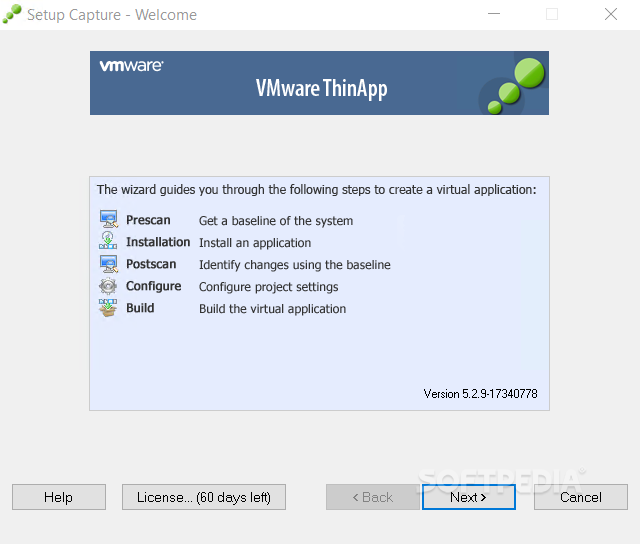
    Using this program you can create an initial baseline of your system, deploy or package software, check for specific differences. Configuration of the project settings is also available.

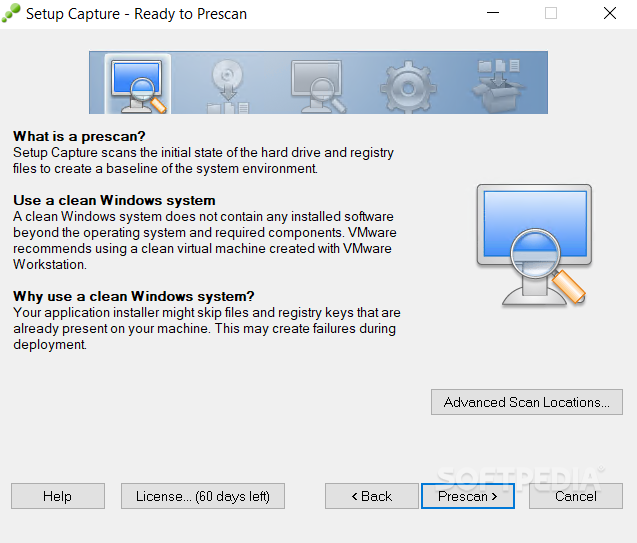
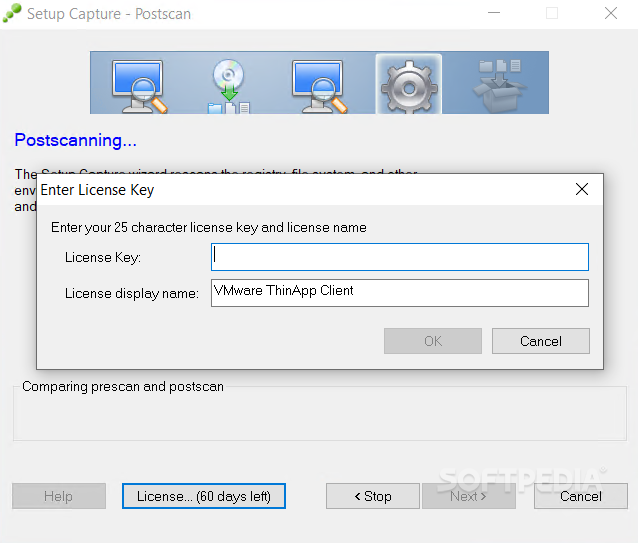
    Before starting the virtualization procedure VMware ThinApp scans your hard-drive and file registry to create a baseline of your system. This operation should be done with a clean operating system, in order to avoid compatibility problems.

    Once the virtualized bundle is finished you can export it as an EXE or MSI and run it on multiple versions of Microsoft Windows without repackaging it. The result can also be compressed, which decreases the file size and therefore makes it easier to share and use on multiple devices.

    The final output files are isolated one from each other and from the operating system, so any installation conflicts (if they exist) are eliminated.

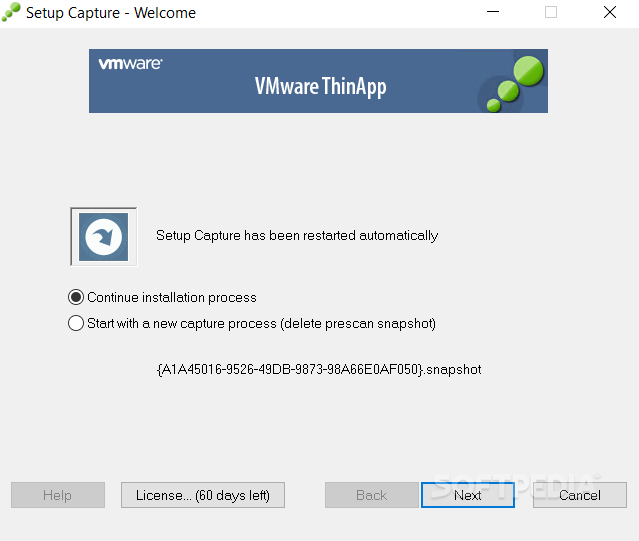
    The application provides an intuitive, wizard-driven interface for packaging software and its settings into a single executable file that can easily be used on multiple Windows operating systems for ultimate portability. In addition, the program can be used for increasing mobility – deploy, maintain and use various items directly on USB storage devices.

    VMware ThinApp comes bundled with VMware Horizon Application Manager, an efficient and fast method to manage and deploy applications to users and groups of users.

    The application supports 64-bit operating systems and a large array of programs such as Microsoft Office, Java-based software and more. However, it cannot virtualize some VPN clients, scanner and printer drivers or security solutions (antivirus programs and firewalls).

    To wrap it up, VMware ThinApp is comprehensive and reliable software for developers, IT administrators or software vendors; it simplifies application virtualization, deployment and management allowing for easy upgrading of the software packages on multiple systems.

    VMware ThinApp description

    Here are some key features of "VMware ThinApp":

    · Application isolation: Isolated applications run in a virtual bubble in restricted user accounts without requiring any host
    · modification: Deploy Office 97, 2003, 2007, and .NET applications on the same OS without conflict as the applications run independent of one another.

    · Zero-runtime execution: With no installed agent, no footprint is left on the endpoint device. Applications run directly from the compressed state without first caching data to the hard disk, achieving better performance and security of data.

    · 100% User Mode execution: Client runs on locked-down, unmanaged “kiosk” PCs without Admin rights to execute applications, enabling it to be used on managed and unmanaged PC.

    · Block-by-block network streaming: Applications virtualized execute once the minimum amount of code required to run the application is available in the desktop’s memory. For example, less than 10% of Microsoft Office needs to be physically streamed to the client in order for it to run. LAN streaming has an average start-up time of just a few seconds.

    · Sandbox environments for terminal services: Provide sandboxing for applications running in a terminal services environment so that multiple users can run their own sandboxed application without affecting each other. If one instance of the application tries to make system-wide changes, other users running the same applications are not affected.

    · 64-bit operating system support: Enables applications to be virtualized and run on 64-bit systems.

    · Execution on thin clients: Tested and certified to run virtualized applications on Windows XP-based thin clients.

    Compatibility with a broad range of applications:
    · Proven deployments on simple-to-complex applications ranging from basic Microsoft Office to custom applications with Java or .NET.

    · Active Directory integration: VMware ThinApp does not require any distribution, streaming, or activation servers or agents. It works with AD, ESD enforcement tools, and open protocols so no additional hardware, software licenses and ongoing maintenance costs for backend infrastructure is required.

    · Execution from USB key with portable profiles/user settings: Enable a user to run critical applications from a USB key while maintaining corporate security requirements.

    · Integration with 3rd-party application management solutions: Creates .MSI and/or .EXE file that plugs into existing electronic software delivery systems (Inventory, Configuration Management Database, Definitive Software Library, Packagers) without additional integrations required.

    · Application Sync: Enables application updates for mobile users as well as third parties on the corporate extranet, ensuring availability of the latest version of the application, reducing patch risks to machines that are taken off the network. Update virtual applications via http/https over the LAN or WAN leveraging existing software delivery systems.

    · Application Link: Allows packaged applications to dynamically establish dependencies ("links") with other packaged applications. Administers create separate packages of interdependent components such as Java or .NET runtimes and the applications that rely on them. Each component is delivered independently while sharing resources across multiple ThinApp packages.

    · Package it once, deliver to many: Execute a packaged application on Windows NT, Windows PE, or XP Embedded without retesting or repackaging the application for each operating system.

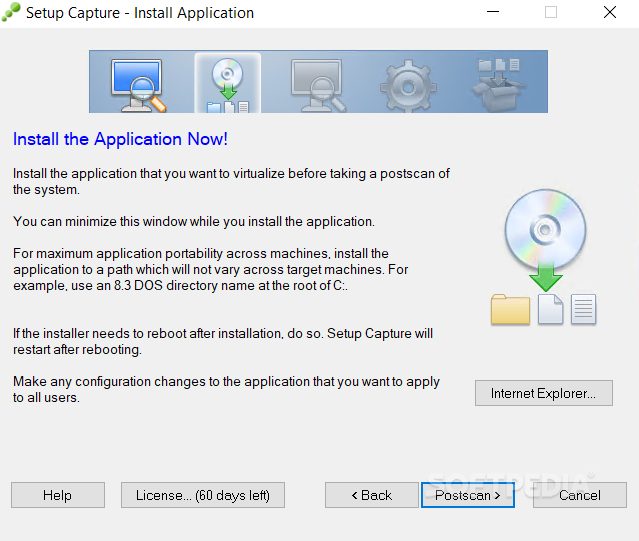
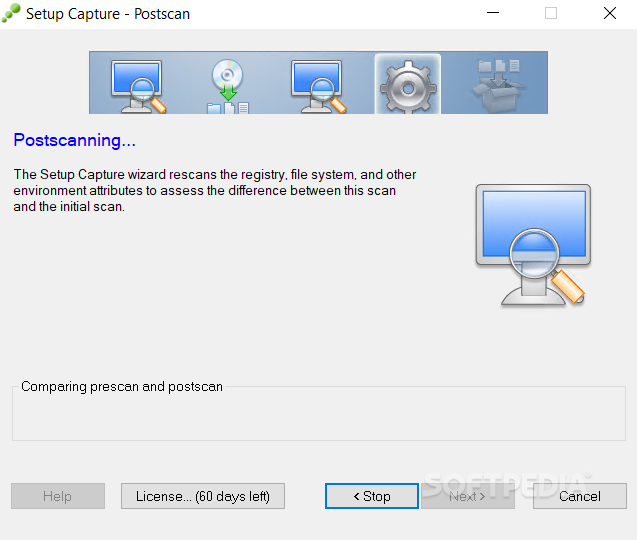
    · System snapshots: Provides administrators with a rapid three-step process for pre- and post-install system states for packaging simplicity and for supporting applications that require a reboot during the installation process.

    · ISV embeddable: Organizations can deliver their custom application throughout their extranet using VMware ThinApp application virtualization technology.

    Limitations:

    · 60 days trial

    What's New in This Release: [ read full changelog ]

    · The ThinApp 4.7.3 release adds support for packaging and execution of virtualized applications on Windows 8 operating system. The Windows 8 support enables cross-platform capability for many applications regardless of the operating system of capture. The cross-platform capability is an important component of supporting the latest Microsoft Windows releases for both managed and unmanaged endpoints.

    · New Package.ini parameter - You can use the PreventDllInjection=1 parameter to prevent ThinApp runtime from loading a DLL when another external application calls the SetWindowHook to set a global hook. This parameter should be used only when the hook is in conflict with a virtualized application. For example, if a virtualized application is unable to start because the other application NxPowerLite calls SetWindowsHook to set a global hook oehook.dll, modifying the package.ini with PreventDllInjection entry allows the virtualized application to start.

     Softpedia guarantees that VMware ThinApp 4.7.3-891762 is 100% CLEAN, which means it does not contain any form of malware, including spyware, viruses, trojans and backdoors. [read more >]


    TAGS:

    Application Virtualization | Application Deployment | Deploy Application | Virtualization | Deployment | Deploy

    Go to top

    WindowsGamesDriversMacLinuxScriptsMobileHandheldNews

    SUBMIT PROGRAM   |   ADVERTISE   |   GET HELP   |   SEND US FEEDBACK   |   RSS FEEDS   |   UPDATE YOUR SOFTWARE   |   ROMANIAN FORUM