
Copies DVD movies to a single DVD in about an hour, enabling you to have all your episodes stored on a single disc without splitting. #DVD Copy #DVD Backup #DVD back-up #Copy #Backup #DVD

Creating backup copies of your DVDs can actually be a bit more challenging than simply copying files from the optical drive to a location on your hard drive or LAN. This becomes evident the moment you want to clone a movie and preserve the menu structure, languages and extras.
To make this task as less tedious as possible, many specialized tools have been created and among them you will surely discover 1Click DVD Copy. As the name clearly states, the main focus is to minimize the interaction with the user and create perfect disc copies on the spot.
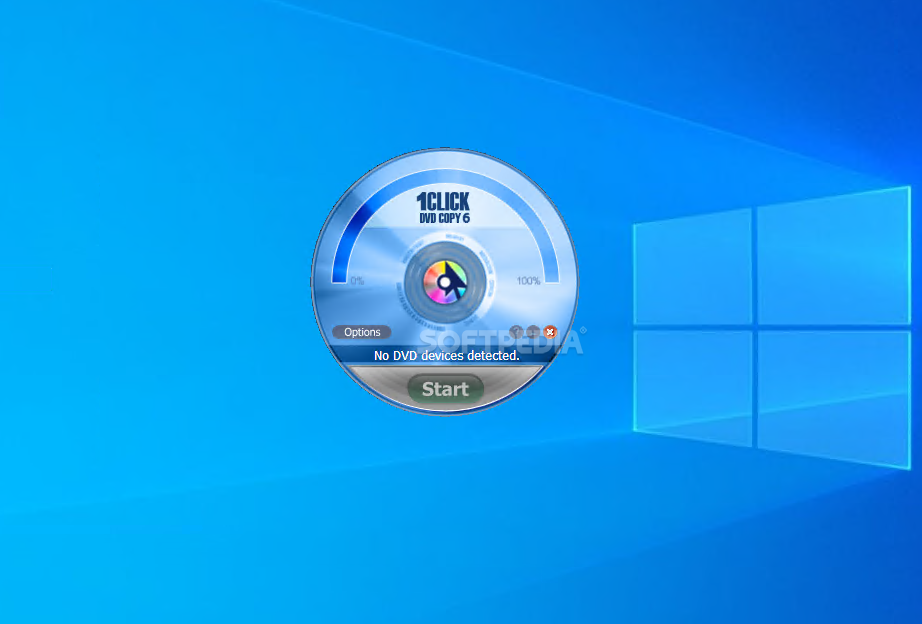
Since such an application should be very easy to use and target beginners and professional users alike, 1Click DVD Copy's look has been reduced to a minimum, so you won't waste your time with complex configurations.
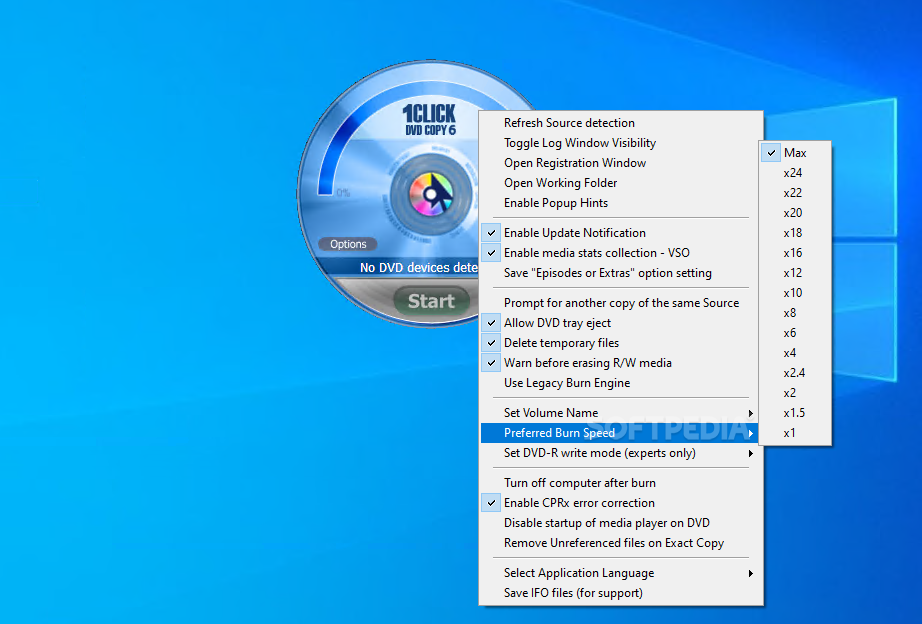
Thus, the main window comprises just the tools you need to copy a DVD on the fly, but those looking for a bit of customization can have a look in the options menu. In there you will find the settings that enable you to create a copy on the local disk, include extras or episodes from the DVD, make all the languages available in the copy as well, include subtitles and movie menus.
Although it may seem a basic tool, 1Click DVD Copy hides many more features. Not only that you can choose the burn speed and the volume name via the right-click menu in the main window, but it also comes with some goodies for expert users, such as DVD-R write mode and CPRx error correction.
The copying process can take quite some time, depending on how much information you have stored on the disc. During our tests, 1Click DVD Copy took a whole hour to clone a full DVD to a local folder.
To conclude, it's safe to say that this application can get the job done very well and it really needs only one click to do that. The extra settings are a welcomed bonus so both advanced and less-experienced users can benefit from it.
What's new in 1Click DVD Copy 6.2.2.3:
- Improved playback on some BBC series.
- CPRx version 1445 updated for new movies.
1Click DVD Copy 6.2.2.3
add to watchlist add to download basket send us an update REPORT- runs on:
-
Windows 10 32/64 bit
Windows 8 32/64 bit
Windows 7 32/64 bit - file size:
- 6.8 MB
- filename:
- 1clickdvdcopysetup6.2.2.3.exe
- main category:
- CD / DVD / Blu-ray Tools
- developer:
- visit homepage
Microsoft Teams

ShareX

7-Zip

Zoom Client

4k Video Downloader

Bitdefender Antivirus Free

IrfanView

Windows Sandbox Launcher

Context Menu Manager

calibre

- Windows Sandbox Launcher
- Context Menu Manager
- calibre
- Microsoft Teams
- ShareX
- 7-Zip
- Zoom Client
- 4k Video Downloader
- Bitdefender Antivirus Free
- IrfanView