
The perfect mixture of video conversion, encoding and disc-based media ripping in a single neatly packed open-source application. #DVD ripper #Rip DVD #Video encoder #Ripper #Encode #Transcoder

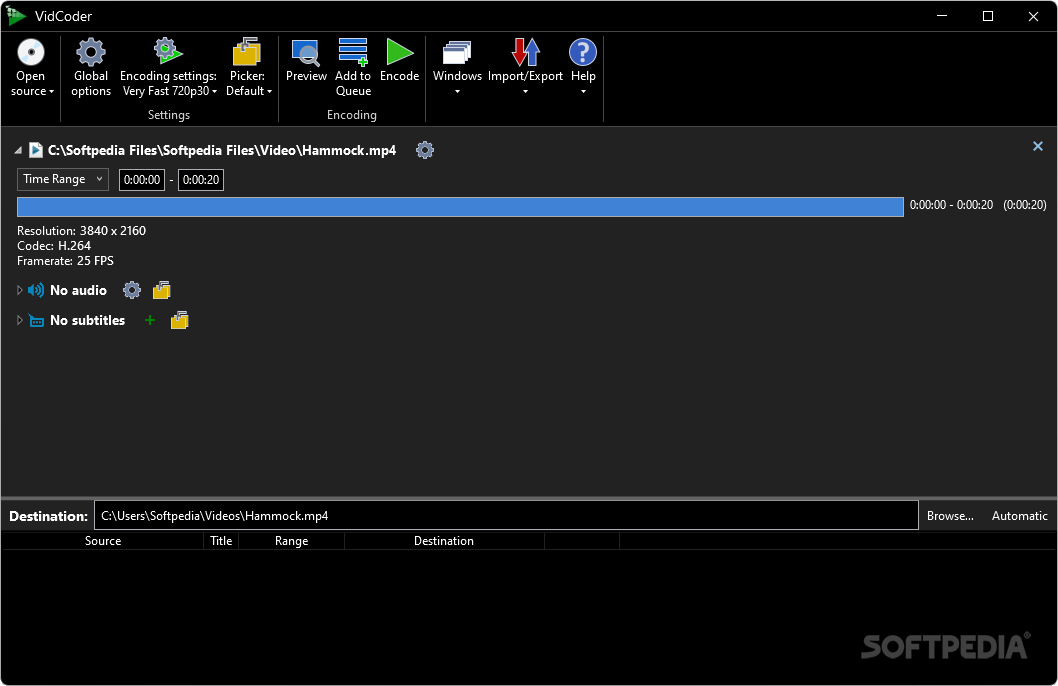
In a world of proprietary, privacy-invading and expensive media converters, VidCoder provides a breath of fresh air thanks to its open-source license, tightly packed feature set and user-friendly interface.
With straightforwardness in mind, the app’s interface is designed to provide the user with all of the necessary options within reach. The command toolbar encompasses the wide plethora of functions that the app is capable of executing.
Pressing the “Open Source” button brings up a drop-down menu consisting of options to pick the video files destined to be encoded or the DVD/Blu-ray content meant to be ripped, along with the possibility of choosing multiple files to list in a queue for easier handling of a multitude of conversions.
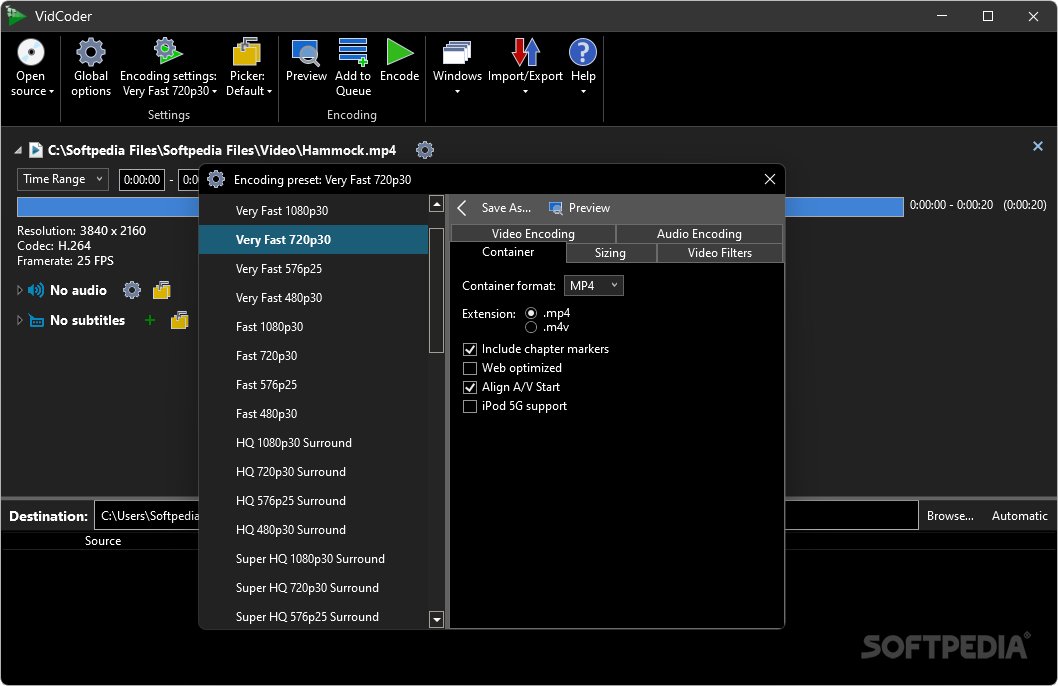
The encoding settings sport an exhaustive variety of presets for devices and formats of all shapes and sizes. Under each preset, the user can finely tune even the most intricate details of the encoding task, from the output format, size, filters, framerate and quality to the video and audio codec through sliders, checkboxes and drop-down menus.
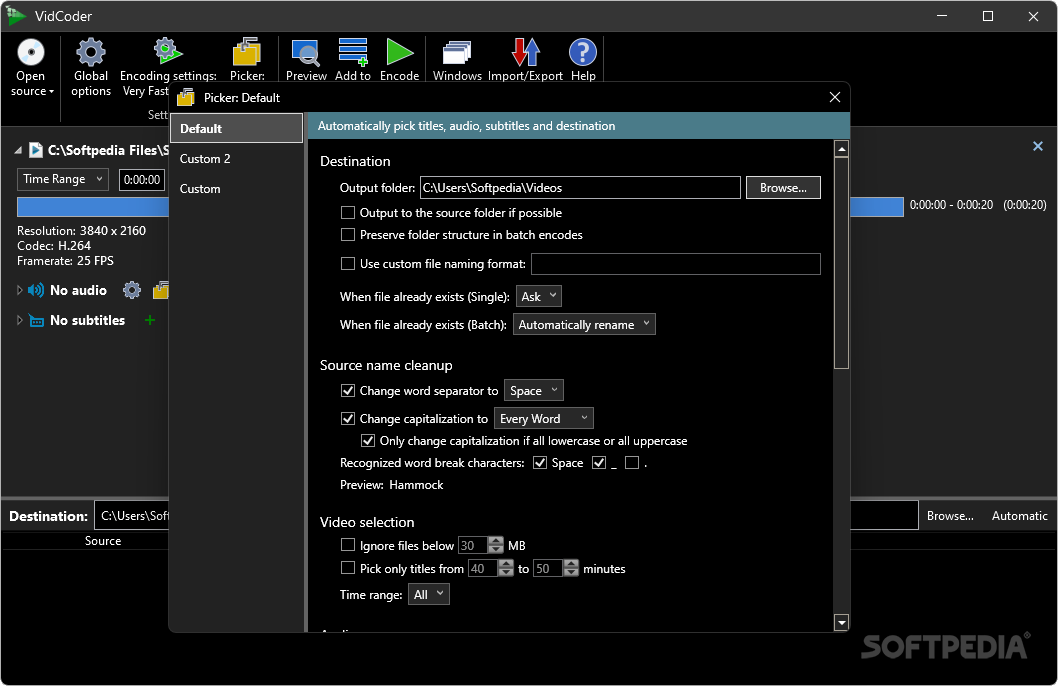
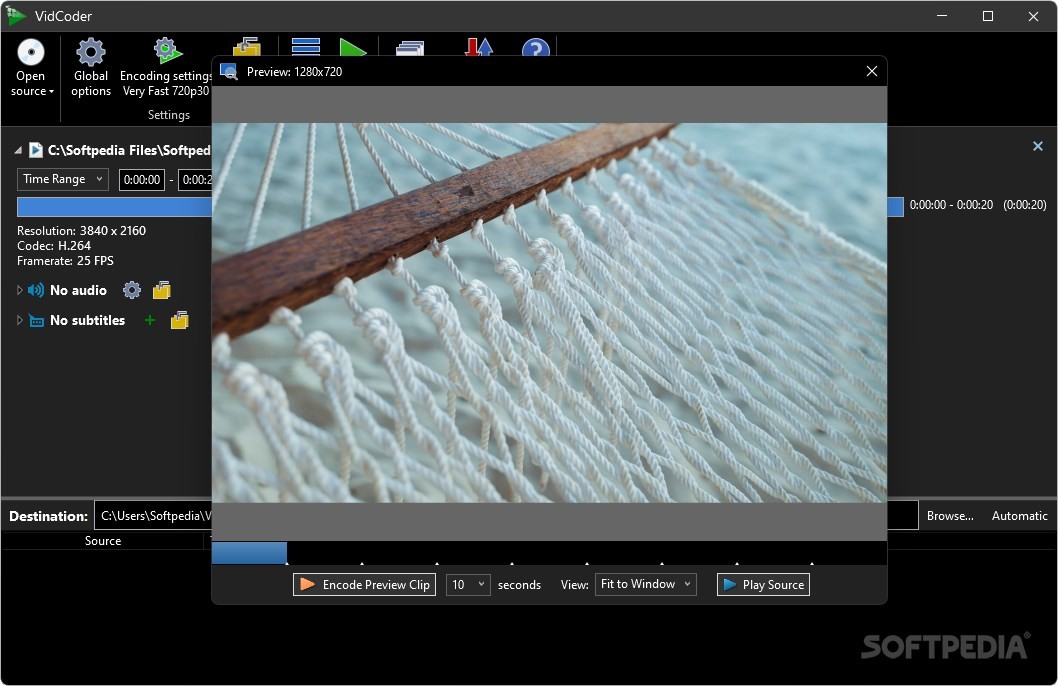
The “Picker” options that follow allow the user to select the output folder and the naming scheme of the video’s final version. Moreover, one can also bring up a preview window where a certain portion of the video can be selected to be encoded separately.
Some other capabilities included with the software are represented by the ability to import and export presets along with an update checker, bug reporter and feature requester. The bottom part of the application showcases a progress bar, the ability to pick what the software does automatically upon finalizing the processes and tabs for both queued and completed operations displaying the destination folder, the status, elapsed time and size of the output files.
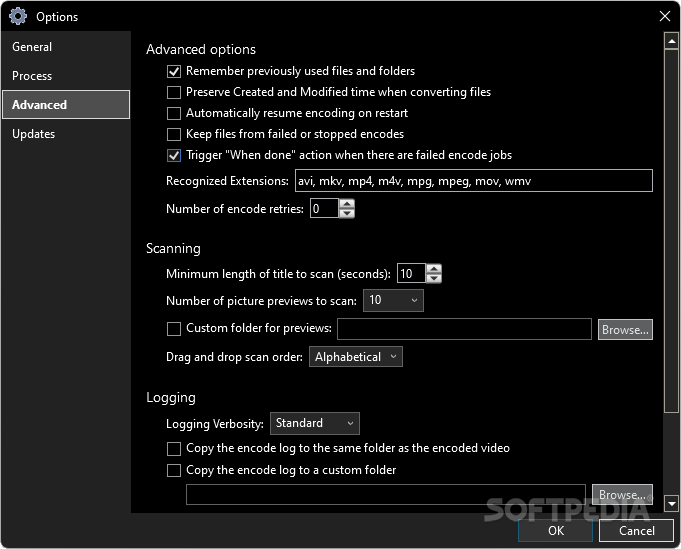
The “Options” menu allows for changing elements such as the preferred DVD player, the types of extensions that can be recognized, number of picture previews to scan and how often updates should be checked for.
For those in the market for a safe, secure, open-source video converter and ripper, look no further than Vidcoder, one of the most lightweight products in this category.
What's new in VidCoder 9.20:
- Updated HandBrake core to 1.7.3.
VidCoder 9.20 / 10.1 Beta
add to watchlist add to download basket send us an update REPORT- portable version
- Portable VidCoder
- runs on:
-
Windows 11
Windows 10 32/64 bit - file size:
- 44.4 MB
- filename:
- VidCoder-9.20.exe
- main category:
- CD / DVD / Blu-ray Tools
- developer:
- visit homepage
Zoom Client

4k Video Downloader

IrfanView

Windows Sandbox Launcher

Context Menu Manager

Microsoft Teams

calibre

Bitdefender Antivirus Free

ShareX

7-Zip

- Bitdefender Antivirus Free
- ShareX
- 7-Zip
- Zoom Client
- 4k Video Downloader
- IrfanView
- Windows Sandbox Launcher
- Context Menu Manager
- Microsoft Teams
- calibre