
Backup the files on your DVDs by copying them to another disc or saving them locally, with this minimalistic and intuitive application. #Copy DVD #Backup DVD #DVD burner #Backup #Write #Burn

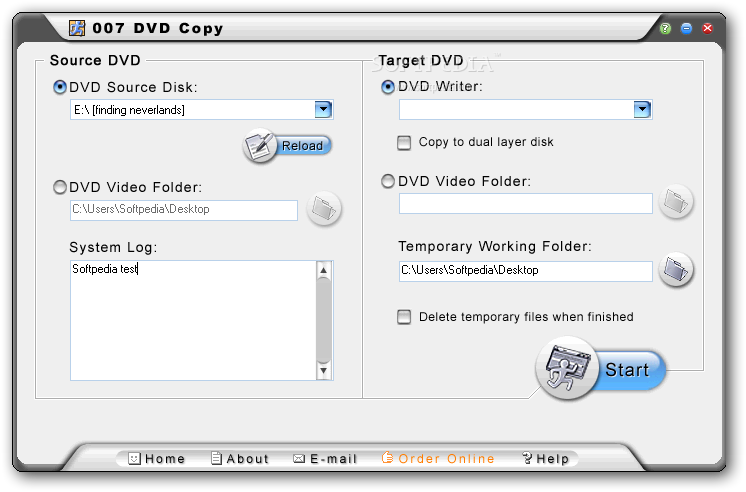
007 DVD Copy is a DVD backup software solution that relies on a “one window does it all” approach to target beginners and those more experienced alike.
Thanks to this approach, everything’s pretty easy to use, although there are some built-in options that may require advanced computer experience.
Basically, the whole process comes down to two different parts: source and target.
Users are initially required to input the source DVD, which can be either a disk or a DVD video folder stored on the local disks. The target on the other hand can be a DVD writer and thus back up a DVD straight to a disc, or a DVD video folder, in which case a temporary working folder is needed.
There are no other settings to play with, but it’s worth mentioning that 007 DVD Copy can also work with dual-layer movies, supporting both DVD5 and DVD9 formats with all types of content, be it menus, subtitles and languages.
007 DVD Copy can handle NTSC and PAL discs and all-region discs, which means that it can even remove region protection during the back-up process.
As you can see, you don’t need to be a very advanced computer user to take the most out of 007 DVD Copy, but a help section is also available to make sure you manage to figure out the purpose of each option.
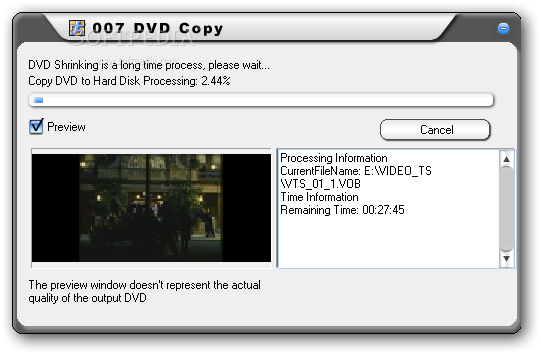
All things considered, 007 DVD Copy does its job in a very user-friendly way, displaying all options in a single window and relying on a pretty fast and reliable backup engine.
007 DVD Copy 5.94
add to watchlist add to download basket send us an update REPORT- runs on:
- Windows All
- file size:
- 2.2 MB
- filename:
- 007dvdcopy.exe
- main category:
- CD / DVD / Blu-ray Tools
- developer:
- visit homepage
4k Video Downloader

Context Menu Manager

IrfanView

Bitdefender Antivirus Free

calibre

Microsoft Teams

Windows Sandbox Launcher

ShareX

7-Zip

Zoom Client

- ShareX
- 7-Zip
- Zoom Client
- 4k Video Downloader
- Context Menu Manager
- IrfanView
- Bitdefender Antivirus Free
- calibre
- Microsoft Teams
- Windows Sandbox Launcher