Softpedia
 

WINDOWS CATEGORIES:


GLOBAL PAGES >>
SOFTPEDIA REVIEWS >>
MEET THE EDITORS >>
WEEK'S BEST
  • Bitdefender Total ...
  • Ocster Backup Pro ...
  • Hard Disk Sentinel...
  • FlashFXP [DISCOUNT...
  • DVDFab DVD Copy [D...
  • Kaspersky Internet...
  • Avast! Internet Se...
  • Avira Internet Sec...
  • Webroot SecureAnyw...
  • McAfee Total Prote...
  • Home > Windows > CD/DVD Tools > Data CD/DVD Burning
     Report malware

    Aimersoft DVD Creator 2.6.5

    download button

    Downloads: 6,564  View global page  Tell us about an update
    User Rating:
    Rated by:
    Fair (2.9/5)
    35 user(s)
    Developer:

    License / Price:

    Size / OS:

    Last Updated:

    Category:

    Trial / USD 39.95 buy button
    33.6 MB / Windows NT / 2K / XP / 2003 / Vista / 7
    [view history]
    C: \ CD/DVD Tools \ Data CD/DVD Burning

     Read user reviews (1)  Send to friend   Follow (0 users)

    Softpedia Editor's Review for Aimersoft DVD Creator

    EDITOR'S RATING:

    Supports customizable menu template, you can set the frame, button and text of your DVD movie.

    Written by Elena Opris on January 24th, 2013

    Aimersoft DVD Creator represents a simple software solution for creating DVD videos and burning them to disc. This app's features may be seamlessly figured out, even by less experienced users.

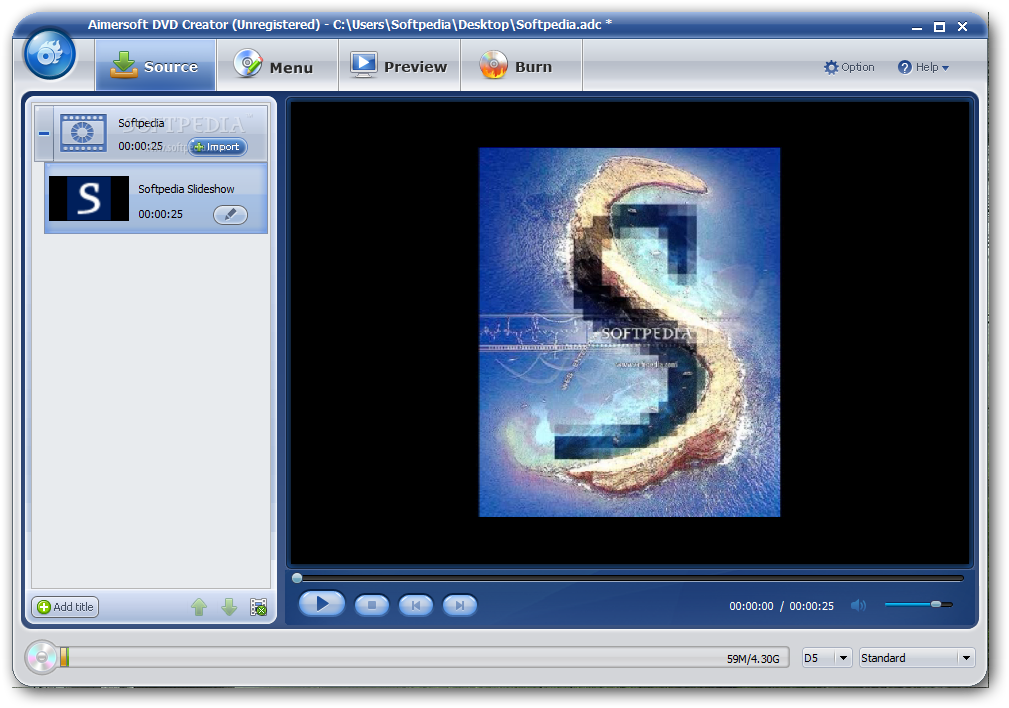
    The tool is packed in a clean and intuitive interface; importing titles into the list can be done with the help of the file browser or 'drag and drop' method.

    Aimersoft DVD Creator supports a wide range of file types, including AVI, GIF, JPG, VOB, PNG, MOV, FLV and MKV.

    So, you can preview photographs and videos in a built-in image viewer/media player, as well as arrange them in the title list; you can edit titles and check out their thumbnail and duration.

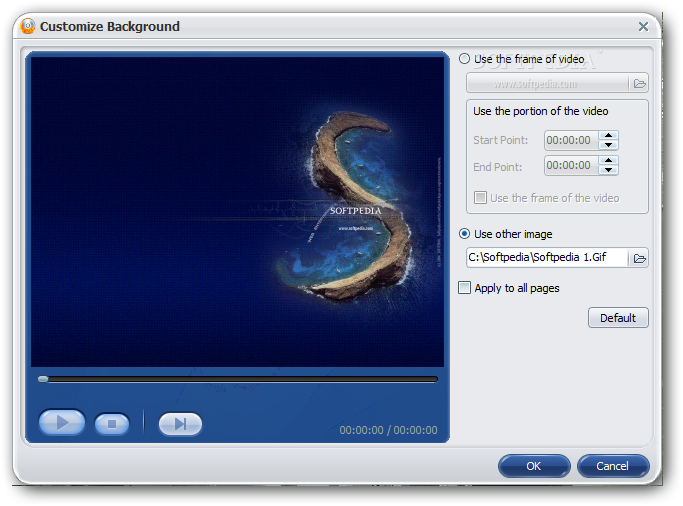
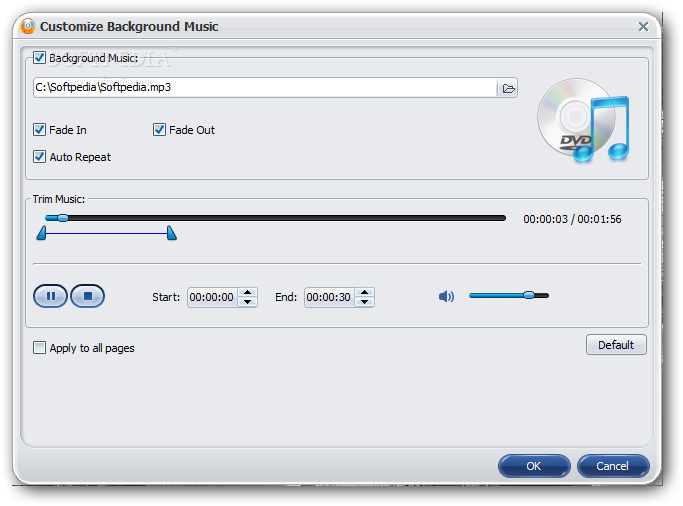
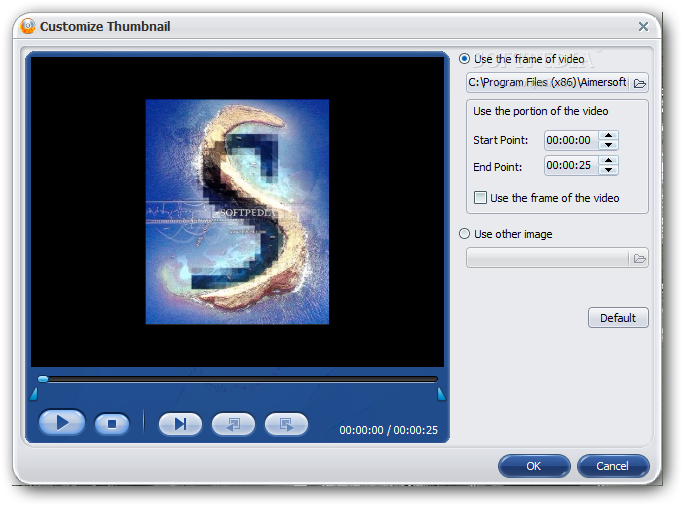
    Regarding the creation of DVD menus, you can select one of the four available presets, or simply dismay this option. Aimersoft DVD Creator lets you change the aspect ratio, customize the background (with a frame of the video, or other image from the hard drive), configure music settings (e.g. trim songs, fade in, auto repeat), as well as add captions and make some font modifications.

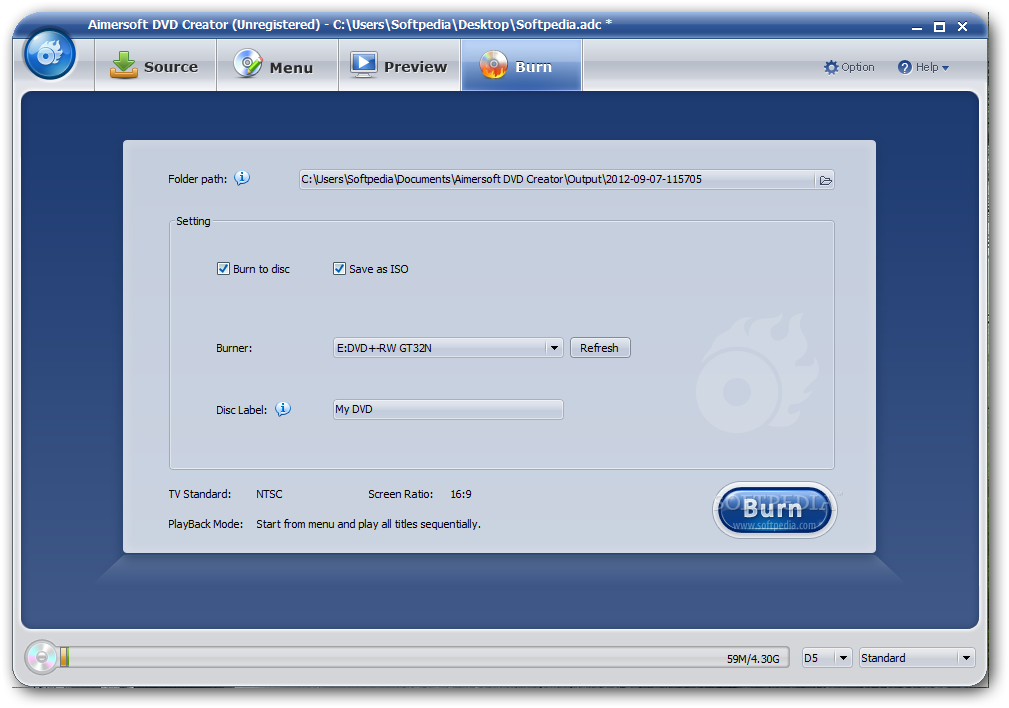
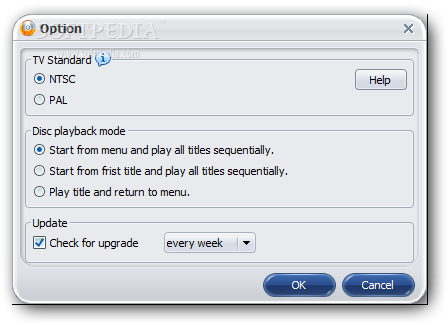
    Once the project is completed, you can preview it, burn it to disc and/or save it as an ISO file, select the DVD burner, and edit the disc label. From the 'Options' screen, you may select the TV system type (NTSC or PAL) and establish the disc playback mode (e.g. play title and return to the menu).

    The application needs a high amount of system resources to burn a DVD movie in reasonable time (depending on its size). It is very responsive to commands and includes a help file. The output DVD clips have a good image and sound quality. We have not come across any issues during our tests; Aimersoft DVD Creator did not freeze, crash or pop up error dialogs.

    Aimersoft DVD Creator description

    Here are some key features of "Aimersoft DVD Creator":

    · Support all common video formats including AVI, MOV, MP4, M4V, FLV, VOB, WMV, MPEG, DV, 3GP, 3GP2, DAT, ASF, MOD, TOD and H.264/AVC.
    · Fully compatible with all DVD Burners such as Samsung, Pioneer, ASUS, LG, Philip, Sony, Benq, OVK, etc.
    · Support DVD?5 and DVD?9; DVD-R, DVD+R, DVD-RW, DVD+RW, DVD+R DL, DVD-R DL, DVD-RAM supported.
    · Support burning ISO file.
    · Super fast burning speed. Optimized for 64-bit CPU including Intel EM64T and AMD64 and dual-core processor.
    · Support movie cropping, allow you to crop the video file to cut the black edges off.
    · Support movie trimming, you can trim your video to capture your favorite video clips.
    · Support effect adjustment, you can set the parameters of brightness, contrast, Saturation and volume.
    · All encoders and decoders are built-in, all-in-one video editor and DVD burner.
    · Support customizing background music, you can choose your favorite music from your computer and set it as the background music of DVD movie.
    · Support customizable menu template, you can set the frame, button and text of your DVD movie
    · Provide a series of transition effects for slideshows.
    · Support preview, you can preview before burning DVD.
    · Support photo capturing and save as jpeg, bmp.
    · Insert plug-in subtitles to your video file before burning to make the video better understood.
    · Very easy to use that you can finish the work with just a few clicks.
    · Support multi-language.

    Limitations:

    · Watermark on the output video
    · Nag screen
    · 30 days trial

    What's New in This Release: [ read full changelog ]

    · support importing MKV, HD FLV, and some HD formats such as M2TS, TP, TRP ect.
    · Adopt the lastest burning module, import the burning efficiency.
    · Use the lastest data base, enhance the stability in converting.
    · Support two real-time preview windows feature,support mirror reverse and customizing watermark.
    · Optimize the logic in the story board, modify some bugs in the older version.

     Softpedia guarantees that Aimersoft DVD Creator 2.6.5 is 100% CLEAN, which means it does not contain any form of malware, including spyware, viruses, trojans and backdoors. [read more >]


    TAGS:

    DVD creator | DVD burner | create DVD | burner | creator | convert

    Go to top

    WindowsGamesDriversMacLinuxScriptsMobileHandheldNews

    SUBMIT PROGRAM   |   ADVERTISE   |   GET HELP   |   SEND US FEEDBACK   |   RSS FEEDS   |   UPDATE YOUR SOFTWARE   |   ROMANIAN FORUM