Softpedia
 

WINDOWS CATEGORIES:


GLOBAL PAGES >>
SOFTPEDIA REVIEWS >>
MEET THE EDITORS >>
WEEK'S BEST
  • Sticky Password FR...
  • Parallels Workstat...
  • ESET NOD32 Antivir...
  • BitDefender Total ...
  • WinPatrol 24.6.201...
  • PerfectDisk Free D...
  • Adobe Photoshop CS...
  • PerfectDisk Profes...
  • Windows 8 Consumer...
  • Atlantis Word Proc...
  • Home > Windows > Compression tools
     Report malware

    PKZIP 14.00.0023

    download button

    Part of the Create tar download hub (+1 other)
    Downloads: 22,971  View global page  Tell us about an update
    User Rating:
    Rated by:
    Good (3.5/5)
    42 user(s)
    Developer:

    License / Price:

    Size / OS:

    Last Updated:

    Category:

    Trial / USD 29.00 buy button
    22.6 MB / Windows All

    C: \ Compression tools

     Read user reviews (0)  Send to friend   Follow (2 users)

    Softpedia Editor's Review for PKZIP

    EDITOR'S RATING:

    Compress and extract files of multiple formats.

    Written by Elena Opris on February 15th, 2012

    PKZIP is an application which enables you to compress files and extract content from archives.

    The user interface of the program is clean and intuitive. You can compress files and emails by using the file browser.

    So, you can select the compression filter between "no filter", "standard" and "advanced".

    Furthermore, you can load a list of files to compress from a text document (with the possibility of creating an inclusion or exclusion list).

    In the "Options" menu, you specify the compression level ("normal", "speed", "fast", "maximum", "custom") and set the add mode when selecting files (e.g. freshen existing files only, update existing files and add new ones, include subfolders, clear the archive attribute).

    In addition, you can set the archive date (e.g. newest file date), split size, diskette format, end of line, file name conversion, file attributes preservation (e.g. archive, hidden, read-only) and other options (e.g. enable auto save and to store file times).

    Plus, you can encrypt files and select the encryption algorithm. Settings can be restored to default at any time.

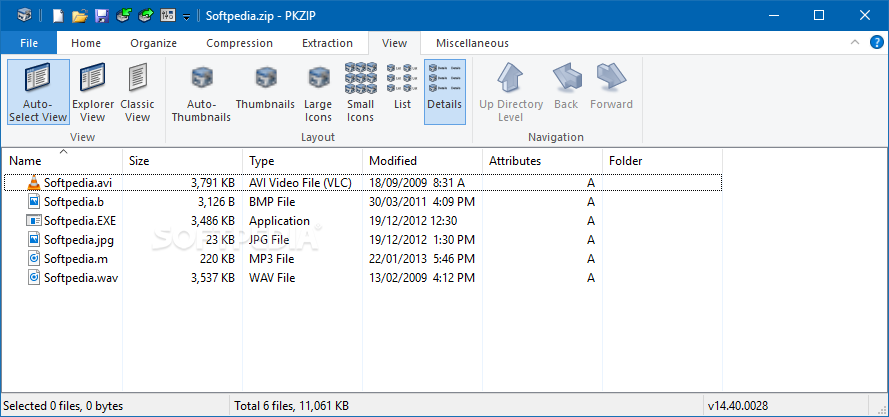
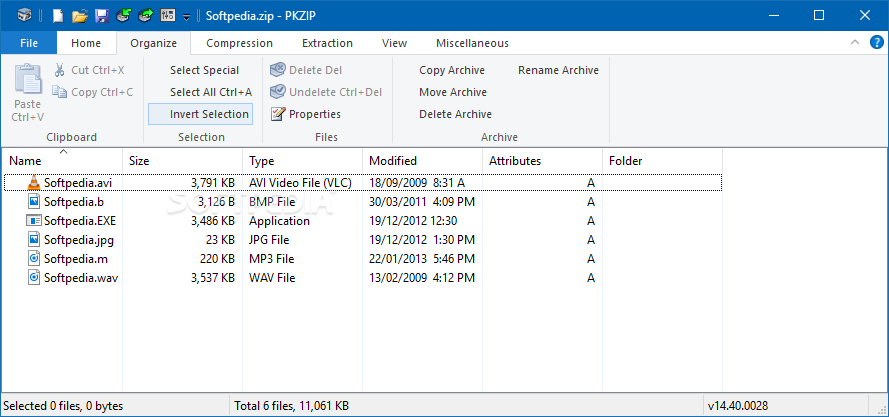
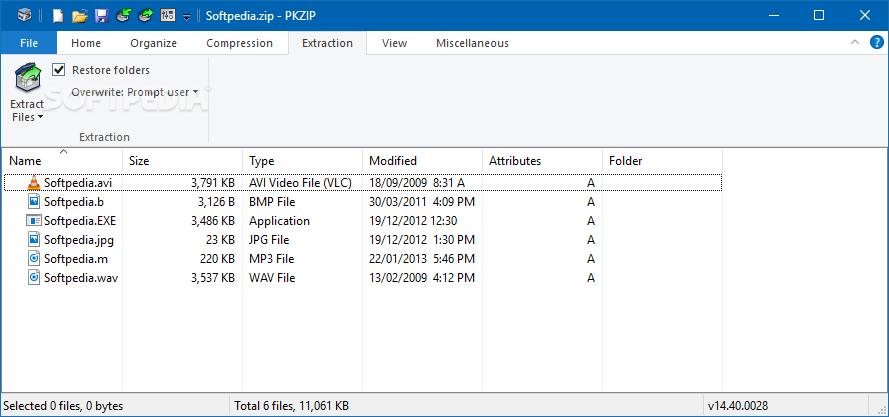
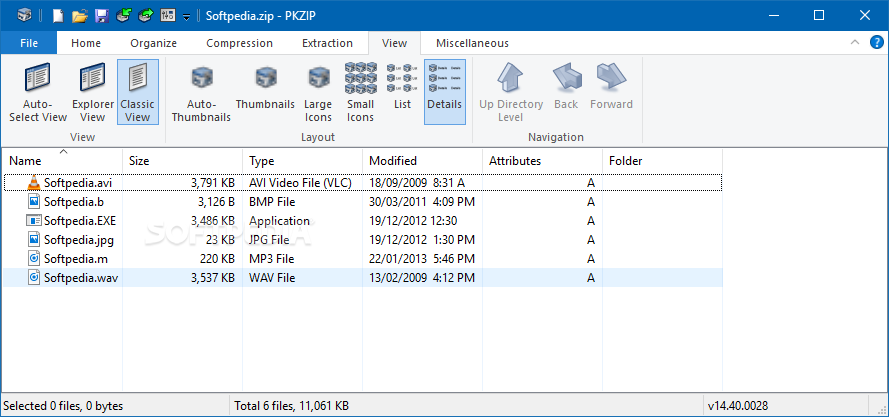
    Moreover, you can extract files from an archive, test them for integrity or install them. PKZIP also lets you organize archives (copy, move, delete, view properties), change the viewing mode (Explorer or classic view, thumbnails, large icons), create and manage favorites, and more.

    The program uses a low-to-moderate amount of system CPU and memory, includes a well-drawn help file and we haven't come across any errors during our tests. We strongly recommend PKZIP to all users.


    Read an in-depth analysis in our professional review for PKZIP

    PKZIP description

    Here are some key features of "PKZIP":

    ZIP archives that reduce file size by as much as 95%:
    · Experience bottom-line cost reductions from conservation of bandwidth, storage space, and backup tapes.

    Large file size support:
    · PKZIP can compress files of over 9 exabytes in size.

    Very large archive support:
    · Over 2 billion files can be included in a single ZIP archive.

    Strong password-based data file protection:
    · PKZIP supports AES or 3DES encryption to protect valuable information. Files encrypted with PKZIP may be decrypted and extracted on major enterprise computing platforms using PKZIP or SecureZIP.

    Decryption of PKI public-key encrypted ZIP archives:
    · PKZIP users can decrypt and extract files encrypted with a PKI public key.

    Authentication of digitally signed archives and files:
    · Recipients of digitally signed files can validate the signature to ensure the sender is who he or she claims to be, and verify that files have not been altered or tampered with since signed.

    Command-line add-on for automating recurring tasks:
    · PKZIP provides a command-line interface allowing users to create scripts for automating unattended script and batch processing.

    Microsoft Office Integration with SaveSecure:
    · Save secure documents directly from Microsoft Office (Word, Excel, and PowerPoint).

    Custom alternative extensions for mailed .ZIP archives:
    · Avoid ZIP archives being blocked by eMail configurations, by creating a custom extension for your .ZIP archives.

    Seamless integration with Microsoft Outlook:
    · Compressing data is as easy as attaching files to email with PKZIP Outlook integration, making user training virtually unnecessary.

    Certificate revocation list checking:
    · PKZIP can check the validity of digital certificates used to encrypt or digitally sign files against a Certificate Revocation List (CRL). When a PKZIP user receives a file that was signed or encrypted using SecureZIP, CRL checking will show a certificate that has been revoked as invalid.

    LZMA and PPMd Support:
    · LZMA and PPMd are increasingly popular general purpose algorithms which can provide increased compression. PPMd support available on 32-bit version only.

    Easy-to-use interfaces:
    · SecureZIP makes data protection incredibly easy. Signing and encrypting files are single-click operations. Choose from conventional menu-style, or fluent, ribbon-style interfaces.

    Requirements:

    · Disk space: 45MB (32-bit systems); 50MB (64-bit systems)
    · Memory (RAM): 128MB; 256MB recommended on XP; 512MB on Vista and Windows 7

    Limitations:

    · 30 days trial
    · nag screen

       Softpedia guarantees that PKZIP 14.00.0023 is 100% CLEAN, which means it does not contain any form of malware, including spyware, viruses, trojans and backdoors. [read more >]


    TAGS:

    compress file | extract file | create archive | compress | extract | archive


    HTML code for linking to this page:


    Go to top

    WindowsGamesDriversMacLinuxScriptsMobileHandheldNews

    SUBMIT PROGRAM   |   ADVERTISE   |   GET HELP   |   SEND US FEEDBACK   |   RSS FEEDS   |   UPDATE YOUR SOFTWARE   |   ROMANIAN FORUM