Softpedia
 

WINDOWS CATEGORIES:


GLOBAL PAGES >>
SOFTPEDIA REVIEWS >>
MEET THE EDITORS >>
WEEK'S BEST
  • Bitdefender Total ...
  • Ocster Backup Pro ...
  • Hard Disk Sentinel...
  • FlashFXP [DISCOUNT...
  • DVDFab DVD Copy [D...
  • Kaspersky Internet...
  • Avast! Internet Se...
  • Avira Internet Sec...
  • Webroot SecureAnyw...
  • McAfee Total Prote...
  • Home > Windows > Desktop Enhancements > Clocks & Time Management
     Report malware

    GigAlarm 1.35

    Softpedia Pick Award
    download button buy button

    Part of the Countdown Tools download hub
    Downloads: 6,666  Tell us about an update
    User Rating:
    Rated by:
    Good (3.8/5)
    3 user(s)
    Developer:

    License / Price:

    Size / OS:

    Last Updated:

    Category:

    Trial / USD 10.00 buy button
    96 KB / Windows 2K / XP / Vista / Vista64 / 7 / 7 x64 / All
    [view history]
    C: \ Desktop Enhancements \ Clocks & Time Management

     Read user reviews (0)  Send to friend   Follow (2 users)

    Softpedia Editor's Review for GigAlarm

    EDITOR'S RATING:

    An alarm program, capable of over 4 million different alarms

    Written by Gabriela Vatu on March 28th, 2013

    Keeping track of all that you need to do can be quite difficult if you don’t set up reminders for them. GigAlarm is a nice program that enables you to set up as many alarms as needed.

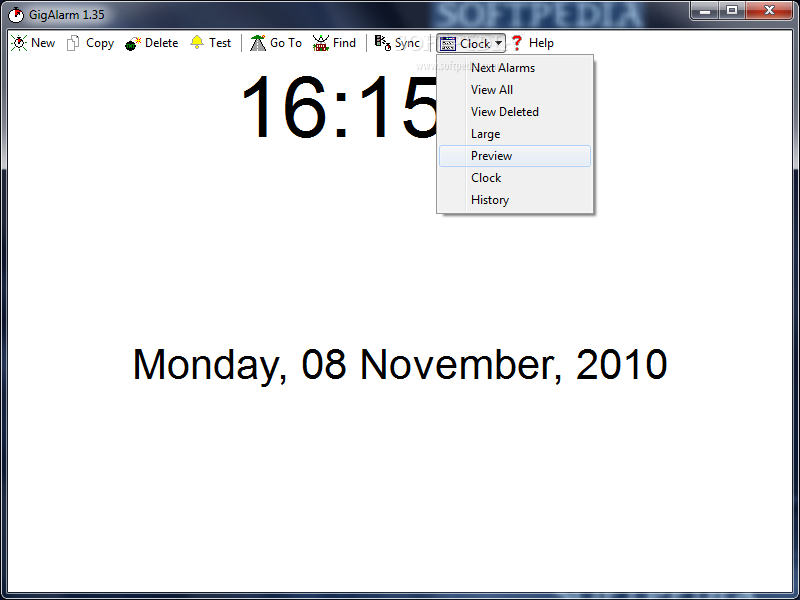
    The app has a clean interface that should be easy to figure out by all users.

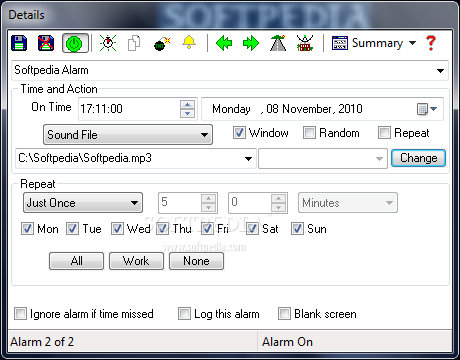
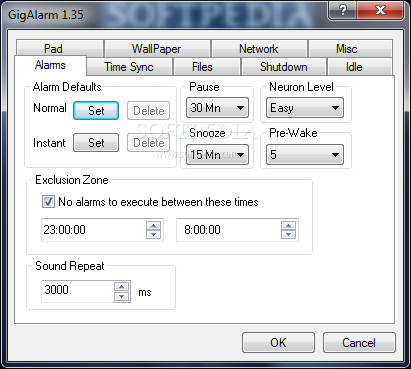
    As mentioned, you may create alarms for any required task. It’s possible to name them yourself or to select one of the available presets, such as “Get up”, “Really Get up”, “Charge Batteries”, “Birthday”, “Check Car Battery” and many more.

    The time and date can be adjusted down to the number of seconds. A recurrence schedule can be set for any entries.

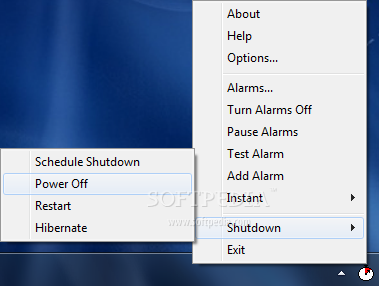
    The program comes with a wide range of sounds and actions that the program can perform when an alarm goes off. For instance, the program can beep or play a certain sound file, power off the computer, restart it or log off. It’s also possible to send the system into hibernation mode or to run a certain file.

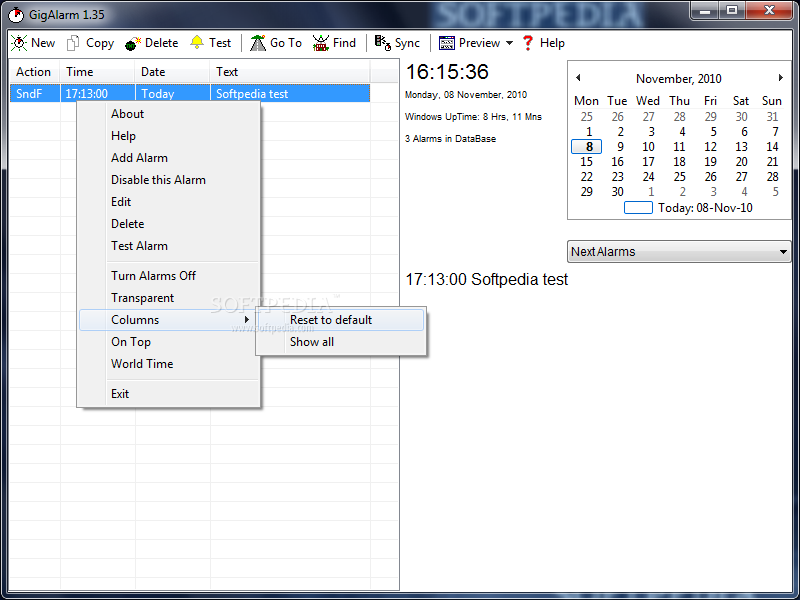
    The alarms are listed on the program’s interface, complete with the selected action, the time, date and text assigned to them.

    All in all GigAlarm is a nice app that is sure to come in handy quite often. Inexperienced individuals shouldn’t have any troubles while installing and working with it.

    GigAlarm description

    Here are some key features of "GigAlarm":

    · Millions of alarms can be set.
    · Alarms that happen while GigAlarm is not running (or if the computer is off or suspended) will be shown at a later time. (This feature can be disabled.)
    · Alarms can be set to second resolution and can be;
    · A specific time that happens once only.
    · A specific time and then repeat after a certain number of second, minutes, hours, days, weeks, months or years.
    · A random time offset based on the last time the alarm executed.
    · A specific time offset based on when GigAlarm starts. (If GigAlarm is set to auto-start this can be used to set a program to start a few minutes after the computer boots to reduce system load on start-up.)
    · A specific time and then set to auto-delete.
    · Repeating alarms can also be set to miss certain days.
    · Alarms can be one of many different actions. Aside from the option of showing some text to tell the user what the alarm is for the alarm itself can;
    · Play a wave file, a MP3, or any other common Windows sound file. This file can be set specifically, or can be picked randomly from a selected folder. Multiple files can be specified and sounds can also be set to repeat.
    · Run any file of any type via its default handler, with or without a warning. Multiple files can be specified.
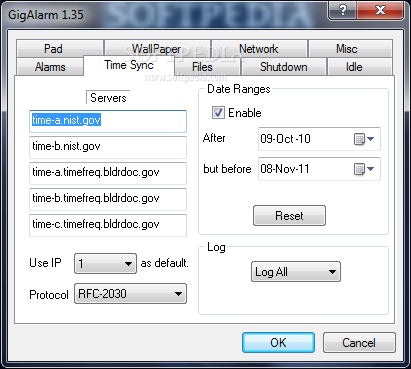
    · Sync the computers time via the internet.
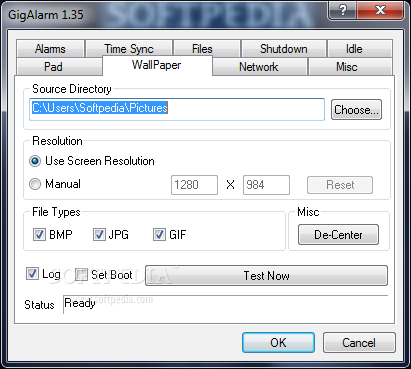
    · Randomly change the computers desktop wallpaper from a selected folder using BMP, GIF or JPEG images.
    · Perform a power status change event, such as a shutdown, restart, log- off, suspend, or hibernation.
    · Resume the computer from a suspended or hibernated power condition.
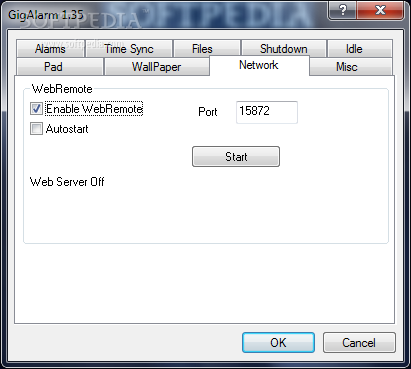
    · Remotly restart another computer.
    · A second action can be set for each alarm; for example one or more files can be set to run run as well as the the computer time being synced.

    Wallpaper Changer:
    · GigAlarm will select wallpapers from a selected directory and will use images from that directory as well as sub-directories.
    · By re-naming sub-directories a some images can be given priority over others.
    · GigAlarm can use BMP, JPG and GIF files as wallpapers.
    · GigAlarm will rescale (not stretch) images and center them using either a selected resolution or the current screen size. When calculating screen size the taskbar size and position is taken into consideration.
    · The boot wallpaper can be set as well. (This function requires that the boot screen is actually shown. Windows 2000 will show it, but in most cases Windows XP will only show it for a short time. The Windows XP "Welcome Screen" hides it.)
    · There is a test function and wallpaper changes can be logged, this includes the image name.

    Quick Shutdown:
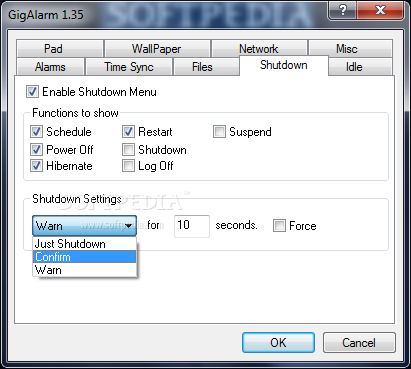
    · GigAlarm has an option for an extra tray menu that enables a quick shutdown, or any other power event.
    · Shutdowns can be set to warn for a set time and then if not cancelled perform the action, ask for confirmation, or just shutdown instantly.
    · The menu can display a few or all shutdown actions, depending on what ones you use.
    · Shutdowns can also be scheduled to happen up to 2 weeks minutes in the future. If the shutdown event is a hibernation or a suspension a wakeup time can also be set to any time up to 2 weeks after the hibernation/suspension. Scheduled shutdowns can be cancelled if you change your mind.
    · Shutdowns can be performed with "force" if you have programs that do not close fast enough.
    · GigAlarm can be set to enable away mode after a resume to prevent unwanted suspensions on Vista and latter versions of Windows XP.

    Pad File Generator:
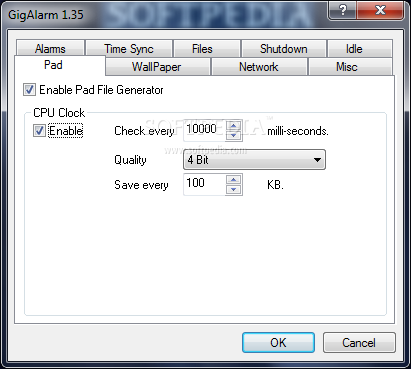
    · GigAlarm can be used to generate highly random files that are suitable for encryption purposes.
    · Files are generated by using clock jitter techniques. For the more technical users, the files are generated calling the CPU function RDTSC with the selected period. The lower bits (what bits depend on the selected quality) are then buffered and written to the PAD file when the selected size is reached, or when GigAlarm is shutdown. There is no filtering of "bad" results.
    · The speed/quality of the results can be changed depending on your needs, as can the frequency of saving the file. Please note that this function is not fast.
    · Testing results with programs such as ent indicates that the output is good. We have two example files available for testing, a 32-bit one and a 4-bit one. (The lower the bit rate the higher chance of it being a good file.) Both of the files were set on a sample rate of 10,000 milli-seconds.
    · These files are suitable for use with our encryption tools CryptIt and XorIt.

    Idle Shutdown:
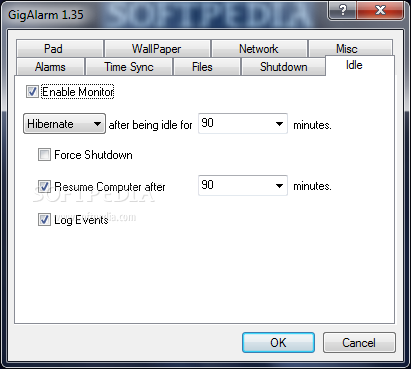
    · GigAlarm can monitor your computer usage and power off your computer if you are not using it.
    · All power states are supported, including shutdown, suspend and hibernate.
    · If the shutdown event is a hibernation or a suspension a resume time can also be set to any time up to 999 minutes after the hibernation/suspension. Thus you can set your computer to hibernate when you are not using it, and it can resume after a few hours and download new EMail. This way you can have you computer off most of the time, yet you don't have to wait long for the computer to catch up when you return to it.
    · Shutdowns events can be logged.

    Limitations:

    · 30 days trial

    What's New in This Release: [ read full changelog ]

    · Mixer control, Remote

     Softpedia guarantees that GigAlarm 1.35 is 100% CLEAN, which means it does not contain any form of malware, including spyware, viruses, trojans and backdoors. [read more >]


    TAGS:

    create reminder | wallpaper changer | shutdown scheduler | alarm | snooze | wallpaper

    Go to top

    WindowsGamesDriversMacLinuxScriptsMobileHandheldNews

    SUBMIT PROGRAM   |   ADVERTISE   |   GET HELP   |   SEND US FEEDBACK   |   RSS FEEDS   |   UPDATE YOUR SOFTWARE   |   ROMANIAN FORUM