
A simple-to-use application that helps you customize the Windows clock with various font and background colors, but also with different size values and effects. #Taskbar clock #Clock tool #Customize clock #Alarm #Clock #Customize

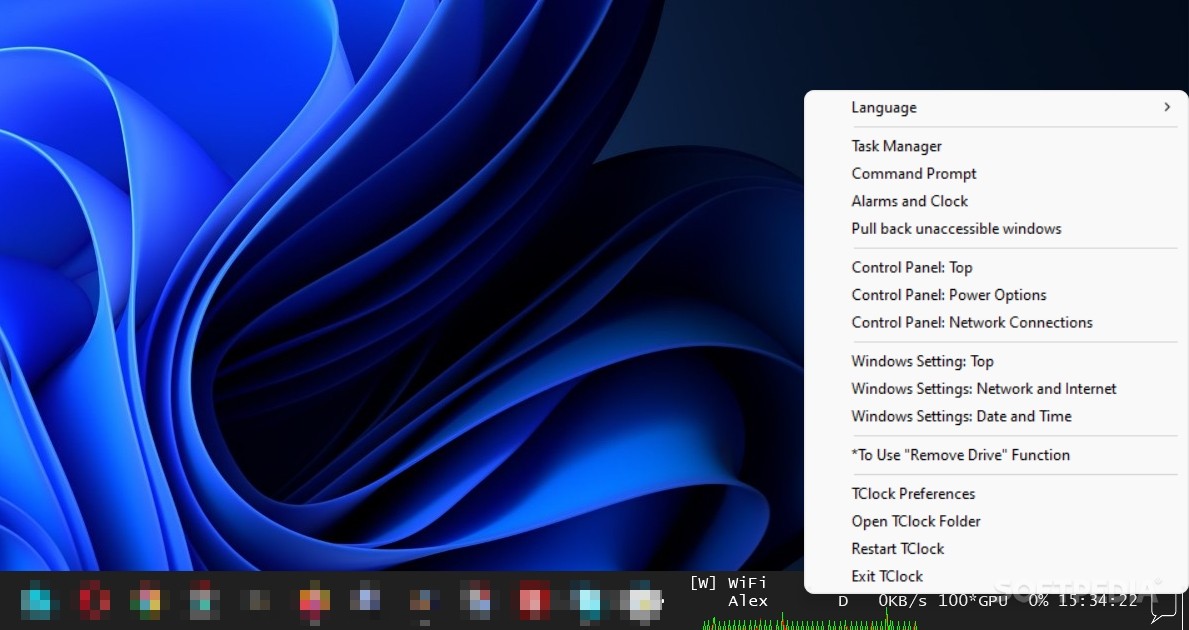
If you prefer having information regarding your computer and world clocks readily available, then chances are that you are looking for a tclock app. Although designed for the Japanese environment, TClock is a tool that fits the description and can work well with any Windows 10 and 11 with English as its primary language.
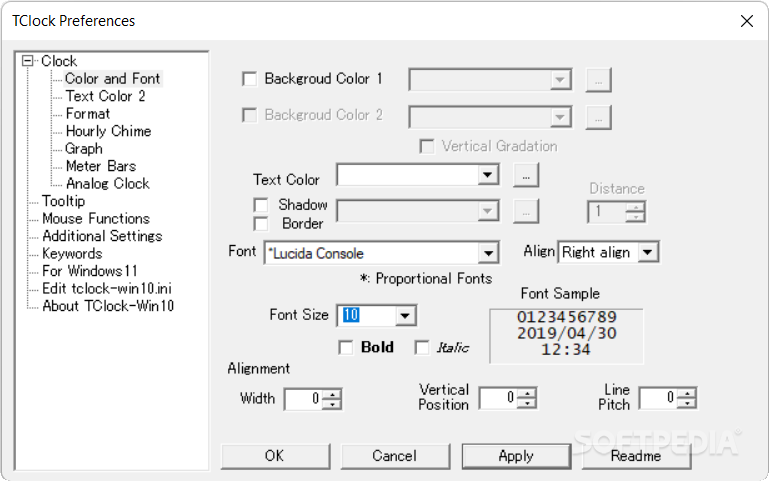
The tool is portable, so you can start using it as soon as you decompress the archive in the desired location and launch the executable. The program does not have an interface per se, but rather it displays a graphic in the System Tray area. Depending on how many pinned apps you have on the taskbar on Windows 11, the display can be buggy as it overlaps those pinned icons.
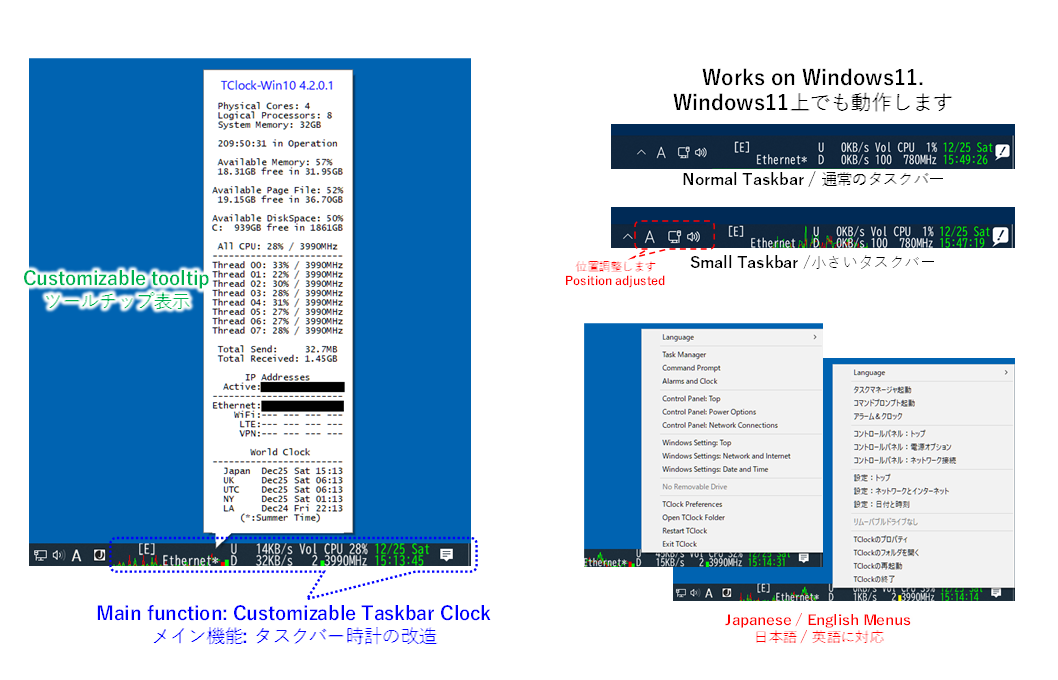
Functionality-wise, the app provides you with numerous various information about your system and network in real time. Most real-time details can be viewed when hovering the mouse over the aforementioned graph. As far as the information displayed, you can learn more about the processor, CPU and threads activity individually, free space, RAM memory as well as the available page file.
The application includes information about the network, meaning the IP address and type of connection. Take note that the app allows you to access various system menus via right-click, including here Control Panel, Task Manager, Command Prompt or Windows Settings.
At the same time, it is worth mentioning that you can learn the current time in five different geographic regions, which may be helpful if you are gaming or working with people from those regions or perhaps, if you are trying to view a live show. The regions are Japan, UK, UTC, NY and LA.
In the eventuality that you would love to have real-time details regarding the functionality of your system, then perhaps you can consider giving TClock a try.
What's new in TClock Light 5.4.1.1:
- Improved reqponse to the restart of explorer.exe, in case "Additional Settings" -> "Restart TClock following explorer.exe" is checked.
- Improved compatibility to Win11 22H2 update.
- Bug fix of conditional app crash (Win11, no notification icon, operation for sevral hours).
TClock Light 5.4.1.1
add to watchlist add to download basket send us an update REPORT- PRICE: Free
- runs on:
-
Windows 11
Windows 10 64 bit - file size:
- 218 KB
- filename:
- TClock-Win10_5411_64bit.zip
- main category:
- Desktop Enhancements
- developer:
- visit homepage
IrfanView

7-Zip

calibre

Zoom Client

Context Menu Manager

Windows Sandbox Launcher

Bitdefender Antivirus Free

4k Video Downloader

Microsoft Teams

ShareX

- 4k Video Downloader
- Microsoft Teams
- ShareX
- IrfanView
- 7-Zip
- calibre
- Zoom Client
- Context Menu Manager
- Windows Sandbox Launcher
- Bitdefender Antivirus Free