
Load pictures of various formats in case you want them converted to regular Windows icon files thanks to this lightweight application. #Convert BMP #Jpg to ico #Create icon #Icon #Converter #Convert

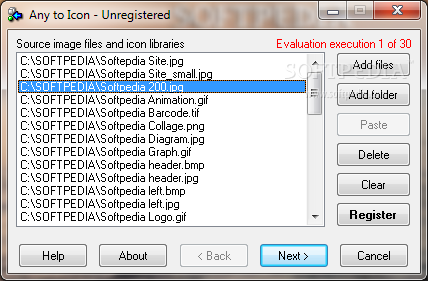
Any to Icon is a straightforward application created to help you convert popular image formats to Windows icons.
With support for a wide array of photo formats, Any to Icon is actually an easy to use application, mostly thanks to the fact that it has been designed as a wizard, so users only need to follow a few steps to complete the process.
The interface relies on a simple design, so you’re first prompted to add either a single file or multiple ones to the process queue. Any to Icon supports batch conversion too, which means that you can convert several images to icons at the same time.
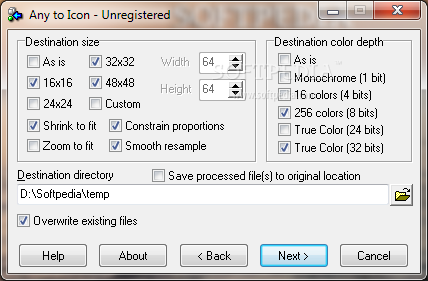
The configuration screen enables you to choose from multiple predefined icon sizes, with a dedicated custom field to allow you input your very own width and height. You can zoom or shrink images to fit, constrain proportions or smooth resamples. What’s more, there are multiple color depth modes available, including 256 colors and True Color.
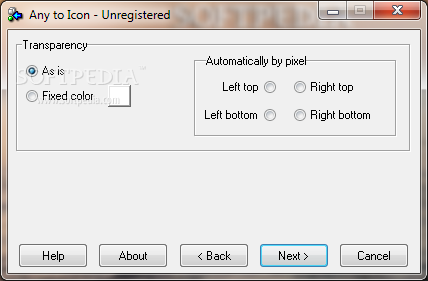
Another good thing about Any to Icon is that it supports transparency too, which is quite an important feature for the creation of a professional-looking icon.
The conversion engine is very fast and has a minimum footprint on hardware resources, regardless of the Windows versions. Any to Icon supports a long list of formats, including BMP, GIF, JPG, PNG, PSD, TIF, EMF, EXE, DLL, SCR, NIL, ICO and CUR.
Any to Icon is one of the fastest and most effective ways to convert a photo to a Windows icon. It provides a very easy to use interface and a decent amount of configuration options to become an appropriate tool for both beginners and those more experienced.
Any to Icon 3.59
 Softpedia Editor's Pick
add to watchlist
add to download basket
send us an update
REPORT
Softpedia Editor's Pick
add to watchlist
add to download basket
send us an update
REPORT
- runs on:
- Windows All
- file size:
- 5.8 MB
- filename:
- any2icon.exe
- main category:
- Desktop Enhancements
- developer:
- visit homepage
ShareX

IrfanView

paint.net

7-Zip

Bitdefender Antivirus Free

Windows Sandbox Launcher

Microsoft Teams

4k Video Downloader

Zoom Client

calibre

- 4k Video Downloader
- Zoom Client
- calibre
- ShareX
- IrfanView
- paint.net
- 7-Zip
- Bitdefender Antivirus Free
- Windows Sandbox Launcher
- Microsoft Teams