
An intuitive and user-friendly application that allows users to customize the appearance of their drives and folders on Windows XP. #Tweak icon #Icon changer #Icon modify #Customizer #Tweaker #Changer
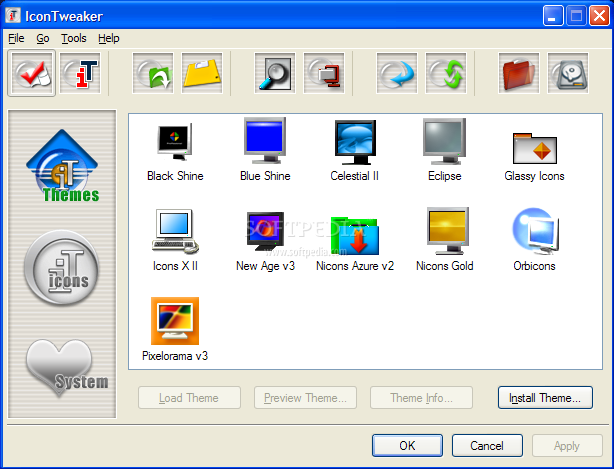
IconTweaker is a suite of customization tools that allow you to personalize the appearance of icons and folders on Windows XP computers. Despite its many upsides, a major disadvantage is the lack of compatibility with the latest Windows OSes.
Another aspect worth mentioning is that the program hasn’t received updates in quite a while and is unlikely to, in the foreseeable future. As such, the chances of experiencing with new features or of being able to enjoy it on operating systems superior to XP are very scarce.
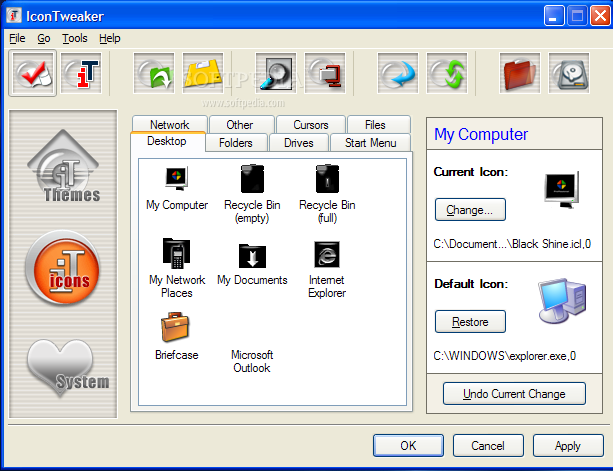
However, IconTweaker is worth having a look at if you’re a Windows XP user, because the plethora of customization features is impressive. Most of all, we were touched by the fact that any system icon can be changed entirely, but more importantly, separately.
Put differently, the program offers a very high level of personalization, although it does bring a few built-in icon scenarios, which are called themes. The name may be somewhat improper, because a theme usually includes a set of wallpapers or other desktop enhancements.
For IconTweaker, a theme designates a pre-defined set of icons that apply to common computer folders such as My Computer, Recycle Bin, Network, Drives, Start Menu and so on.
There are eleven such scenarios included in IconTweaker by default, with the possibility to customize them so as to match your wishes. Moreover, you can create a new theme from scratch, save it and share it with your friends.
Another important aspect is that the icon configuration can be restored very easily, with the press of a button. As such, you can revert the changes to Windows’ default settings.
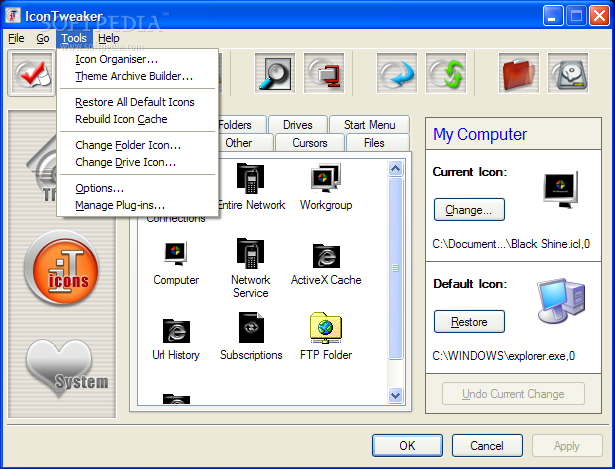
Other features allow you to rebuild the icon cache, organize icons with the built-in manager, as well as to change the appearance of any directory that is not a system folder.
To sum up, IconTweaker sports that kind of customization options that can really make a difference for your computer’s appearance. However, the lack of compatibility with more modern operating systems is a major downside that reduces its audience considerably.
Download Hubs
IconTweaker is part of these download collections: Icon Editors, Make ICO
What's new in IconTweaker 1.11:
- Support for installation as a restricted user on Windows 2000/XP
- Solved problem with Unzip.dll
- Fixed reverting of shortcut arrows on Windows 98/Me
- Standard icon for My Pictures etc. is now always displayed correctly
IconTweaker 1.11
 Softpedia Editor's Pick
add to watchlist
add to download basket
send us an update
REPORT
Softpedia Editor's Pick
add to watchlist
add to download basket
send us an update
REPORT
- runs on:
- Windows XP
- file size:
- 2.9 MB
- filename:
- IconTweaker.exe
- main category:
- Desktop Enhancements
- developer:
4k Video Downloader

Bitdefender Antivirus Free

Microsoft Teams

paint.net

IrfanView

Zoom Client

ShareX

7-Zip

calibre

Windows Sandbox Launcher

- 7-Zip
- calibre
- Windows Sandbox Launcher
- 4k Video Downloader
- Bitdefender Antivirus Free
- Microsoft Teams
- paint.net
- IrfanView
- Zoom Client
- ShareX