
Create a personalized system tray menu that can be used to quickly run programs or batch scripts, as well as open folders or any type of file, with this unobtrusive app. #Tray Launcher #Tray Menu #Application Launcher #Launcher #Tray #Shortcut

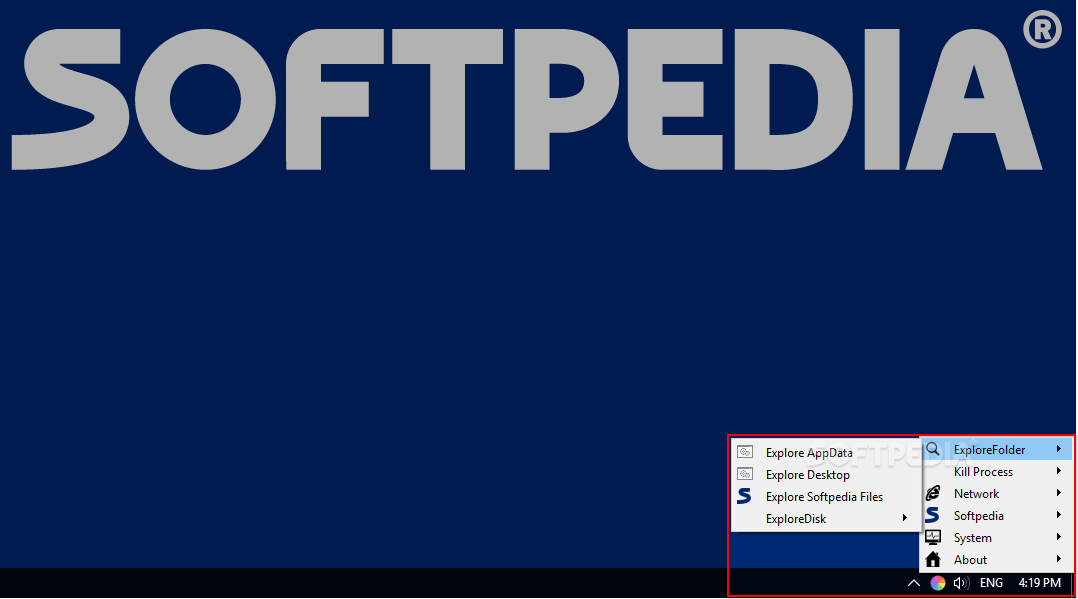
While you can create desktop or Start Menu shortcuts if you need to keep something within reach, many users prefer to keep them out of sight without sacrificing accessibility.
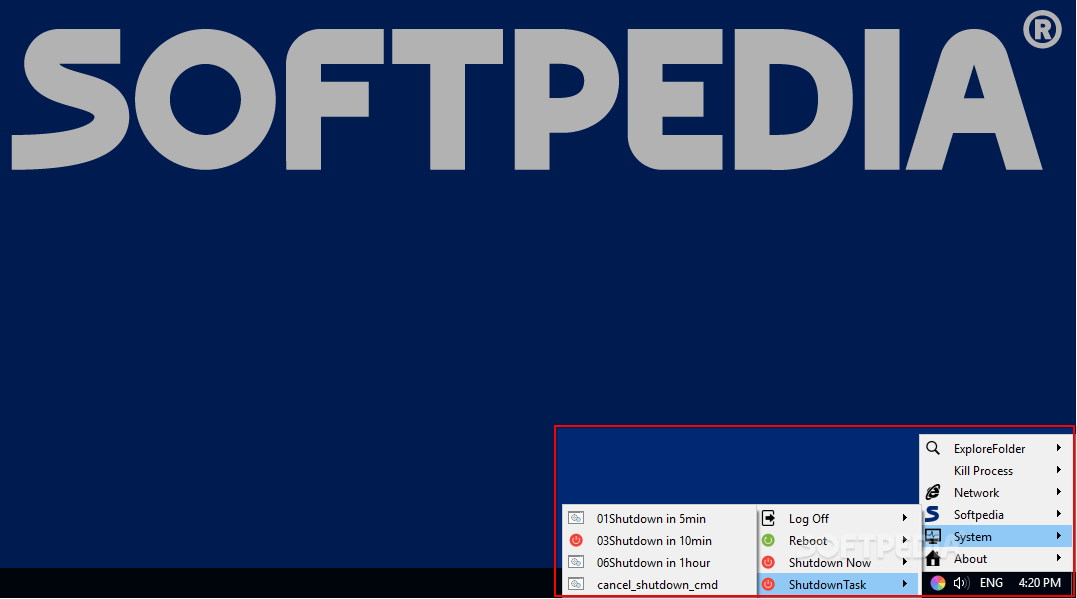
BatchRunTrayTool could be the solution, as it allows you to store all your shortcuts within a personalized system tray menu, which can be opened easily and never gets in your way. The menu is fully customizable, though the process isn’t particularly novice-friendly.
After installing the application, you will notice that the tray menu already has a few categories, as well as some helpful shortcuts. While these may prove useful, they are mainly designed to show you what the program can do, and they can be removed easily.
If you want to begin customizing the menu, you need to access the application folder. Each directory is turned into a category or sub-category, while shortcuts, files and batch scripts become menu items.
In addition to adding shortcuts or files in the config folder, you can also use custom icons for any menu item. Simply paste a PNG file in the folder, give it the same name as the directory or file, and add “__logo __” before the extension.
You can also create separators in the tray menu by creating a new folder and adding “__separator __” at the end of its name. Menu items are sorted by name, so make sure it is in the right position.
Finally, when dealing with BAT scripts that need to be seen in a command-line window, you can use the “__show __” parameter to indicate that the program needs to be run in a visible mode.
You can do a lot of things with BatchRunTrayTool, as long as you don’t mind creating new folders and renaming files in order to get everything just right. While it may take a bit of work, most users should be able to get the hang of things pretty quickly.
However, it would be very helpful if some documentation were provided, as new users are likely to find the process a bit too confusing.
What's new in BatchRunTrayTool 17.7.17:
- Improve extensioin name
BatchRunTrayTool 17.7.17
add to watchlist add to download basket send us an update REPORT- runs on:
-
Windows 10 32/64 bit
Windows 8 32/64 bit
Windows 7 32/64 bit - file size:
- 17.2 MB
- filename:
- 2017-07-17.BatchRunTrayToolSetup.exe
- main category:
- System
- developer:
- visit homepage
calibre

7-Zip

Microsoft Teams

IrfanView

Zoom Client

ShareX

4k Video Downloader

Windows Sandbox Launcher

Bitdefender Antivirus Free

Context Menu Manager

- Windows Sandbox Launcher
- Bitdefender Antivirus Free
- Context Menu Manager
- calibre
- 7-Zip
- Microsoft Teams
- IrfanView
- Zoom Client
- ShareX
- 4k Video Downloader