
Search Google, access new links and manage notes directly from your desktop. #Note tracker #Display clock #Search Google #Sidebar #Searcher #Clock
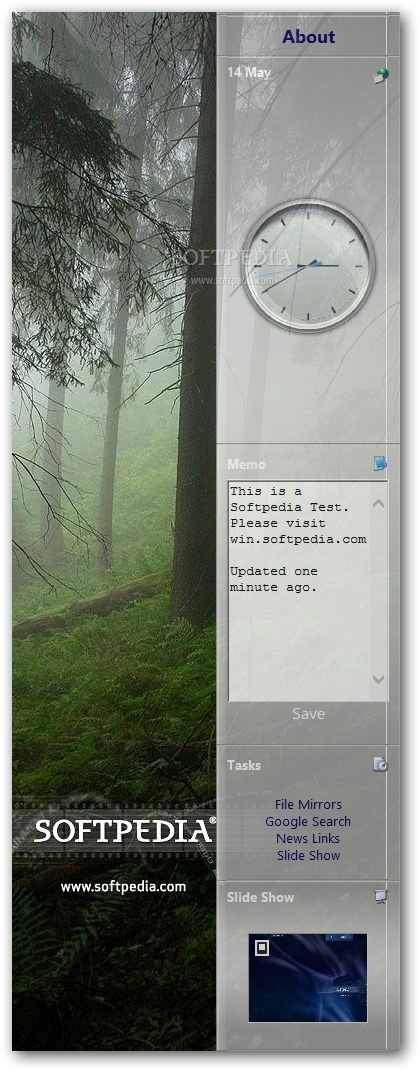
Improving the looks of the desktop may man more than a new wallpaper, screensaver or set of icons. Enhancements with practical use, like those brought by gadgets, are quite interesting and sought after by many users.
In case the you are a user of Windows Sidebar, Yahoo! Desktop Widgets or Google Gadgets, you are surely accustomed with these tiny utilities. Now, if you're looking for something new, but similar in functions, you may try Longhorn SideBar.
Since it works o the same principle, you should have no problems whatsoever in operating this application. Unfortunately, you cannot add new items in this sidebar, but the built-in gadgets should suffice for starters.
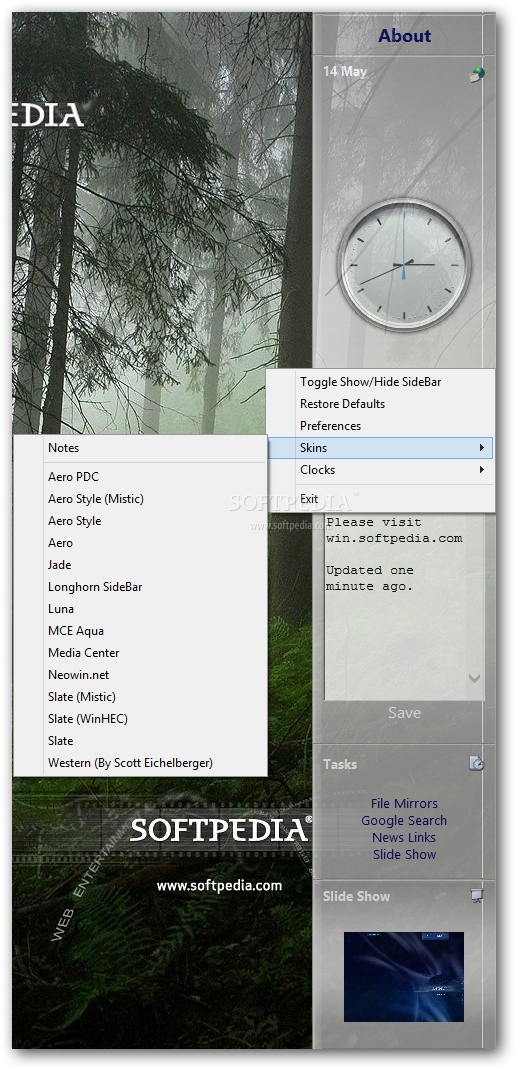
The ever-present date and clock add-on is the first on the list and you have at your disposal several types of display you can choose. They match the skins that are also to be found when right-clicking inside Longhorn SideBar.
Adding stickies or notes on the desktop is another common activity that those willing can still carry out because the sidebar has a dedicated memo gadget, ready to be used on the spot. If you fancy peeking at beautiful pictures once in a while, you will surely enjoy the slideshow function integrated in Longhorn SideBar, among a set of useful so-called 'Tasks'.
Awaiting to be discovered in the same place as the slideshow, another function will enable you to start Google searches without having to manually open the web browser and navigating to the search engine.
In case you want to read some IT-related news or find mirrors for software downloads, the dedicated sections provide some links, but only a couple of them are still functional, as we found out during our tests.
Longhorn SideBar is a decent enhancement you can try onto your system, but if you expect advanced functionality and intricate configurations, you won't find them in this program, at this time.
What's new in Longhorn SideBar 5.0:
- Added SideBar application core with the following updates:
- Apply skins and clocks from tray
- Built-in transparency support
- No more active desktop to slow down your PC
Longhorn SideBar 5.0
add to watchlist add to download basket send us an update REPORT- runs on:
- Windows All
- file size:
- 3 MB
- filename:
- longhornSidebar.zip
- main category:
- Desktop Enhancements
- developer:
ShareX

4k Video Downloader

paint.net

Bitdefender Antivirus Free

IrfanView

Zoom Client

calibre

7-Zip

Windows Sandbox Launcher

Microsoft Teams

- 7-Zip
- Windows Sandbox Launcher
- Microsoft Teams
- ShareX
- 4k Video Downloader
- paint.net
- Bitdefender Antivirus Free
- IrfanView
- Zoom Client
- calibre