Search Perform an advanced search query SOFTPEDIA
 
SOFTPEDIA
Updated one minute ago
HomeSubmit a program for being reviewedAdvertise on our websiteGet help on surfing our websitesSend us your feedbackGet information about our XML/RSS backend and how to use itBrowse the news archiveVisit our discussion forumVizitati forumul in limba romana


Program Finder NormalFreeware onlyShareware only

Mo-Search 2.7.1 Report spyware 

Click to download Mo Search
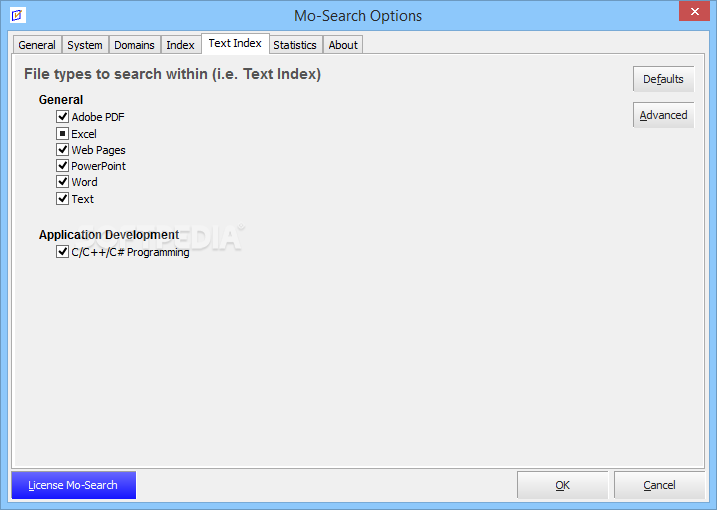
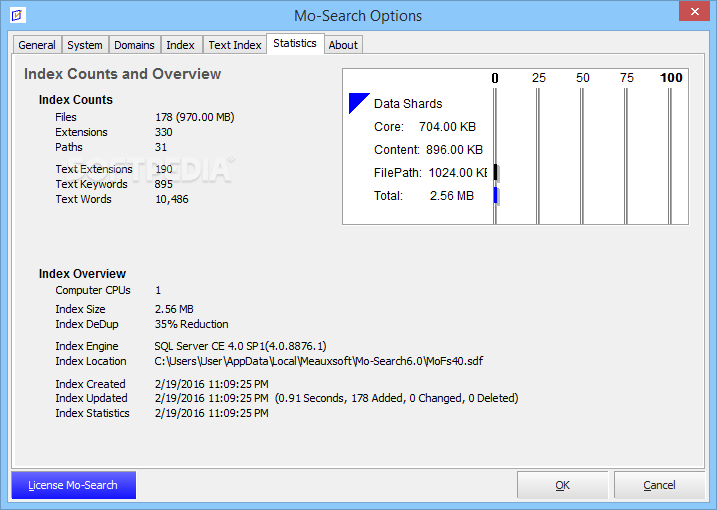
View more Mo-Search screenshots (3)
 Downloads: 1,174
Rating: Good (3.1/5) | Rated by: 28 user(s)
Add to download basket     Send us update information
 Developer: meauxsoft | More programs by this producer
 License: Freeware  
 Size / OS: 1.10 MB, Windows 2K/XP/2003
 Last Updated: September 25th, 2007, 06:20 GMT
 Category: C: \ Desktop Enhancements \ Other Desktop Enhancements
 Read user reviews (1) Add a review Refer to friend Subscribe
    Download Mo Search

Mo Search description
Desktop Search Tool with Ranked results makes other search tools obsolete. Integrated Find Duplicate Files tool

Mo-Search is a secure and user-friendly program developed to help you get control of your computer's data.

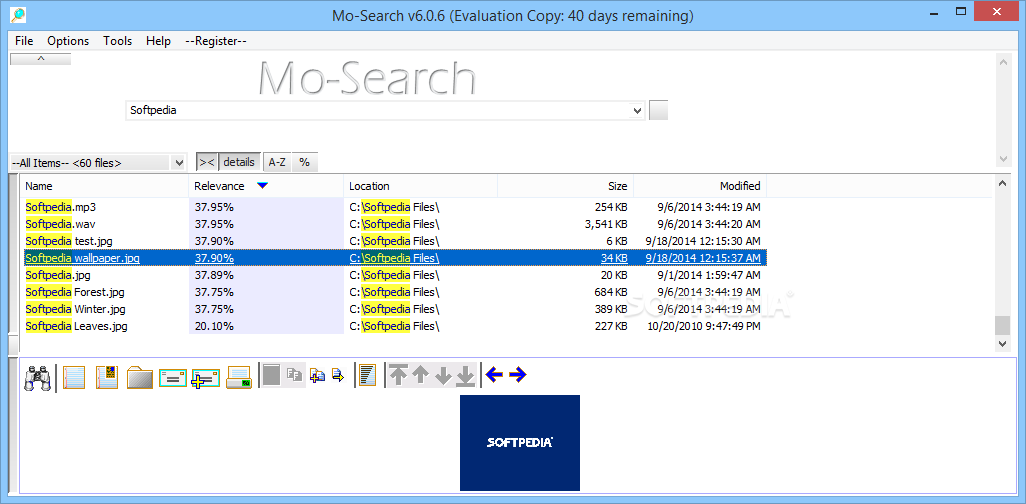
Other desktop search tools return result lists in random order. Mo-Search is different. Upon searching, each file is scored against your search text, ranked and this sorted by relevance. This may seem small beans, but when you really need to locate the most useful files possible, ranked results make other desktop search tools obsolete.

Another unusually
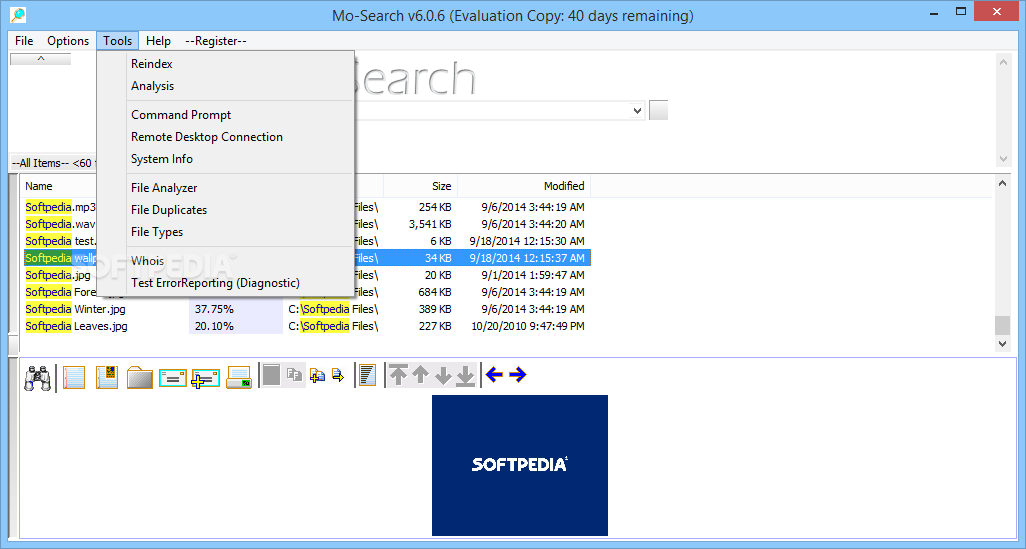
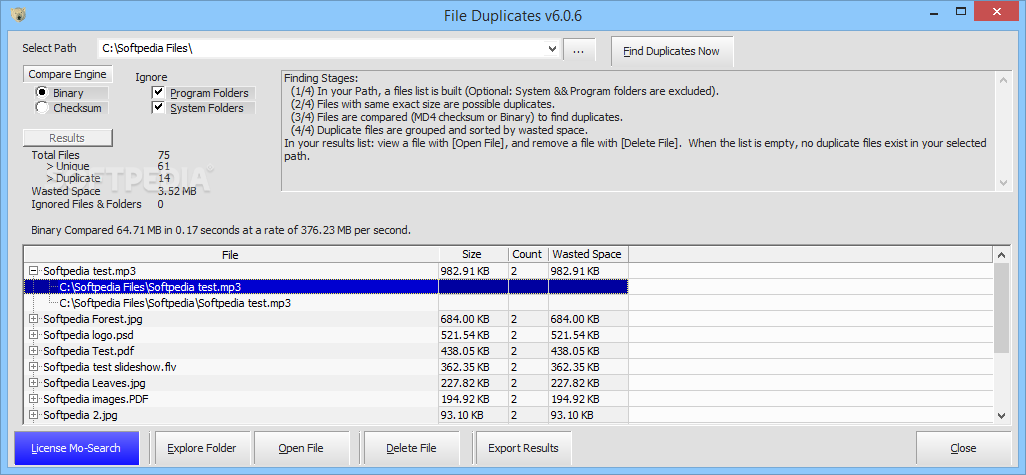
valuable feature: "Find Duplicate Files" tool, which finds duplicate files. Select a directory containing your work or play files: Word documents, PowerPoint file, Excel files, Visual Basic files, digital photos, MP3 files, backups, or possible type of file. After pressing the "find duplicate files" button, a list of duplicate file is generated using standard MD4 checksum. You'll be surprised at the list of duplicate files you've been storing, attempting to organize, striving to search, and trying to manage. Finally use this tool to clean up all these unruly files.

Requirements: Microsoft Word Full-Text-Indexing requires Microsoft Word 2000 or newer. Microsoft PowerPoint Full-Text-Indexing requires Microsoft PowerPoint 2000 or newer.

What's New in This Release:

· Smaller, Faster, Fewer Bugs!
· Also check out the integrated [Find Duplicate Files] tool.


What's New in This Release:

· Optimization: Faster indexing of large numbers of files and files with large amounts of Text Index data. (due to: Optimized for speed over speed; Decreased default max text index filesize to 8MB or 4MB, etc)
· Feature: Greatly Improved searching: Results are now ranked by relevance (before, results were ranked by a raw score which produced noticeably inferior results)
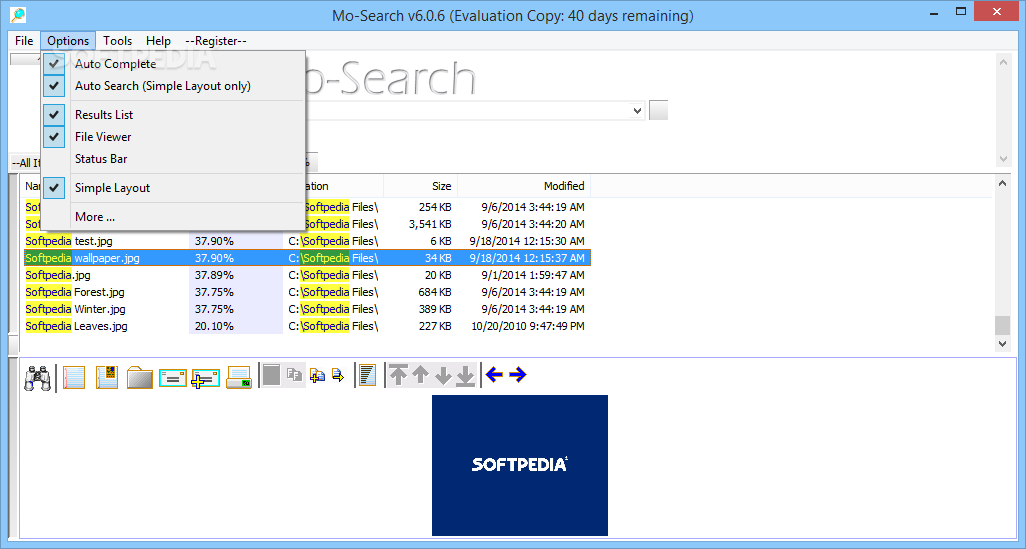
· Feature: Added a new Simple search mode which is a lot friendlier for novice users.
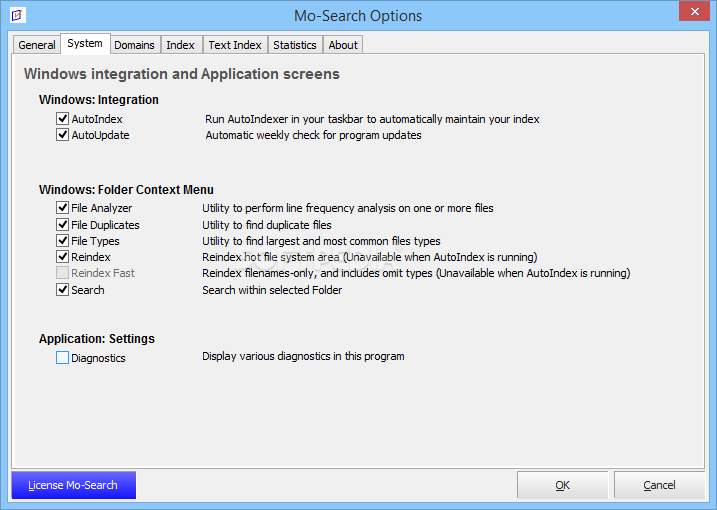
· Feature: During installation, Folder-Indexing shell integration is now enabled (i.e. in windows Explorer, Right-click a folder and select [Mo-Search 2.7 Reindex] to reindex that folder and all children folders)
· Feature: Within edit boxes (i.e in the FileViewer) the [Home] key now moves the caret to the first character; the [End] key now moves the caret to the last character.
· Feature: Mo-Search main dialog, in the [Path], [Text], and [Filename] combo boxes: items are now delete-able by dropping the list, selecting an item and pressing the delete key (i.e. similar behavior to url address combobox in FireFox)
· Feature: Help->Submit Feedback. Please use this to submit your feedback back to us!
· Feature: Help->Application Release History. Use this to see what has changed since the last release, or between different releases.
· Feature: When Text Searching, you can now search by extension and/or omit my extension (i.e. [.doc Procedure] finds all .doc files with text Procedure, [-.doc Procedure] finds all non .doc files with text Procedure)
· Feature: FileViewer, select some text and right-click it to Google it. (Handy every now and then)
· Bug: Indexing a large file could have caused Indexing to stall (hang) during stage 3. (increased size of file hash buffer by 50%)
· Bug: Previously on Vista, folder-indexing shell integration could not be enabled when Windows UAC was enabled. This is fixed by having the installer (which runs with elevated permissions) write the registry key.
· Bug: Some developer content within development (source code) files was *not* indexed when it should have been (i.e. functions to the right of the . operator). Now, this content is indexed.
· Bug: When a token is too long (> 48 characters), further processing is now attempted to break the word into processable chunks (Before the whole word was discarded from your index)
· Bug: Previously, attempts to index two different folders at the same time (using two different application instances) lead to database locking issues and cryptic error messages. Now, Mo-Search limits indexing to one application instance at a time.
· Bug: Source code variables are now searchable when prefixed with a leading @ symbol. (previously, this symbol was stripped off of words)
· Bug: Application settings stored in the registry are isolated by the minor version, ie. 2.7.1 (Previously, all installed versions of Mo-Search shared these same settings which lead to odd application errors).
· Bug: When multiple versions of Mo-Search are installed (Side-by-side), Mo-Search periodically could not find the database when launched. (Due to above bug)
· Bug: When multiple versions of Mo-Search are installed (Side-by-side), executing Mo-Search from the shell (Windows Explorer) may result in an error about incompatible databases (very long standing bug)
· Bug: Search Stemming may appear enabled when it is actually disabled (very long standing bug)
· Cleanup: FileViewer: when no viewer exists for the selected file type, the footer no longer reads: (Loaded on 0.00) This really did not make sense, because nothing loaded.
· Cleanup: FileViewer navigation buttons (Next Word, Prev Word, Next File, Prev File) have been grouped together to increase user productivity.
· Cleanup: Fewer noisy files should be written into your index. This is accomplished by reducing the default max Text Index Filesize to 4096 for indexers [Text: Source Code] and [Text: Normal] (These two indexers typically generate the most noise)
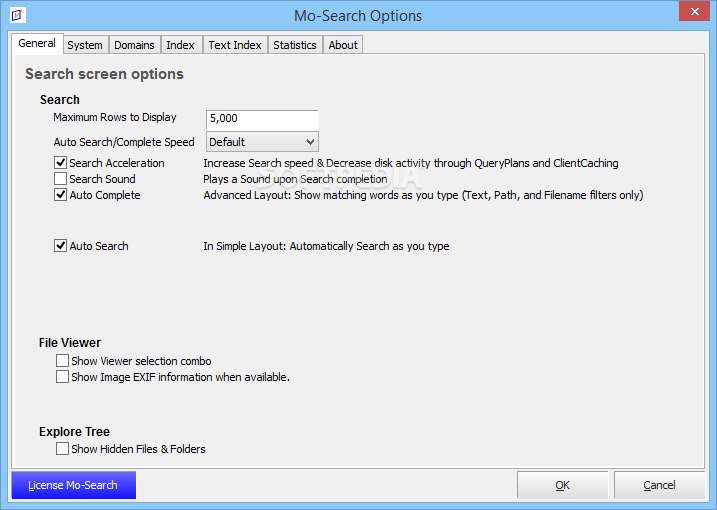
· Cleanup: Image Exif information is no displayed by default. After surveying User feedback, most users considered this exif information purely noise. If you still want it, simply enable it in Options->More...->General->When loading image files, show EXIF information when available.
· Misc: Other small GUI cleanups, bug fixes, tweaks and optimizations... [ read full changelog ]


Softpedia guarantees that Mo-Search 2.7.1 is 100% CLEAN, which means it does not contain any form of malware, including but not limited to: spyware, viruses, trojans and backdoors.

This software product was tested thoroughly and was found absolutely clean, therefore it can be installed with no concern by any computer user.

However, it should be noted that this product will be retested periodically and the award may be withdrawn, so you should check back on this page from time to time. (click here for more information)


Related downloads IT News Popular downloads New additions   Latest reviews  
Google Desktop 5.8.806.18441
Full text search over your email, computer files, chats, and web pages you've viewed
Yahoo! Desktop Search 1.2 Build 1852jc
Will help you quickly locate almost any file on your computer, including email, spreadsheets, images, Microsoft Outlook contacts
AOL Desktop Search 2.0.73.1 Beta
AOL Desktop Search allows you to quickly and easily find and preview documents, pictures, music, videos and email files
Aqua Deskperience 1.3.14
Aqua Deskperience is a revolutionary desktop search application
Exalead one:desktop 4.5
Exalead one:desktop, the desktop search engine that adapts to you
DVYGUN Smart Search 2.5.4.6
Really fast desktop search, even for several millions files and emails!
DVYGUN Smart Search Enterprise Edition 2.5.4.6
Fast desktop search for PC and intranet, even for several millions files!
Gnews Snatch 1.0
Gnews Snatch is a Desktop Google News Search Tool
iPureSearch Toolbar 1.0
Simple powerful apps let you search any iPureSearch channels directly from your desktop with a few clicks or keystrokes

go to top Use the following code to link to this page:


Welcome!
Hello, Guest

Login if you have a Softpedia.com account.

Otherwise, register for one.

Main categories:
  • Antivirus
  • Compression tools
  • CD/DVD Tools
  • Office tools
  • Programming
  • Authoring tools
  • File managers
  • Desktop Enhancements
  • Internet
  • Network Tools
  • IPOD TOOLS
  • Mobile Phone Tools
  • Multimedia
  • Tweak
  • System
  • Security
  • Others
  • Science / CAD
  • UNIX
  • Windows Widgets
  • PORTABLE SOFTWARE

  • Week's best:
  • DAEMON Tools Lite 4....
  • UBCD4WIN 3.2.0
  • Adobe Reader 9.0.0 /...
  • Total Commander Ulti...
  • System Mechanic 8.0....
  • Adobe Acrobat Profes...
  • iPhone PC Suite 1.0....
  • Firefox 3.0 Final / ...
  • Portable Firefox 3.0...
  • MPlayer for Windows ...
  • Vista Codec Package ...
  • Windows Live Messeng...
  • WinBubble 1.73
  • Kaspersky Anti-Virus...
  • Malware Removal Tool...
  • WinRAR 3.80 Beta 2 /...
  • Royale Noir Theme fo...
  • IBM Lotus Symphony 1...
  • Adobe Dreamweaver 10...
  • Adobe Fireworks 10.0...
  • BitDefender Total Se...
  • McAfee Total Protect...
  • Ad-Aware 2008 7.1.0....
  • Adobe Flash Player 1...
  • Intel Chipset Softwa...
  • Uxtheme Multi-patche...
  • SRS Audio Sandbox 1....
  • SP3 UxTheme Patcher ...
  • PECompact 2.87 Beta ...
  • Sony Vegas Movie Stu...
  • Daniusoft Media Conv...
  • © 2001 - 2008 Softpedia. All rights reserved.
    Softpedia™ and Softpedia™ logo are registered trademarks of SoftNews NET SRL.
    Copyright Information | Privacy Policy | Terms of Use | Contact Softpedia | Update your software | Archive