Search Perform an advanced search query SOFTPEDIA
 
SOFTPEDIA
Updated one minute ago
HomeSubmit a program for being reviewedAdvertise on our websiteGet help on surfing our websitesSend us your feedbackGet information about our XML/RSS backend and how to use itBrowse the news archiveVisit our discussion forumVizitati forumul in limba romana


Program Finder NormalFreeware onlyShareware only

WindowBlinds 6.1 Build 55 Report spyware 

Click to download WindowBlindsWindowBlinds - Softpedia Pick Award (If you developed this product, click here to download your award)
View more WindowBlinds screenshots (7)
 Downloads: 71,487
Rating: Very Good (4.1/5) | Rated by: 249 user(s)
Add to download basket     Send us update information
 Developer: Stardock Systems | More programs by this producer
 License: Trial , 19.95 $ to buy 
 Size / OS: 22.1 MB, Windows XP/Vista
 Last Updated: May 7th, 2008, 14:09 GMT
 Category: C: \ Desktop Enhancements \ Other Desktop Enhancements
 Read user reviews (1) Add a review Refer to friend Subscribe
    Download WindowBlinds

WindowBlinds description
Allows you to completely change the look and feel of Windows

WindowBlinds is a program that allows you to completely change the look and feel of Windows to however you want it to look like.

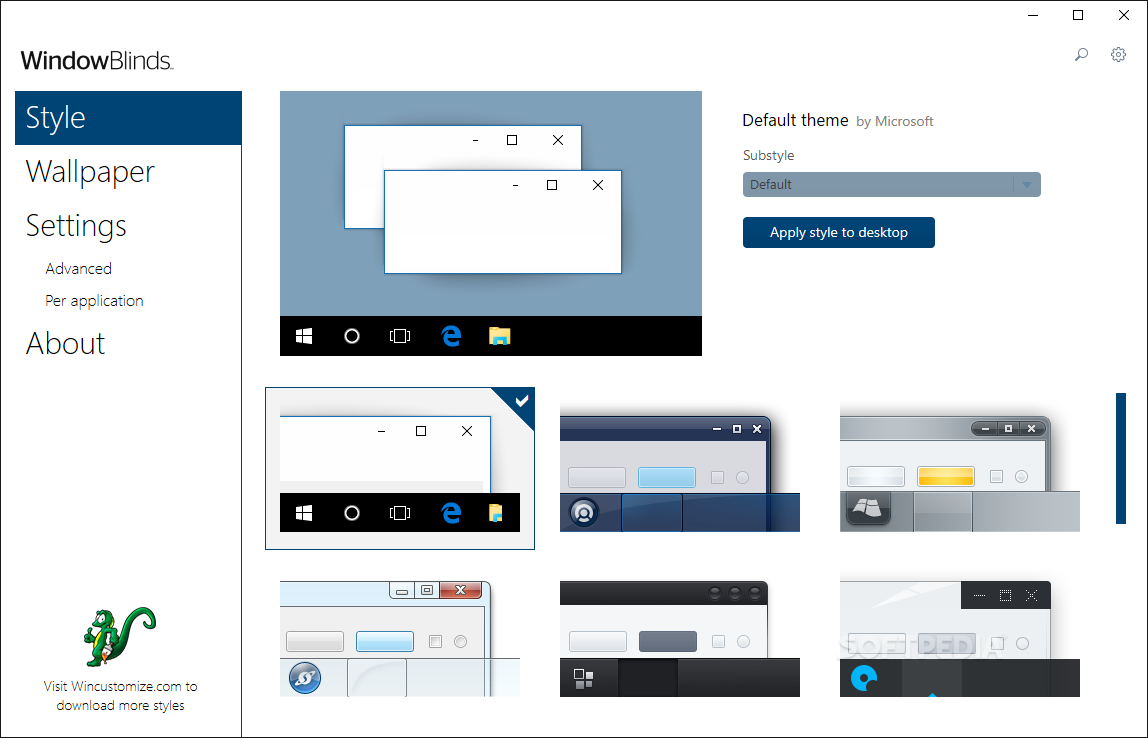
WindowBlinds allows you to completely customize your desktop look by changing the style of title buttons, bars and toolbars. You can change the look of buttons and check boxes by assigning them skins, or personalities, and you can assign buttons that will launch programs to toolbars.

You can create your own skins, choose from the four that are included in the program, or download additional ones. You can also choose to exclude certain programs from WindowBlinds if you don`t want to change their appearances.

Applying visual styles : In addition to the shortcut to the WindowBlinds Advanced Config window in your Start menu, you can change WB visual styles and settings from either the Skins or Appearance tab in Display Properties.

Set the skin to Windows Classic to not use a WB skin on startup (or use the options on the Skins tab or in the Advanced Config window).

Be sure to check out www.WinCustomize.com to select from over 3200 free visual styles.

WindowBlinds has been designed and tested to be as compatible with with thousands of applications and pieces of hardware available. Its memory load is quite low (unless you are using complex skins with lots of animation) and any oddities with specific apps can generally be worked around quickly (see the Troubleshooting section of the online help file for more information).

Here
are some key features of "WindowBlinds":


· Applies visual styles that can change the title bars, Start bar, push buttons, radio buttons, and nearly every other element of the Windows UI.
· Takes advantage of hardware acceleration on Windows XP and Windows Vista increasing window drawing performance over Windows by default
· Skins virtually every part of Windows XP
· Supports on-the-fly blurring of title bars and Start menus on Windows XP!
· Skins virtually every part of Windows Vista
· New, easy to use configuration
· Supports on-the-fly blurring of window frames, start menus, and menus on Windows Vista
· Users can change the color and brightness of individual skins (screenshot)
· Users can change fonts and font colors of their skins
· Supports animation overlays for integrated, high-quality animation (screenshot)
· Designed exclusively for Microsoft Windows as a native solution. Does not disable any system file protections, does not patch any system files on disk or in memory to bypass OS protections, does not break with new service packs or updates.
· Users can modify their skins within the easy to use configuration program and then save them as a new sub-style for later use
· Can change the Windows Vista Sidebar skin
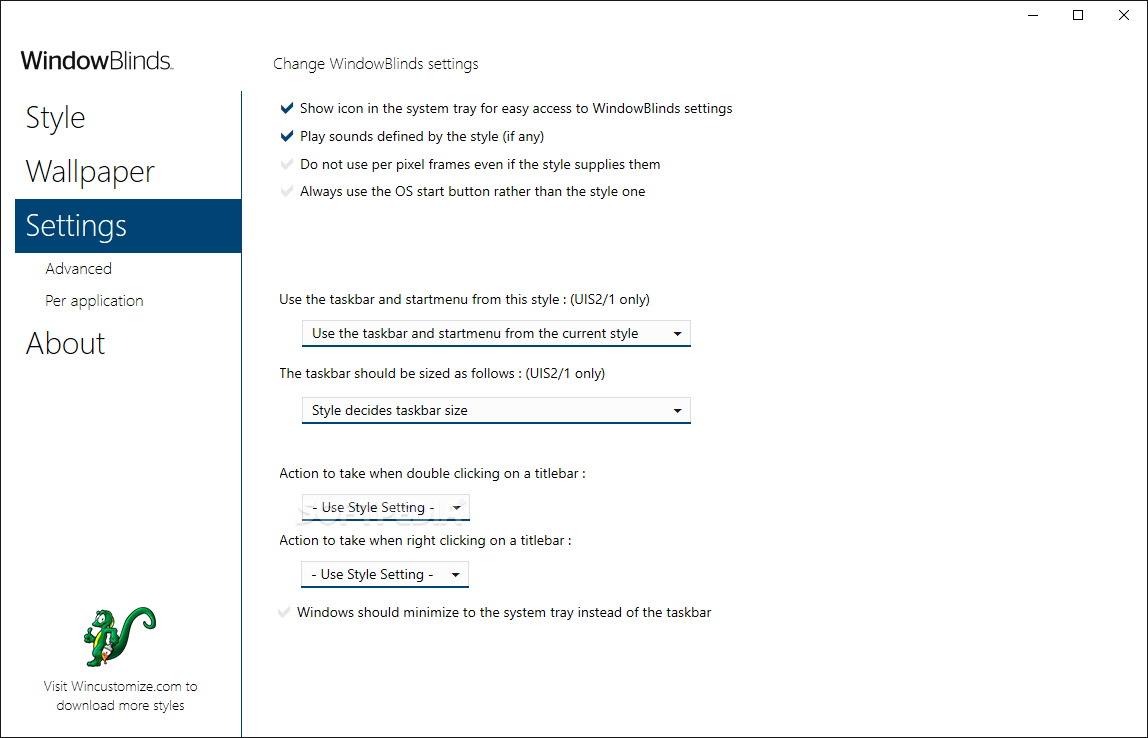
· Allows users to re-define the right-mouse button behavior on the title bar.
· Supports the addition of roll-up buttons, website link buttons, always-on top buttons, and more on the title bar or border
· Even skins applications that are not "theme ware".
· Changes toolbar icons in Internet Explorer and Explorer (screenshot)
· Can change the background of Explorer windows
· Uses no additional memory over the default Windows XP or Windows Vista display system.
· Users can customize the color of individual pieces of their skins
· Users can customize the amount of transparency and blur on individual skins
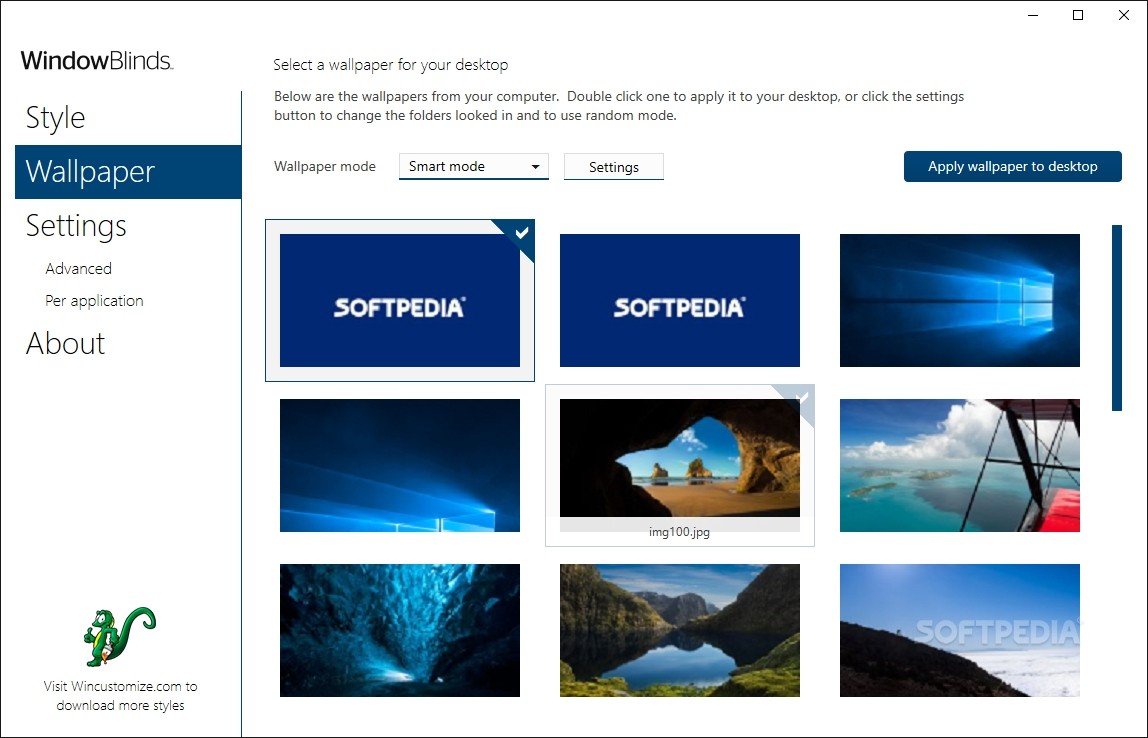
· Includes a wallpaper manager
· Supports different skins for different programs
· Includes full Internet Explorer 7 skinning
· Supports user customization of Aero on Windows Vista without making a new skin
· Includes several exclusive new skins created by top skinners in the community


Requirements:

· 1GHz or faster processor recommended
· 60MB free drive space
· 256MB RAM
· A 16MB DirectX 8 or later compatible video card with appropriate driver support is required for per-pixel alpha-blended skins. Some integrated graphics solutions and lower-end cards from before 2004 may not be able to use per-pixel skins.


Limitations:

· 30-day trial
· Nag screens
· Please note that the shareware version of WindowBlinds does not include support for skinning scrollbars, progress bars, notebook tabs, or the colorizing features. You must register WindowBlinds and download the enhanced version for registered users
· The 'Change how my animations look' option is disabled


This software product was tested thoroughly and was found to contain some third-party components which prevent it from being marked as 100% CLEAN or 100% FREE. Details follow below.

ADWARE INCLUDED - you can, however, UNCHECK that ADWARE at installation! Yahoo! Toolbar


Related downloads IT News Popular downloads New additions   Latest reviews  
Aston 1.9.6
Replaces your desktop and delivers new features
Talisman Desktop 3.0 Build 3002 Beta 1 / 2.99 Build 2990
A substitute for Windows Desktop and shell replacement and it allows you to create any interface for your PC
Desktop3D 2.0
Replaces the standard Windows Desktop and provides you with a host of new features
SharpE 0.8 TD4 R3 Beta / 0.6
Create a fast, stable and very graphical shell with lots of configuration options
Emerge Desktop 4.0.3
A replacement windows shell that creates a whole new desktop for your computer
ShellEnhancer 3.0.0.91
An application designed to enhance the default shell of Windows and to make your life easier
GameOS 1.9
A stylish desktop shell replacement created with one thing in mind: playing games at the best performance and stability possible
DeskPro Studio 2.4 Build 616
DeskPro Studio is Silver Forge's multi award-winning Windows application meant to be a shell replacement
Select Ex 2000
SelectEx is Windows shell extension which expands Explorer's Save and Open as dialog box's file selection abilities.

go to top Use the following code to link to this page:


Welcome!
Hello, Guest

Login if you have a Softpedia.com account.

Otherwise, register for one.

Main categories:
  • Antivirus
  • Compression tools
  • CD/DVD Tools
  • Office tools
  • Programming
  • Authoring tools
  • File managers
  • Desktop Enhancements
  • Internet
  • Network Tools
  • IPOD TOOLS
  • Mobile Phone Tools
  • Multimedia
  • Tweak
  • System
  • Security
  • Others
  • Science / CAD
  • UNIX
  • Windows Widgets
  • PORTABLE SOFTWARE

  • Week's best:
  • SP3 UxTheme Patcher ...
  • PECompact 2.82
  • Sony Vegas Movie Stu...
  • 3DMark Vantage 1.0
  • Total Commander 7.03
  • VistaMizer 2.5.1.0
  • AVG Free Edition 8.0...
  • Windows XP Service P...
  • Ashampoo Burning Stu...
  • XviD Media Codec 1.1...
  • Blu-ray Disc Ripper ...
  • Blu-ray Region Code ...
  • Adobe Photoshop Ligh...
  • PowerDVD 8.0.1531
  • EF Commander 6.54
  • Microsoft Windows In...
  • Nero 8 Lite 8.3.2.1
  • WebSite-Watcher 4.41...
  • EVEREST Ultimate Edi...
  • Nokia PC Suite 6.86....
  • VMware Workstation 6...
  • AnyDVD HD 6.4.2.0
  • Messenger Plus! Live...
  • The Bat! Voyager 4.0...
  • Windows Vista Servic...
  • Nero 8 8.3.2.1
  • Vipre 3.1.1997 Beta
  • Internet Explorer 8 ...
  • Norton 360 2.0.0.242
  • SmartFTP 3.0.1015.5
  • © 2001 - 2008 Softpedia. All rights reserved.
    Softpedia™ and Softpedia™ logo are registered trademarks of SoftNews NET SRL.
    Copyright Information | Privacy Policy | Terms of Use | Contact Softpedia | Update your software | Archive