
Animate your desktop background with customized images, make static wallpapers more lively and add interesting effects to your images. #Animated wallpaper #Wallpaper enhancer #Wallpaper animation #Wallpaper #Animation #Background

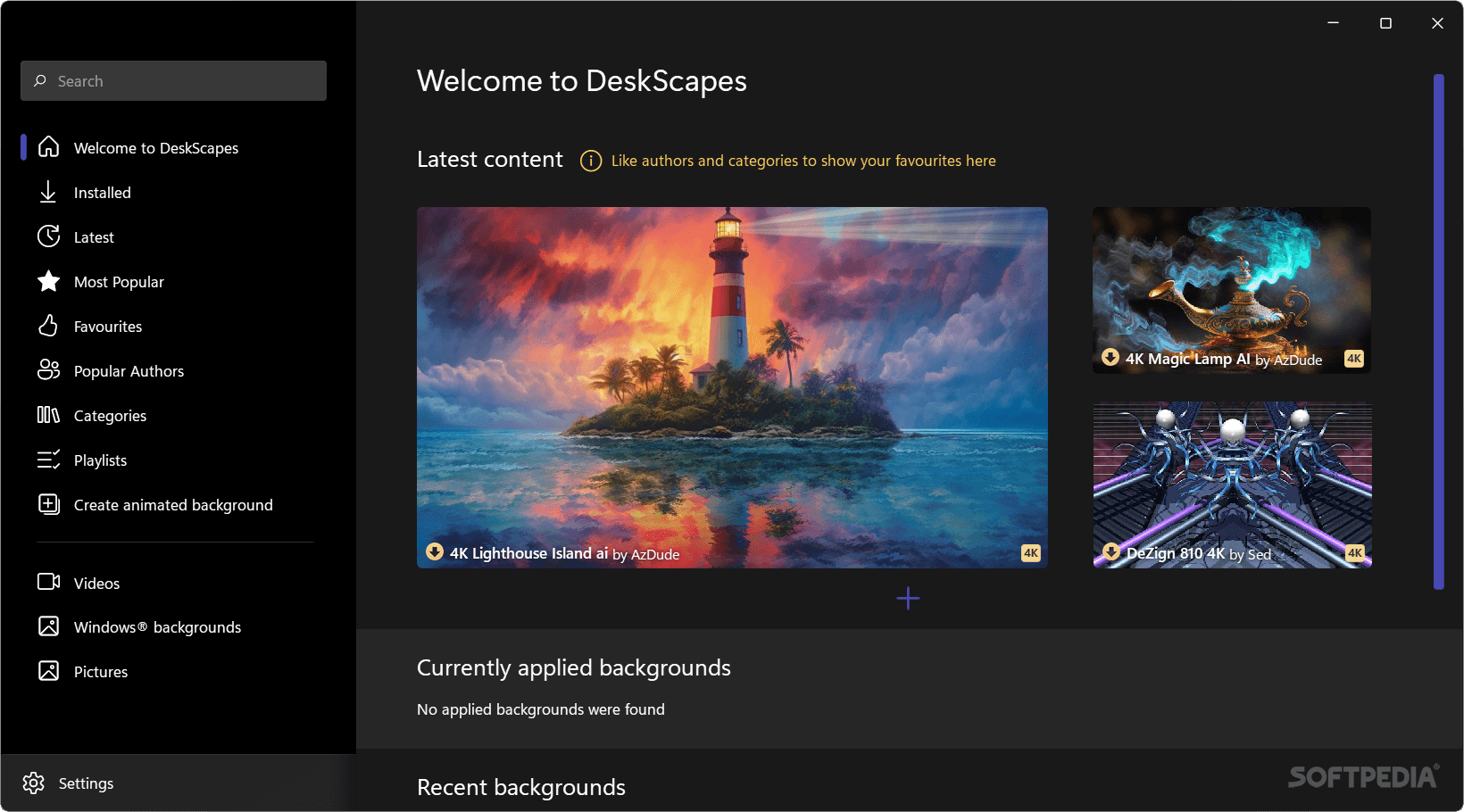
DeskScapes is a program that enables you to customize your desktop wallpaper, thanks to some attractive backgrounds and image effects.
The user interface is quite appealing and easy to navigate through. A welcome screen informs you that there are some panels in the bottom that you can access, in order to personalize backgrounds. You can simply select and use a wallpaper, which can be either an image, a video, hybrid, or dynamic.
You can also filter backgrounds according to their rating, apply a random background, or recolor your existing wallpaper (select the part of the wallpaper you want to recolor, pick the color to apply, and adjust color saturation).
You can change settings for each type of wallpaper. For instance, you can set the number of shapes you want to have displayed at once, the speed of an animation, or you can create slideshow images or hide particular objects in a picture.
In order to further customize your wallpaper, you can add image effects - Alien World, Black and White, blue channel only, blue sky filter, burn effect, canvas texture, desaturate, grayscale, sepia, mirror or snow.
You can search for a particular background, download and install more backgrounds, adjust quality settings, enable support for additional graphics cards, correct aspect ratio on secondary monitors, set desktop icon transparency, and more.
Objects take a few seconds to load after you click them, and the program froze once during our tests (after applying a background). Otherwise, DeskScapes uses a moderate amount of system resources and certainly brings a unique feel to any desktop.
Download Hubs
DeskScapes is part of these download collections: Wallpaper Rotators
DeskScapes 11
add to watchlist add to download basket send us an update REPORT- runs on:
-
Windows 11
Windows 10 64 bit - file size:
- 106 MB
- filename:
- DeskScapes11_setup_sd.exe
- main category:
- Desktop Enhancements
- developer:
- visit homepage
4k Video Downloader

7-Zip

Windows Sandbox Launcher

Microsoft Teams

calibre

ShareX

IrfanView

Context Menu Manager

Zoom Client

Bitdefender Antivirus Free

- Context Menu Manager
- Zoom Client
- Bitdefender Antivirus Free
- 4k Video Downloader
- 7-Zip
- Windows Sandbox Launcher
- Microsoft Teams
- calibre
- ShareX
- IrfanView
