WINDOWS CATEGORIES:


NEWS ARCHIVE >>
SOFTPEDIA REVIEWS >>

WEEKLY HIGHLIGHTS

DVD Cloner45
Spyware Doctor40
1Click DVD Copy40
Apollo DVD Copy40
ABC Amber BlackBer...45
Protected Music Co...40

7-DAY TOP DOWNLOAD

#
Program
Avira AntiVir
Personal - Free
Antivirus 9.0.0.418

171,507
Avira Antivir Virus
Definition File
Update February 10,
2010

136,905
Windows Live
Messenger 2009
14.0.8089.726

109,751
Microsoft Office
2010 14.0.4536.1000
Beta / 2007

88,072
Y! Multi Messenger
8.x and 9.x

85,060
Internet Download
Manager 5.18 Build 8

57,149
RemoveWGA 1.2
54,385
DVD Shrink 3.2.0.15
47,666
Nero 7 Premium
7.11.10.0

43,985
AVG Free Edition 9.0
Build 730a1834

42,657

WEEK'S BEST

  • DirectX Redistribu...
  • AnyBizSoft PDF to ...
  • WinX DVD to iPod R...
  • WinUtilities [GIVE...
  • WinPatrol 17.1.201...
  • Wondershare iPod V...
  • EASEUS Partition M...
  • Advanced SystemCar...
  • EASEUS Data Recove...
  • WinX Blu-Ray Decry...
  • Aimersoft DVD to 3...
  • Returnil Virtual S...
  • Backup4all Pro [DI...
  • East-Tec Eraser 20...
  • VIRUSfighter 6.2.68
  • Platinum Guard [GI...
  • SPAMfighter Pro 6....
  • AVG Internet Secur...
  • novaPDF Lite [DISC...
  • Ad-Aware Plus 8.1.0
  • WINner Tweak [DISC...
  • Uniblue DiskRescue...
  • Smarty Uninstaller...
  • Ashampoo Magical D...
  • Online Armor ++ 4....
  • TuneUp Utilities 2...
  • DAEMON Tools Pro (...
  • HWiNFO32 3.41.570
  • Glary Utilities (N...
  • Firebird 2.5.0.259...
  • Home > Windows > Desktop Enhancements > Shell Replacements
     Report spyware

    TCC/LE 11.00.35

    Download button

    Downloads: 6,540  Add to download basket  Tell us about an update
    User Rating:
    Rated by:
    Good (3.0/5)
    27 user(s)
    Developer:

    License / Price:

    Size / OS:

    Last Updated:

    Category:
    JP Software | More programs
    Freeware / FREE
    2.8 MB / Windows XP / 2003 / Vista / 7
    December 10th, 2009, 16:51 GMT [view history]
    C: \ Desktop Enhancements \ Shell Replacements

     Read user reviews (0)  Add a review  Refer to a friend  Subscribe


    TCC/LE description

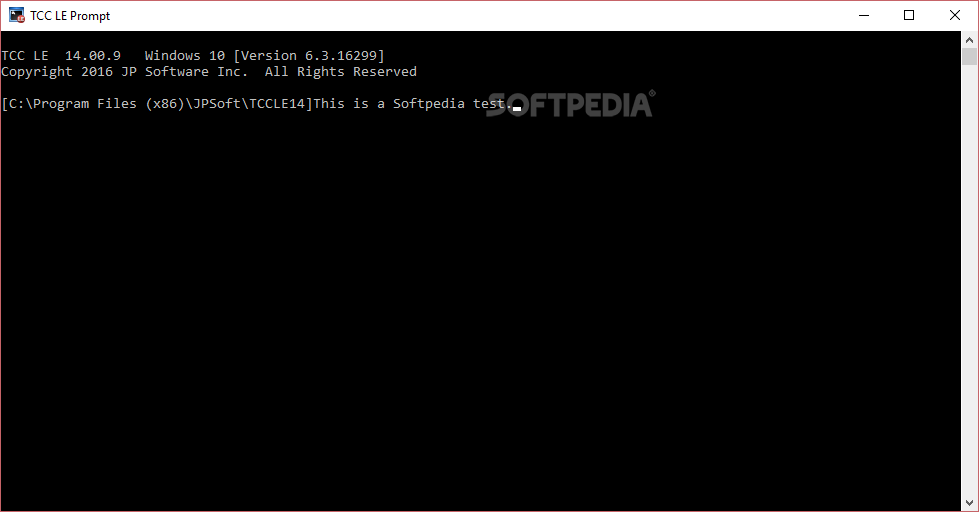
    A powerful replacement for CMD.EXE, the Windows command processor.

    If you are frustrated by the limitations of the Windows command prompt, TCC/LE is the one tool you truly need. By adding thousands of features that Microsoft omitted, TCC/LE makes the command line easy to use, giving you more power and flexibility than you ever imagined.

    TCC/LE replaces CMD.EXE, the Windows command processor, and adds features such as extensive context-sensitive online help, plugins, aliases for commonly used commands, a powerful command line editor, history recall, filename completion (even across a network), popup command and directory history windows, and extended directory searches that can take you to any directory on your system by entering only part of its name.

    TCC/LE expands the Windows file handling commands and by doing so it gives you the ability to copy, move, delete, or list multiple files with a single command. You can select or exclude files from any command by their date, time, size, and extended wildcards for extraordinary flexibility. 

    Enhanced command line editor
    with history, filename completion and cut & paste

    Built-in screen scrollback buffer
    lets you review or print output from past commands at any time

    Enhanced Directory Navigation
    lets you quickly browse and change directories

    Built-in file viewer
    includes scrolling, search, and print capabilities

    Requirements:

    · 10MB free disk space
    · 128Mb RAM

    What's New in This Release: [ read full changelog ]

    · Both Take Command and TCC are now also available in x64 versions.
    · You can now put (simple) GUI apps into tabs. Note that this will not work for apps that have multiple parent windows!
    · The Take Command toolbar is now a "tabbed toolbar", allowing up to 20 tabs and 50 buttons per tab. You can also now right click on any button to edit it.
    · Take Command supports remapped console color palettes in the tab windows. If you are running Vista or later, Take Command will use the individual palette defined for each console. If you are running XP or 2003, Take Command will use the default console palette defined in the HKCUConsole registry key.
    · Display output in Take Command tab windows is 20% faster than v10.
    · Take Command can now optionally automatically attach all console apps to tabs, regardless of how or when they are started.
    · The "Attach Tabs" menu option in TCMD now includes hidden console windows. (This allows you to reattach consoles that may have been orphaned from a TCMD cras...

     Softpedia guarantees that TCC/LE 11.00.35 is 100% CLEAN, which means it does not contain any form of malware, including spyware, viruses, trojans and backdoors. [read more >]


    TAGS:

    command prompt | command shell | command line | command | shell | prompter


    HTML code for linking to this page:


    Go to top

    Windows tabGames tabDrivers tabMac tabLinux tabScripts tabMobile tabHandheld tabGadgets tabNews tab

    SUBMIT PROGRAM   |   ADVERTISE   |   GET HELP   |   SEND US FEEDBACK   |   RSS FEEDS   |   ENTER NEWS SITE   |   ENGLISH BOARD   |   ROMANIAN FORUM