
Make your operating system look like iOS with the help of this skin pack that completely transforms your desktop and other elements. #Windows to iOS #Change Theme #IOS Theme #Theme #IOS #Customize

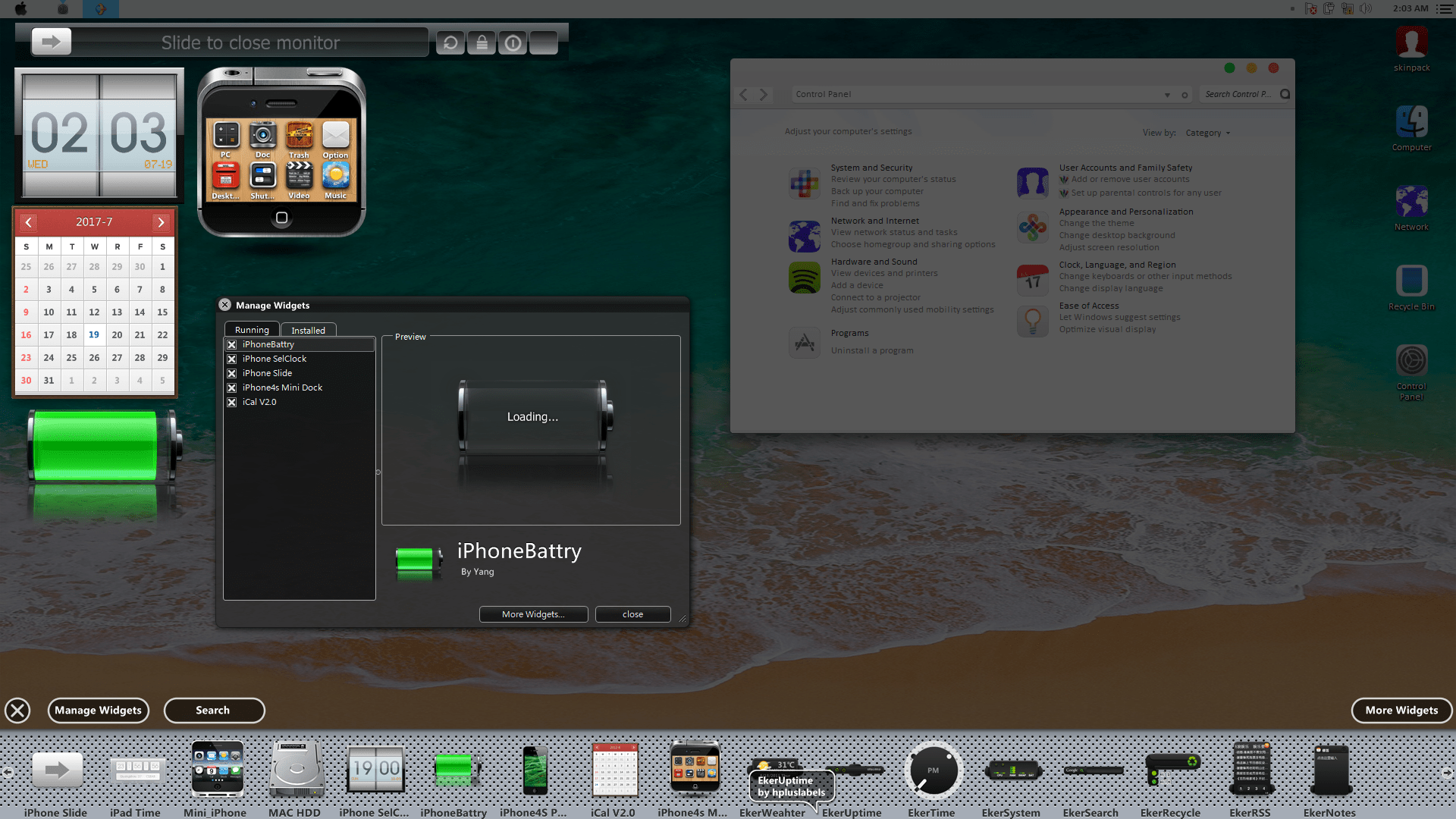
Whenever you feel like customizing your computer, you must think farther than changing the wallpaper and screensaver. iOS Skin Pack is a small utility that can transform the Windows 7 operating system into an Apple OS replica.
While the tool doesn’t change the way Windows looks, it at least gives you the look and feel of Apple’s operating system.
Once installed, the computer looks completely new. A menubar appears in the upper area of the screen, just like in in Apple’s OS. It grants quick access to several features, such as the Control Panel and the calculator.
The lower area of the screen is transformed into a dock that hosts icons for a wide range of apps. For instance, you may find shortcuts to Paint, the calculator, Notebook, Media Player, Safari browser and many others. Additional icons may be included as well.
The skin also comes with a brand new icon pack that replaces all the system shortcuts and other important areas on the computer. Thus, you can view new images for My Computer, Recycle Bin, the hard drives and removable devices, Libraries and many more.
The Start menu can still be activated, but its display matches the skin. There is also an integrated Windows theme that changes the desktop wallpaper and window color.
Before installing this skin pack, you should make sure that older versions are uninstalled from the computer. You must disable user account control and close all running programs. After the process is complete, the system must be restarted.
IOS Skin Pack is a nice tool that can completely overhaul the way your screen looks. Less experienced individuals shouldn’t have any issues while working with it, thanks to its intuitive interface.
iOS Skin Pack 14.0 (15.07.2020)
add to watchlist add to download basket send us an update REPORT- PRICE: Free
- runs on:
-
Windows 10 32/64 bit
Windows 8 32/64 bit
Windows 7 32/64 bit - file size:
- 60.3 MB
- main category:
- Desktop Enhancements
- developer:
- visit homepage
7-Zip

Context Menu Manager

ShareX

Microsoft Teams

IrfanView

Bitdefender Antivirus Free

calibre

Windows Sandbox Launcher

Zoom Client

4k Video Downloader

- Windows Sandbox Launcher
- Zoom Client
- 4k Video Downloader
- 7-Zip
- Context Menu Manager
- ShareX
- Microsoft Teams
- IrfanView
- Bitdefender Antivirus Free
- calibre