Softpedia
 

WINDOWS CATEGORIES:


GLOBAL PAGES >>
SOFTPEDIA REVIEWS >>
MEET THE EDITORS >>
WEEK'S BEST
  • Bitdefender Total ...
  • Ocster Backup Pro ...
  • Hard Disk Sentinel...
  • FlashFXP [DISCOUNT...
  • DVDFab DVD Copy [D...
  • Kaspersky Internet...
  • Avast! Internet Se...
  • Avira Internet Sec...
  • Webroot SecureAnyw...
  • McAfee Total Prote...
  • Home > Windows > Desktop Enhancements > Themes
     Report malware

    Style XP 3.19

    Softpedia Pick Award
    download button buy button

    Downloads: 1,518,729  View global page  Tell us about an update
    User Rating:
    Rated by:
    Very Good (4.1/5)
    380 user(s)
    Developer:

    License / Price:

    Size / OS:

    Last Updated:

    Category:

    Trial / USD 19.95 buy button
    18.5 MB / Windows XP / XP X64

    C: \ Desktop Enhancements \ Themes

     Read user reviews (5)  Send to friend   Follow (4 users)

    Softpedia Editor's Review for Style XP

    EDITOR'S RATING:

    Change the themes and visual styles of Win XP

    Written by Elena Opris on May 8th, 2012

    Truth be told, Windows XP does tend to become somewhat boring at some point, especially from the visual point of view. Of course, there are a lot of themes that can be applied, but if not chosen correctly, they can load up your computer's memory, or simply do not meet your standards.

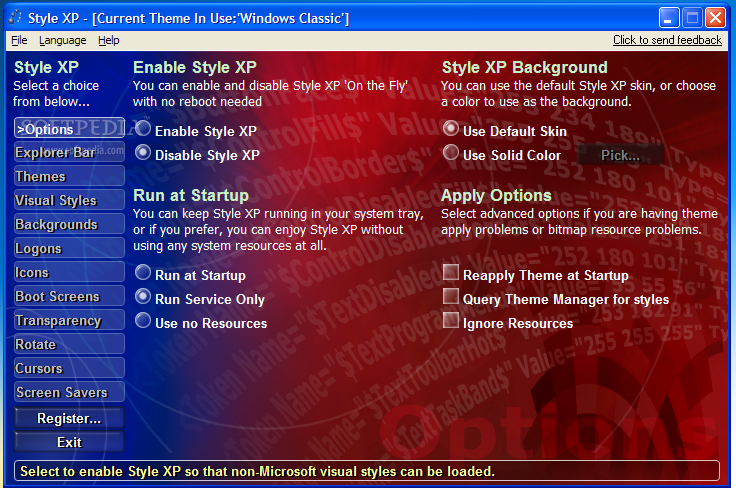
    For those of you who would like to have complete control of the style of your Windows XP, and be able to customize just about anything about it, Style XP was created.

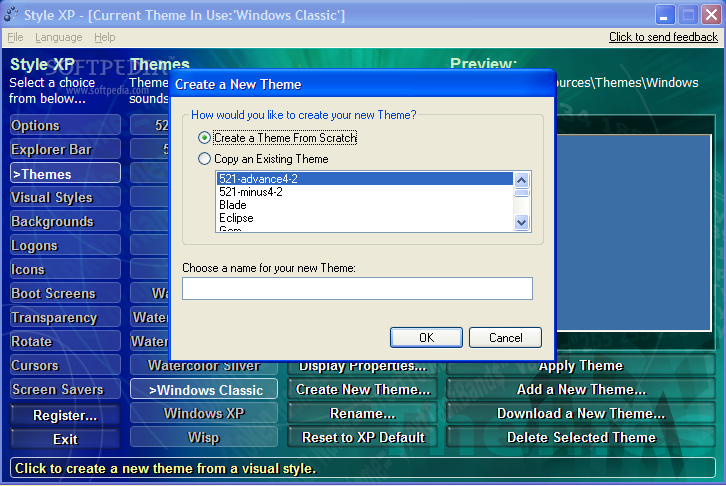
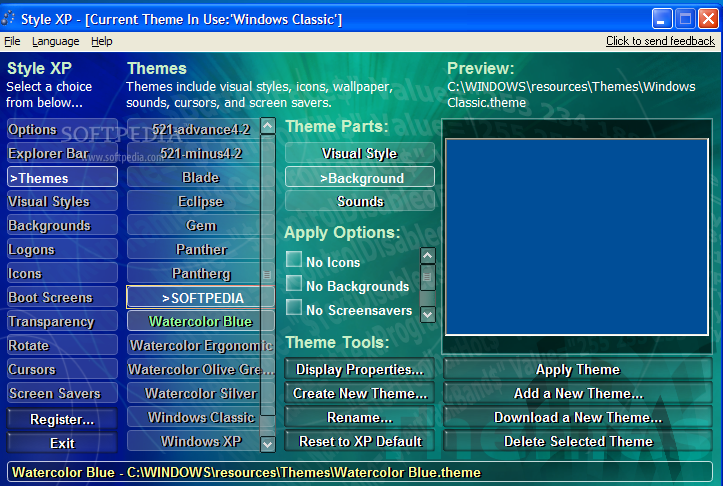
    This application allows you to download and install XP themes, as well as customize each of them as you see fit. For instance, you can even make your XP resemble MAC computer, along with all the icons and colors it includes. Odds are it will take you a long time to experiment with all the possible combinations, seeing as there are a few hundreds.

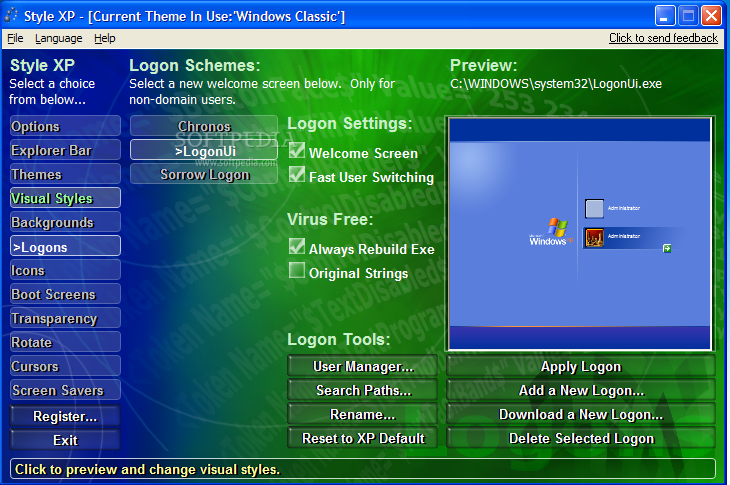
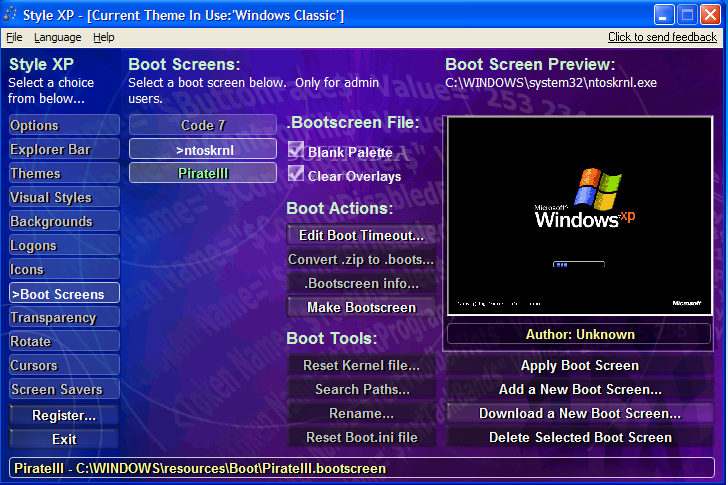
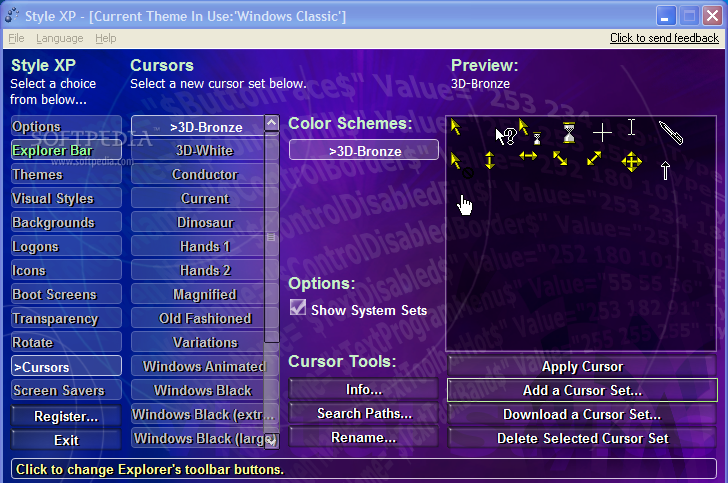
    Furthermore, Style XP lets you modify backgrounds, cursors, transparency or logon screens. You can adjust the Explorer bar, icons, boot screen, cursors, color schemes, font size, position, or set a different transparency level for Windows Taskbar, Control Panel, Start Menu, and many others.

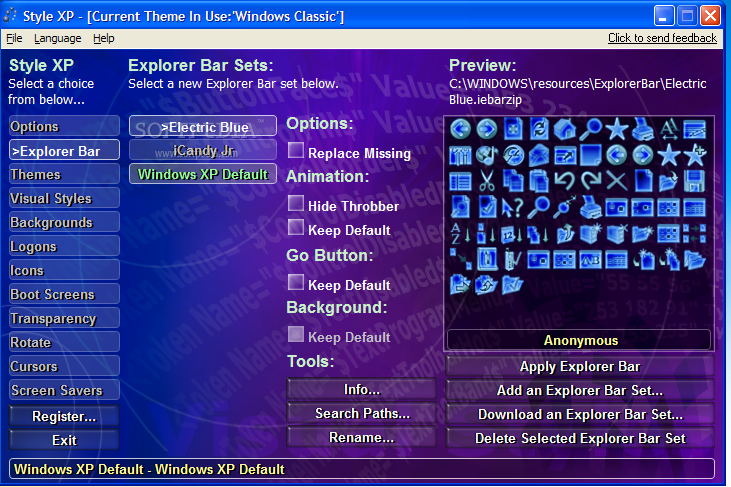
    For example, for revamping the Explorer Bar you can choose from three schemes (Electric Blue, iCandy Jr, and XP Default). The best thing about playing around with these combinations is that, before applying a color scheme, you can preview it so you can avoid those you do not like.

    The themes are surprising in colors and patterns, so you are bound to find at least one that you like.

    From the performance perspective, Style XP uses a minimum amount of memory resources, but this can change when you load a screen saver (it can become demanding on your computer).

    All these features can be tested for an evaluation period of 30 days, so you need to use this time wisely and decide if purchasing a license can solve the issue of obsolete XP looks.


    Read an in-depth analysis in our professional review for Style XP

    Style XP description

    Here are some key features of "Style XP":

    Zero-Footprint Operation:
    · Choose to have Style XP run in the system tray for easy management and selection of new styles, or turn Style XP off for zero-footprint operation No additional memory will be utilized unless you desire it
    Native:
    · Style XP skins are zero-footprint because they use the same Visual Style Source that is built into XP XP's Visual Style Engine will load and draw our start button with the exact code used to load and draw the infamous green start buttons of the original Blue, Olive Green, and Silver skins
    · This is done by performing an in memory patch to XP's Visual Style Engine Style XP does not use SetWindowsHookEx, which can noticeably slow system performance Nor does it hook the "Appearance" tab on the Display Properties property sheet
    New Visual Styles, Wallpapers, Logons, and Themes:
    · Try out our new "CoughDrop" visual style and color schemes "Toothpaste" and a community skin pack are also included You can download more visual styles for free from our Links Page
    Accessibility & High-Resolution Functionality:
    · Does your monitor operate at 1600x1200? How about 2048 x 1536? Perhaps you have a new LCD display
    · At these finer pixel resolutions, the display can exceed 100 DPI StyleBuilder is designed to build skins which support the higher DPI resolutions so that window controls are easier to see
    · Since Style XP skins are native source styles, this useful XP functionality is present in its original and familiar form
    Application Compatibility:
    · Our native design allows us to enjoy the thousands of hours of work put in by Microsoft's UI team to ensure application compatibility There is no list of incompatible applications to keep track of
    Font Sizes:
    · Like the original Microsoft Blue, Olive Green, and Silver Visual Styles, StyleBuilder & Style XP skins support three font sizes Normal, Large, and Extra Large
    · These larger font sizes are important, because they are used by the elderly and visually impaired
    Easy Installation:
    · The new Style XP install takes minutes to download and seconds to install No reboot is required

    Limitations:

    · 30 days trial

       Softpedia guarantees that Style XP 3.19 is 100% CLEAN, which means it does not contain any form of malware, including spyware, viruses, trojans and backdoors. [read more >]


    TAGS:

    visual style | theme editor | windows theme | creator | theme | visual

    Go to top

    WindowsGamesDriversMacLinuxScriptsMobileHandheldNews

    SUBMIT PROGRAM   |   ADVERTISE   |   GET HELP   |   SEND US FEEDBACK   |   RSS FEEDS   |   UPDATE YOUR SOFTWARE   |   ROMANIAN FORUM