
Free Vista theme for Windows XP. #Vista theme #Vista transformation #Vista style #Vista #Style #Theme

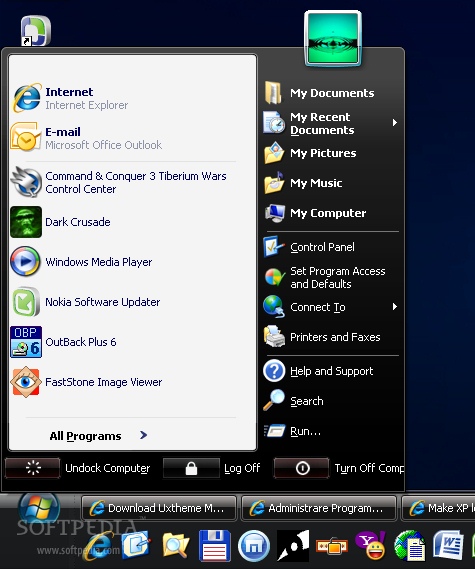
When Vista was released, it represented a great change in terms of visual appearance, and all XP users could only dream about replacing their OS with the newer one, or at least make theirs seem 'prettier'.
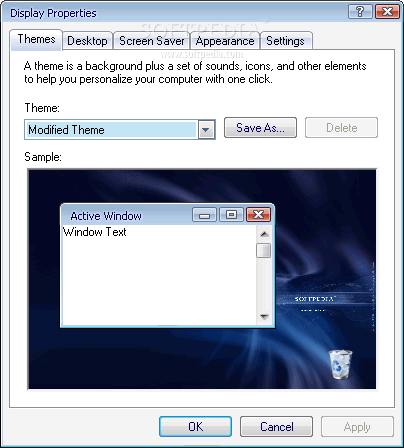
Those who want to keep their XP yet revamp its looks, can try Vista Visual Styles Pack, a software that will make their PC look like Vista. The pack contains a wide range of changes that can be optionally enabled for adding a twist to one's computer. Styles included in the package are Windows Aero, Windows Vista Basic, and Aero Style (WindowBlinds skin).
In order to install this application, UXTheme Multi-Patcher is required so as to permit XP to accept third-party customization.
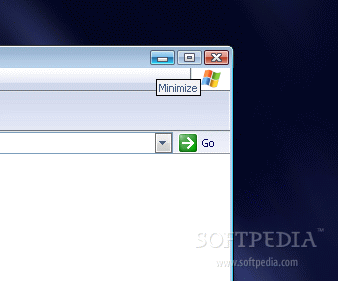
Once it is set up, Vista Visual Styles Pack not only changes the look of XP, but it also adds some of its custom features. Such modifications include changing the appearance of the start menu, system font, taskbar, system tray, open windows, and dialogs.
Users get the tray clock, icons, sounds, boot screen, cursors, and sidebar with widgets from Vista. There are new wallpapers, screensavers, as well as a customized media center.
In matter of performance, Vista Visual Styles Pack requires a fair amount of your CPU resources, but there's nothing to worry about. Full installation requires an additional 50MB of your RAM.
When users want to trick their friends into thinking they have Vista installed on their PC when the are actually still running Windows XP, then Vista Visual Styles Pack definitely needs to be tested.
What's new in Vista Visual Styles Pack 6.0:
- Added display configuration for the best view of machine's display
- Added WindowBlinds detection warning message (for user who is mistaken about glass border skin)
- Changed theme'structure to be the same with different shellstyles
- Changed visual styles' name to match with Vista RTM
Vista Visual Styles Pack 6.0
 Softpedia Editor's Pick
add to watchlist
add to download basket
send us an update
REPORT
Softpedia Editor's Pick
add to watchlist
add to download basket
send us an update
REPORT
- runs on:
-
Windows 2003
Windows XP - file size:
- 1.5 MB
- filename:
- Vista_Visual_Styles_Pack_6.0.zip
- main category:
- Desktop Enhancements
- developer:
- visit homepage
ShareX

Zoom Client

IrfanView

4k Video Downloader

calibre

Context Menu Manager

Microsoft Teams

Bitdefender Antivirus Free

Windows Sandbox Launcher

7-Zip

- Bitdefender Antivirus Free
- Windows Sandbox Launcher
- 7-Zip
- ShareX
- Zoom Client
- IrfanView
- 4k Video Downloader
- calibre
- Context Menu Manager
- Microsoft Teams