
Transfer your iTunes library, create backups of your music and restore the library if needed with the help of this intuitive application. #Backup iTunes library #Restore iTunes library #ITunes backup #ITunes #Backup #Restore

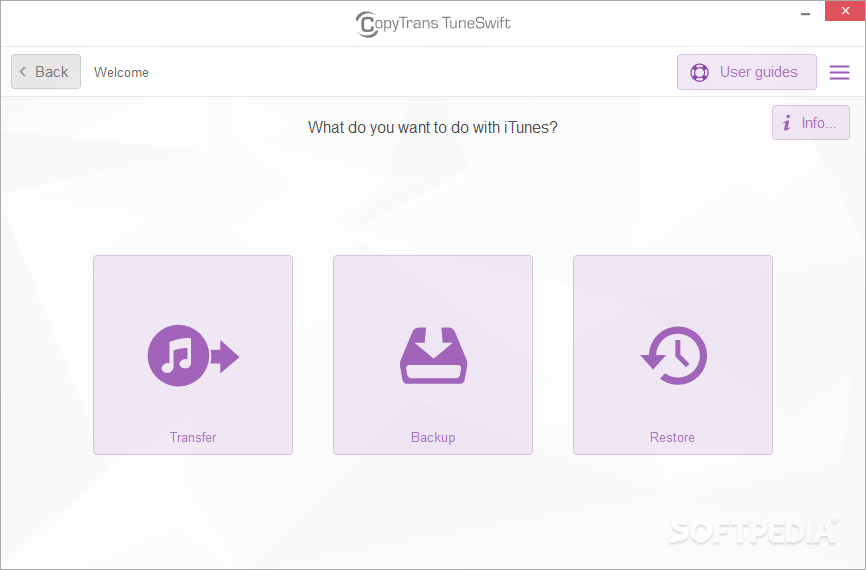
CopyTrans TuneSwift is a portable piece of kit that gives you the possibility of backing up your iTunes library or transferring it to another source, in case your files get damaged or accidentally deleted. It addresses all user levels.
Since installation is not a prerequisite, you can just drop the executable file anywhere on the hard drive and run it directly.
Otherwise, you can store CopyTrans TuneSwift on a USB flash drive or similar storage unit, and run it on any computer. This way, you can carry the app in your pocket whenever you're on the move.
More importantly, the Windows Registry section does not receive new entries, and no files are left behind on the hard drive after removing the tool.
The interface of the application is based on a wizard-like layout where you can either transfer, back up or restore data. But you may also view iTunes information when it comes to the version, media and artwork database, together with the total containing songs and videos.
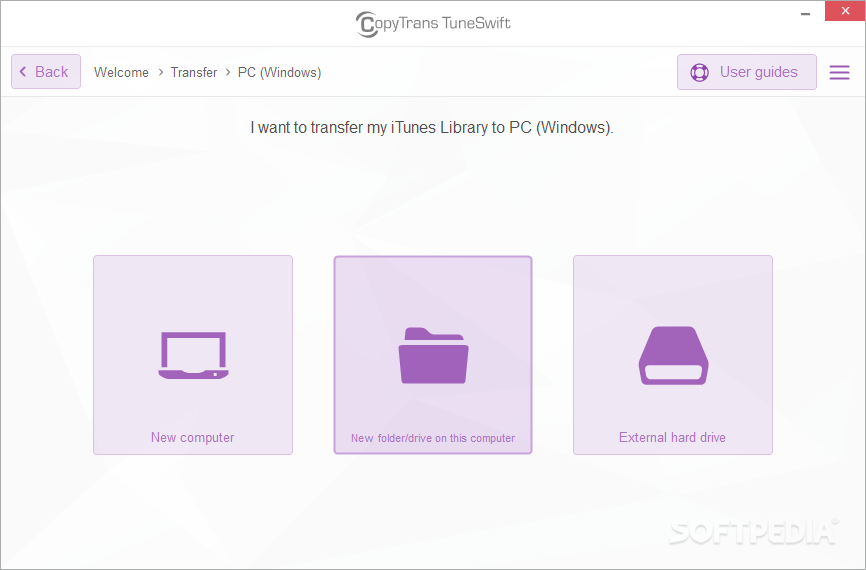
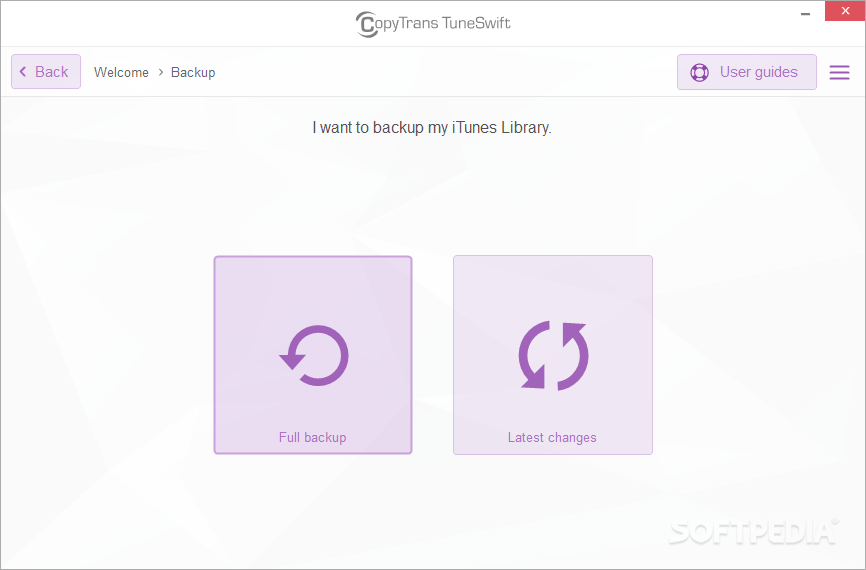
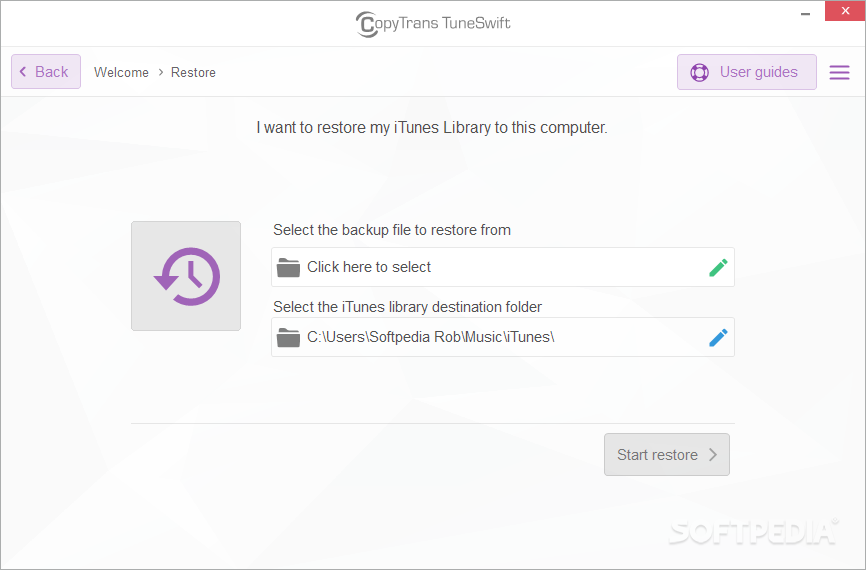
You can transfer the iTunes library to a PC or Mac, specify the target location (new computer, new folder or drive on the computer, external hard drive), and proceed with the task. The application lets you perform a full backup job or just copy the latest changes. Restoring the iTunes library is seamlessly done, in just a few clicks.
CopyTrans TuneSwift requires a moderate quantity of CPU and system memory, has a good response time and completes a backup job rapidly, without making the operating system hang, crash or pop up error dialogs. Although it is not particularly resourceful, CopyTrans TuneSwift provides a straightforward solution when you want to protect your iTunes library.
CopyTrans TuneSwift 2.801
add to watchlist add to download basket send us an update REPORT- runs on:
-
Windows 11
Windows 10 32/64 bit
Windows 8 32/64 bit
Windows 7 32/64 bit - file size:
- 12.2 MB
- filename:
- CopyTransTuneSwiftv2.801.zip
- main category:
- iPod Tools
- developer:
- visit homepage
ShareX

calibre

Windows Sandbox Launcher

IrfanView

Zoom Client

Bitdefender Antivirus Free

Context Menu Manager

7-Zip

4k Video Downloader

Microsoft Teams

- 7-Zip
- 4k Video Downloader
- Microsoft Teams
- ShareX
- calibre
- Windows Sandbox Launcher
- IrfanView
- Zoom Client
- Bitdefender Antivirus Free
- Context Menu Manager