
Easily set up sync on your Windows PC. #Contact synchronization #Address synchronizer #Data synchronization #Sync #Synchronizer #Synchronization
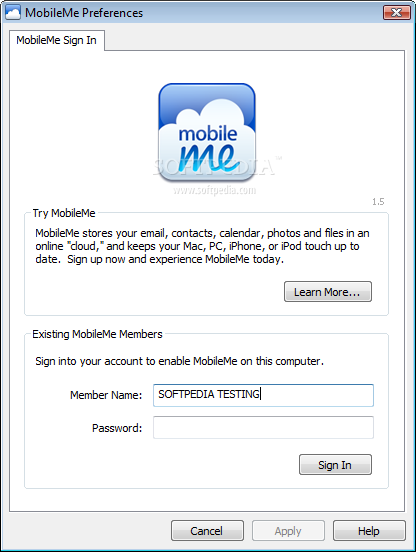
Until recently, MobileMe was Apple's collection of online services and software designed primarily for OSX, iPad, iPhone and iPod users. Replaced by iCloud in the last quarter of 2011, MobileMe also addressed the larger mass of Windows users.
MobileMe Control Panel for Windows is an application designed to synchronize your calendar, bookmarks or contacts with the online storage service. It also enables you to manage your MobileMe iDisk for online file storage and sharing. In order to do that, you must have a MobileMe account, so only consider using MobileMe if you already have one, for Apple is no longer offering subscriptions for MobileMe, but instead encourages you to use iCloud.
You can choose to automatically synchronize the locally stored data with the one on the MobileMe server to get the most efficient synchronization. The application allows you to upload your contacts, calendars and Internet browser bookmarks so that you can access it online or download it to your iPhone, iPad or iPod. Just select the applications you want MobileMe Control Panel to sync with and it does the rest.
Although you can easily access your MobileMe email, the application itself allows you to setup your default desktop email program to check for your MobileMe mails, send and receive them.
The program proves to be extremely useful if, for instance, you have a PC at home, a Mac at work and an iPhone on you. Using MobileMe Control Panel you make sure that your contacts, mails, messages or calendar are always in sync.
Nevertheless, the application has its shortcomings. For instance, the flawed synchronization is one of most reported issues. Moreover, when it comes to syncing your contacts, calendar or bookmarks, it offers compatibility only for a limited number of applications (such as Outlook or Internet Explorer).
What's new in MobileMe Control Panel 1.6.7:
- This update fixes issues and improves reliability for the new MobileMe Calendar in Outlook on Windows XP.
MobileMe Control Panel 1.6.7
add to watchlist add to download basket send us an update REPORT- runs on:
-
Windows 7
Windows Vista
Windows XP - file size:
- 6.2 MB
- filename:
- MobileMeSetup.exe
- main category:
- iPod Tools
- developer:
- visit homepage
Windows Sandbox Launcher

Microsoft Teams

ShareX

7-Zip

Bitdefender Antivirus Free

calibre

IrfanView

4k Video Downloader

paint.net

Zoom Client

- 4k Video Downloader
- paint.net
- Zoom Client
- Windows Sandbox Launcher
- Microsoft Teams
- ShareX
- 7-Zip
- Bitdefender Antivirus Free
- calibre
- IrfanView