
A web (browser) based instant messaging software. #Web Messenger #Instant messenger #IM network #Messenger #Chat #Communication

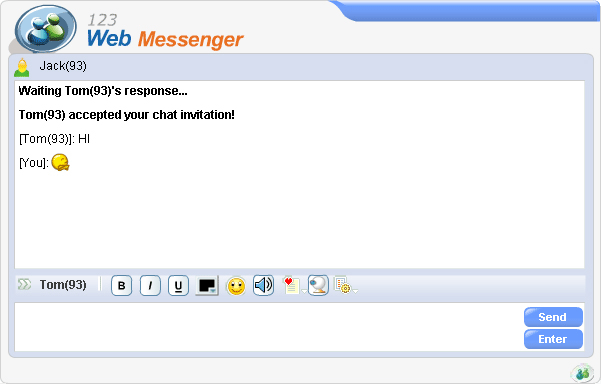
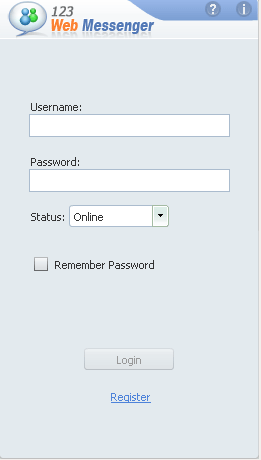
123 Web Messenger is a web-based messaging program that allows you to chat with people around the world. Nevertheless, it is more than a simple chat client, as it is designed to help you add IM functionality to your website.
The program can be integrated into any content management system and customized to fit your website’s appearance. It seamlessly integrates the existing database of your website and offers users the possibility to make new friends, keeping them active and connected.
In order to do that, you can add either a chat bar or an invitation button to your webpages, which allows users to initiate private conversations with others.
In addition to this, 123 Web Messenger gives you the possibility to let users download a desktop application. This works just like a standard instant messaging program, offering multiple profile customization options.
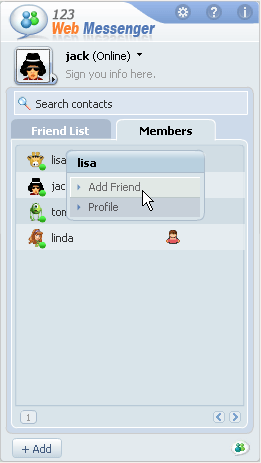
Both the web-based and the desktop application include two sections: the 'Online' list and the friend list. In the 'Online' section, a list of all the available users is displayed and private conversation windows can be initiated.
The chat invitations can be accepted or declined, but accepting the invitation moves the interlocutor to the friend list. The program also features a black list, designed to block others from sending invitations.
More than one chatting window can be opened at the same time and users can make conversations fun by using emoticons and changing the window theme. Moreover, 123 Web Messenger includes video chatting and file transfer options. The conversation history is stored online, enabling users to review it anytime they want.
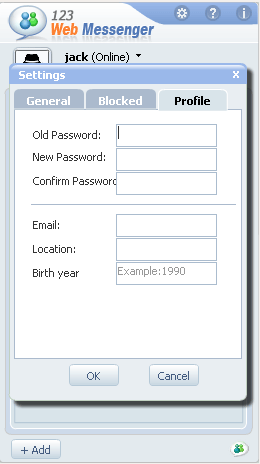
The application promises you full control over the messaging component of your website, allowing you to manipulate the ‘Add friend’ button, control the guest login box and enable users to view one another’s profile or edit their own.
123 Web Messenger is designed for webmasters who want to make their website interactive between users and create a true IM community.
123 Web Messenger 2.5
add to watchlist add to download basket send us an update REPORT- runs on:
- Windows All
- file size:
- 7.3 MB


- main category:
- Internet
- developer:
- visit homepage
IrfanView

calibre

Microsoft Teams

4k Video Downloader

7-Zip

Context Menu Manager

Windows Sandbox Launcher

ShareX

Bitdefender Antivirus Free

Zoom Client

- ShareX
- Bitdefender Antivirus Free
- Zoom Client
- IrfanView
- calibre
- Microsoft Teams
- 4k Video Downloader
- 7-Zip
- Context Menu Manager
- Windows Sandbox Launcher