
Remove the components that you don't want from your Live Messenger. #Customize Messenger #Messenger Patch #Remove Advertisement #WLM #Customizer #Remove

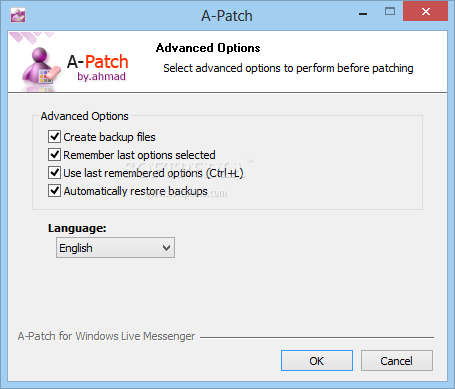
A-Patch is an advanced software tool designed to help you remove certain components from Windows Live Messenger.
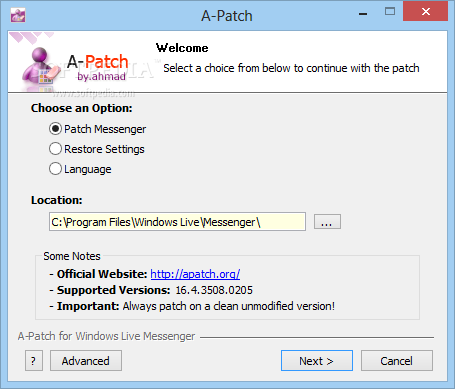
The whole application has been designed as a wizard, which means it's easy to use mostly thanks to the fact that users need to follow some steps to remove the parts they don't want from WLM.
The amount of options however is impressive and that's exactly the ace up its sleeve. Extremely easy to use, but offering a huge list of tools, A-Patch can also create and restore backup, just to make sure you're on the safe side all the time.
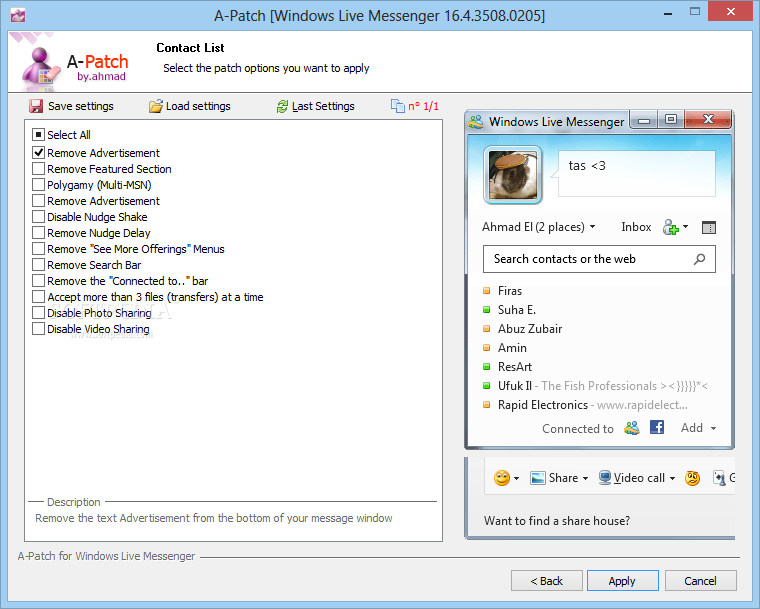
A-Patch enables you to remove components concerning the contact list, the main toolbar, the contact manager and the conversation window, with all options displayed right in the main window as you advance with your customization.
You can for example remove the advertisement displayed by WLM, remove the “What's Hot” section, disable Photo Sharing, shorten status info in info bar, accept more than 3 file transfers at a time and remove nudge delay.
You can remove the Windows Live logo, remove Personal Message Bar and multiple buttons, such as email, Sharing Folders, My Space, Make a Call, Mobile, Color and Windows Live Today.
Last but not least, you can shorten status info in Info Bar, show idle status, remove Billing Info menus, enable opening of unsafe files, hide the “My Sharing Folders” entry from My Computer and much more.
Since it's just a wizard, A-Patch has no impact on the overall performance of your system, and not only that it runs okay on all Windows versions, but it's also compatible with most Windows Live Messenger releases.
Overall, A-Patch is a nice tweaking tool for all instant messaging aficionados. It provides an easy to use interface and keeps users on the safe side thanks to simple backup and restore utilities.
What's new in A-Patch 1.43 Build 24:
- Added compatibility for Windows Live Messenger 2012 version 16.4.3522.0110
A-Patch 1.43 Build 24
add to watchlist add to download basket send us an update REPORT- runs on:
- Windows All
- file size:
- 180 KB
- filename:
- A-Patch143b24.zip
- main category:
- Internet
- developer:
- visit homepage
Bitdefender Antivirus Free

7-Zip

Windows Sandbox Launcher

Microsoft Teams

IrfanView

paint.net

ShareX

4k Video Downloader

calibre

Zoom Client

- 4k Video Downloader
- calibre
- Zoom Client
- Bitdefender Antivirus Free
- 7-Zip
- Windows Sandbox Launcher
- Microsoft Teams
- IrfanView
- paint.net
- ShareX