
Hotmail Messenger Fix is an application that allows disable messenger autostart when your check your mail. #Messenger remover #Messenger disabler #Messenger enable #Messenger #Remover #Disabler
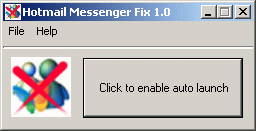
Hotmail Messenger Fix is a handy and reliable application designed to prevent MSN Messenger (now Windows Live Messenger) from launching each time you log in to Hotmail. It’s straightforward, easy to use and portable.
One of the annoying features of Microsoft's IM software is that it automatically starts whenever you login to your Hotmail account. What makes the situation even more unpleasant are the intrusive ads that come along with the launch of the messenger.
One reliable tool that you can lean on to disable this feature is Hotmail Messenger Fix. Beginners, as well as professionals will find it extremely simple and accessible.
Hotmail Messenger Fix weighs about 100 KB and is completely portable, which means you can carry around on an USB device and run it on any computer, without leaving a footprint on the system’s registry.
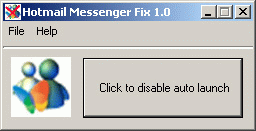
The application features a minimalistic interface that holds only one button, the one that accomplishes the actual job. As soon as it detects that Live Messenger is installed on your computer (triggers an error if not), it makes the Disable feature available.
Once you click this button, the messenger's autolaunch feature is turned off. From now on, whenever you login to your Hotmail account, you will no longer be bothered by the IM instance running in the background, annoying you with intrusive commercials. However, you can revert the changes if you wish to enable the chat’s autolauncher.
In conclusion, Hotmail Messenger Fix can be of great assistance if you wish to access your Hotmail account without being interrupted by Live Messenger.
Hotmail Messenger Fix 1.0
add to watchlist add to download basket send us an update REPORT- runs on:
- Windows All
- file size:
- 108 KB
- filename:
- HotmailMessengerFix.exe
- main category:
- Internet
- developer:
- visit homepage
7-Zip

ShareX

Zoom Client

Windows Sandbox Launcher

calibre

Bitdefender Antivirus Free

IrfanView

Microsoft Teams

Context Menu Manager

4k Video Downloader

- Microsoft Teams
- Context Menu Manager
- 4k Video Downloader
- 7-Zip
- ShareX
- Zoom Client
- Windows Sandbox Launcher
- calibre
- Bitdefender Antivirus Free
- IrfanView