
A one-step tool for removing MSN Messenger and Windows Live Messenger. #Messenger Uninstaller #Uninstall Messenger #Messenger Remover #Uninstaller #Remover #Uninstall

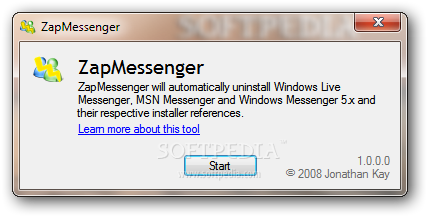
ZapMessenger serves for the noble purpose of removing all traces of MSN Messenger and Windows Live Messenger. It was designed to be used when a previous installation of either of these two applications prevents you from installing a different version.
If you don’t fancy the latest versions of MSN Messenger or Windows Live Messenger, but you’d rather accustomed to an older edition, bad news is coming your way. If you already installed the newest version, the deployment of a lesser edition often results in trouble.
Your computer will most likely prompt you that you already have the latest version, which means you would have to manually uninstall it and only then, deploy your favorite edition. Unless you want to waste your time performing this task, you can use ZapMessenger to remove all versions of MSN Messenger or Windows Live Messenger.
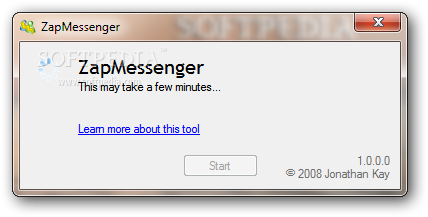
The application doesn’t require installation and it’s extremely easy to use. The simple interface hosts a single button for starting the detection and uninstallation process. It first attempts to remove Messenger the traditional way, and if this fails, then it will use brute force to remove it from the Windows Installer engine.
After it finishes removing all traces, you can install the version you fancy. ZapMessenger carries out a clean and fast uninstallation, allowing you to reinstall another edition without errors. And since user efforts are reduced to pressing a single button, it’s safe to say that ease of use is undeniable.
ZapMessenger 1.0.0.0
add to watchlist add to download basket send us an update REPORT- runs on:
- Windows All
- file size:
- 105 KB
- filename:
- ZapMessenger.zip
- main category:
- Internet
- developer:
- visit homepage
Microsoft Teams

4k Video Downloader

Context Menu Manager

7-Zip

IrfanView

Bitdefender Antivirus Free

Windows Sandbox Launcher

calibre

ShareX

Zoom Client

- calibre
- ShareX
- Zoom Client
- Microsoft Teams
- 4k Video Downloader
- Context Menu Manager
- 7-Zip
- IrfanView
- Bitdefender Antivirus Free
- Windows Sandbox Launcher