Softpedia
 

WINDOWS CATEGORIES:


GLOBAL PAGES >>
SOFTPEDIA REVIEWS >>
MEET THE EDITORS >>
WEEK'S BEST
  • Bitdefender Total ...
  • Ocster Backup Pro ...
  • Hard Disk Sentinel...
  • FlashFXP [DISCOUNT...
  • DVDFab DVD Copy [D...
  • Kaspersky Internet...
  • Avast! Internet Se...
  • Avira Internet Sec...
  • Webroot SecureAnyw...
  • McAfee Total Prote...
  • Home > Windows > Internet > Download Managers
     Report malware

    Internet Download Accelerator 5.15.2.1341

    Softpedia Pick Award
    download button

    Part of the Download Accelerators download hub
    Downloads: 208,291  View global page  Tell us about an update
    User Rating:
    Rated by:
    Very Good (4.2/5)
    215 user(s)
    Developer:

    License / Price:

    Size / OS:

    Last Updated:

    Category:

    Ad-supported / $0
    8.7 MB / Windows All
    [view history]
    C: \ Internet \ Download Managers

     Read user reviews (9)  Send to friend   Follow (7 users)

    Softpedia Editor's Review for Internet Download Accelerator

    EDITOR'S RATING:

    Most effective acceleration, resuming, and management of your downloads

    Written by Bogdan Popa on March 26th, 2012

    When downloading lots of files from the Internet or in case you want to get some large file as soon as possible onto your computer it's usually time to look for a dedicated software, namely a download manager.

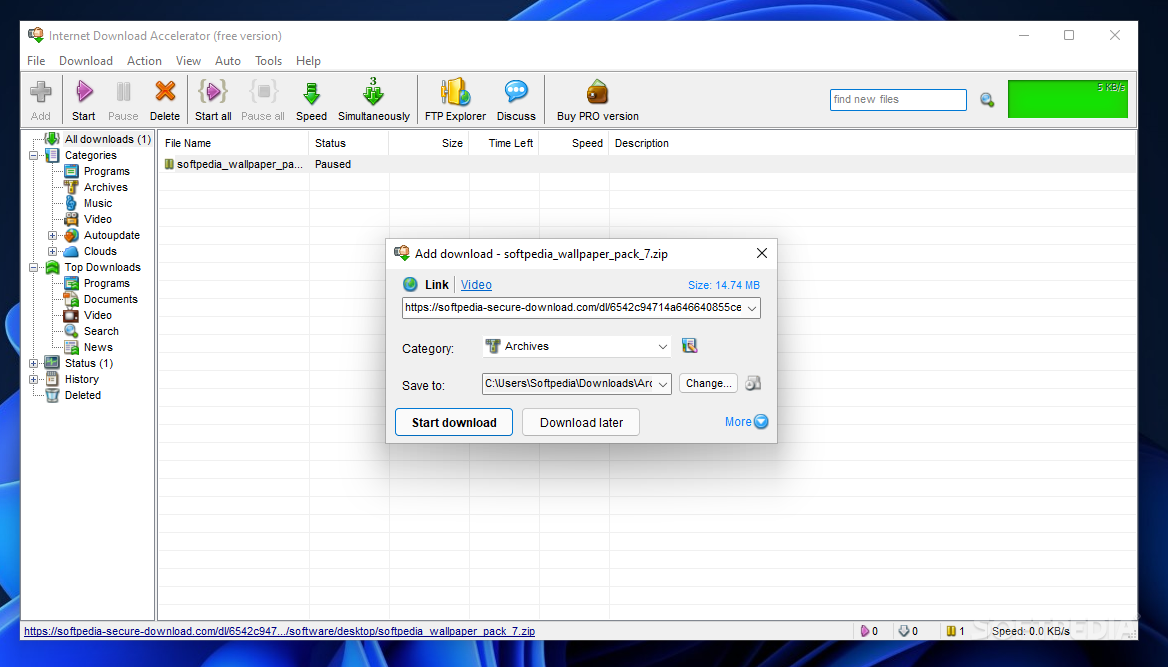
    Internet Download Accelerator is one of the apps that claim to do wonders when it comes to handling file downloads, relying on a nice and simple interface as well as on a set of great features.

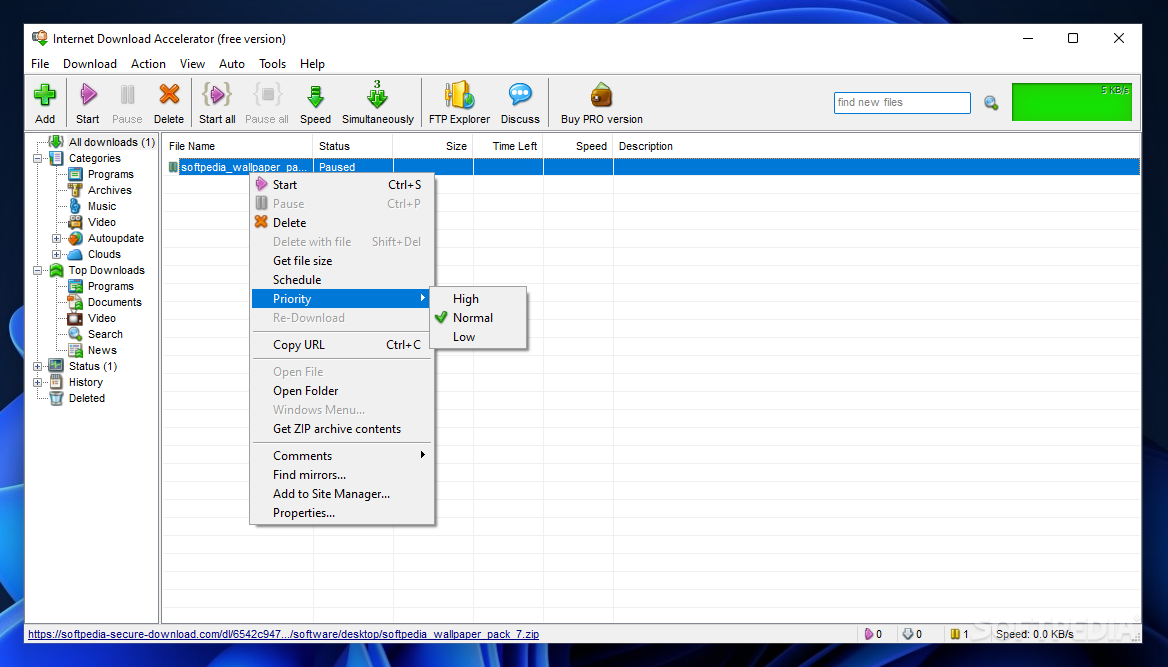
    Besides the fact that it's supposed to accelerate downloads, Internet Download Accelerator is also a good file manager because it automatically organizes files by type, letting you see just archives, music, video or executables you transferred.

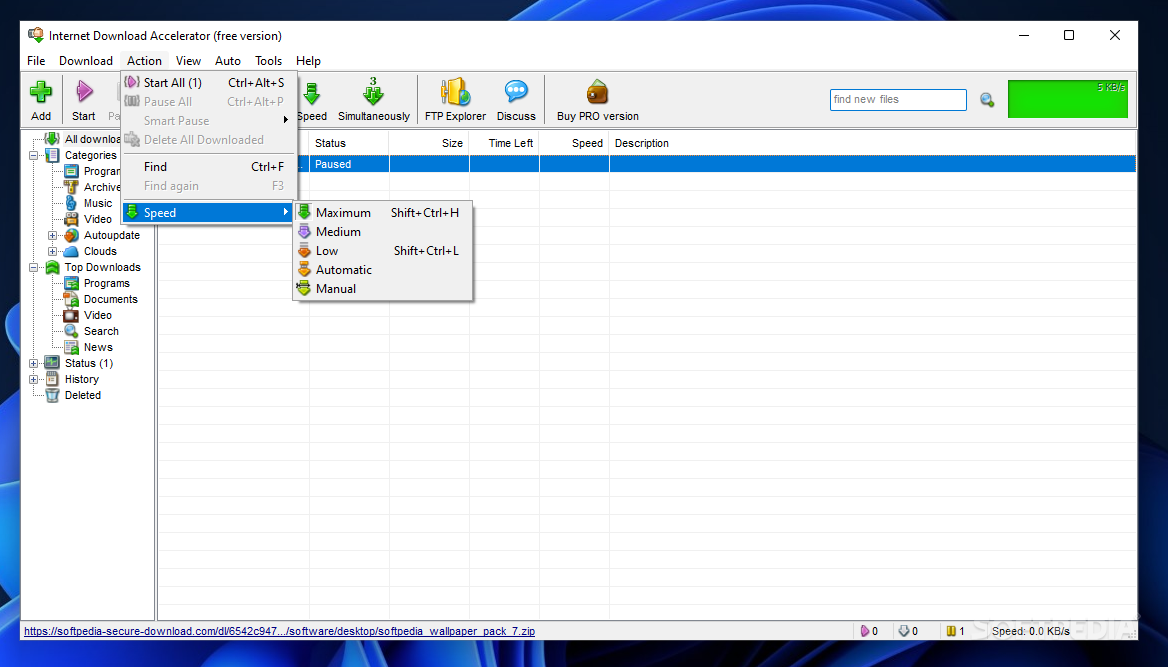
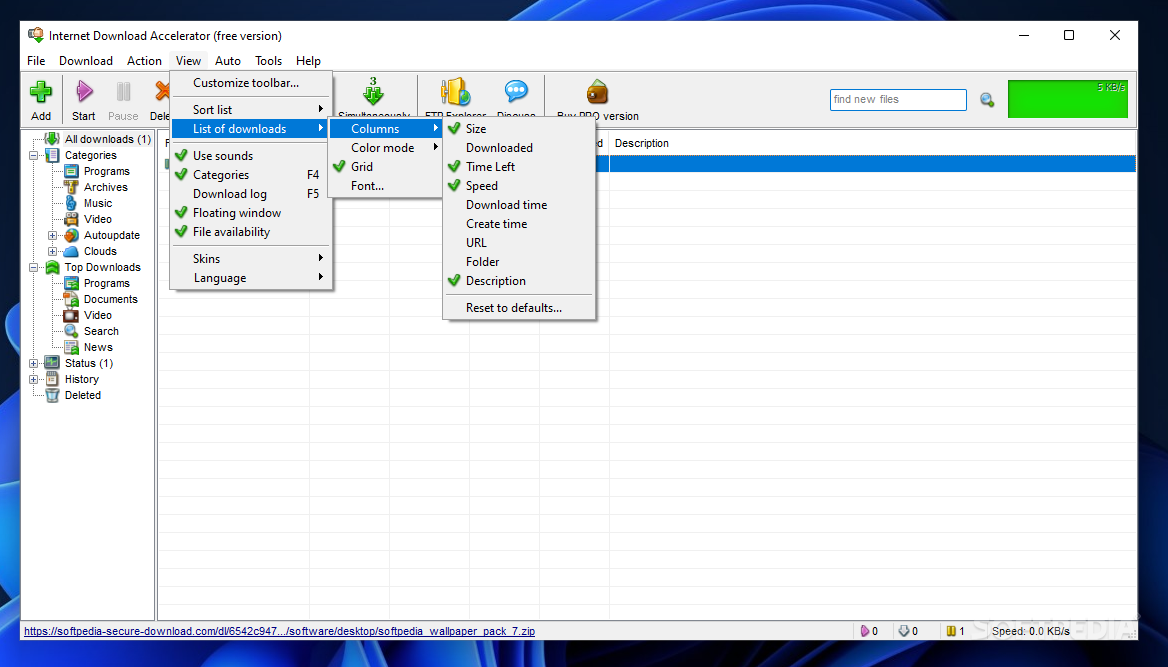
    The interface is quite clean, easy to use and, in case you're looking for a bit of customization, the developers have included some minor tweaks that can be done by applying new skins.

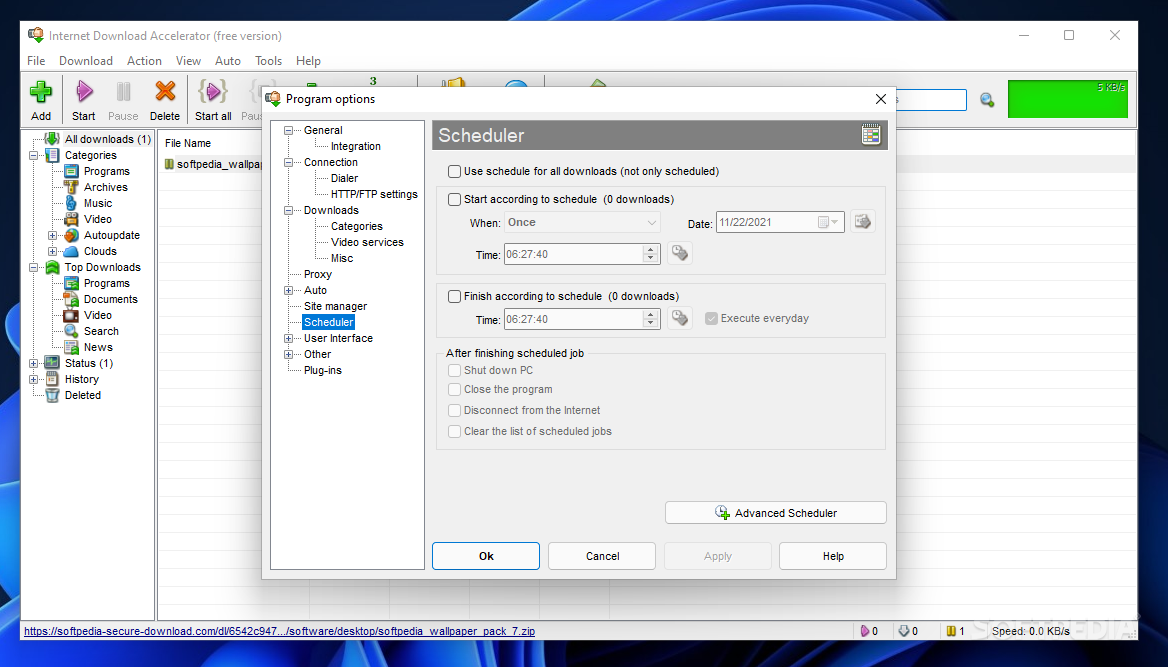
    During our tests we experienced a noticeable speed improvement as compared with the default browser downloaders. It also integrated well with the supported browsers and the scheduler function proved to be quite handy for delaying some downloads.

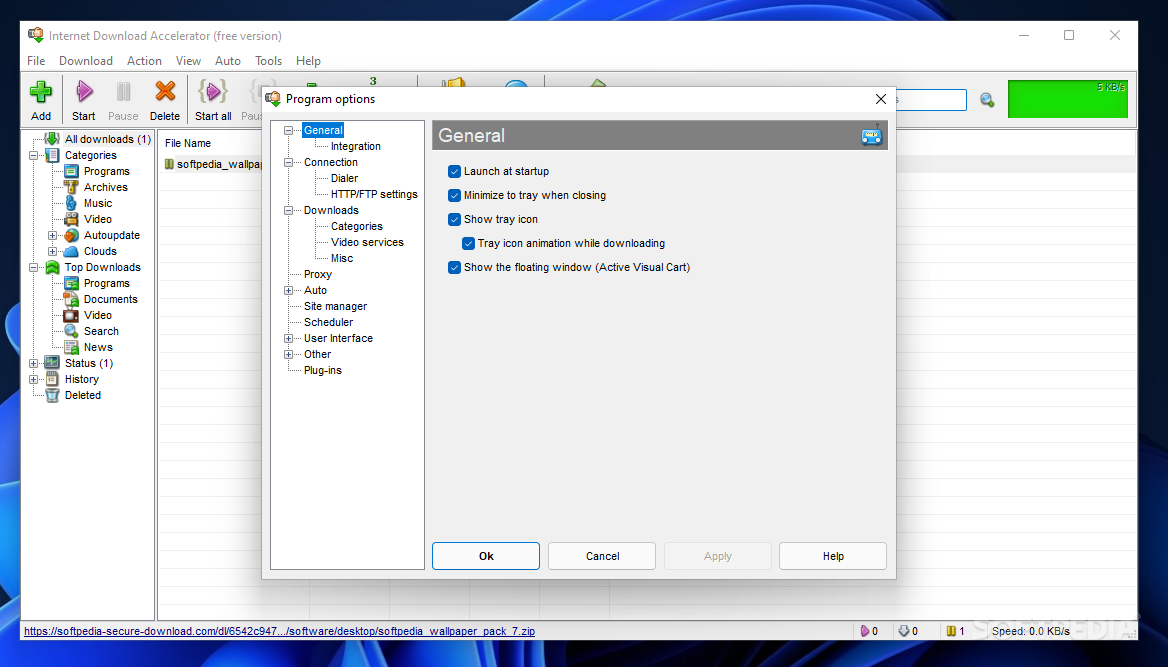
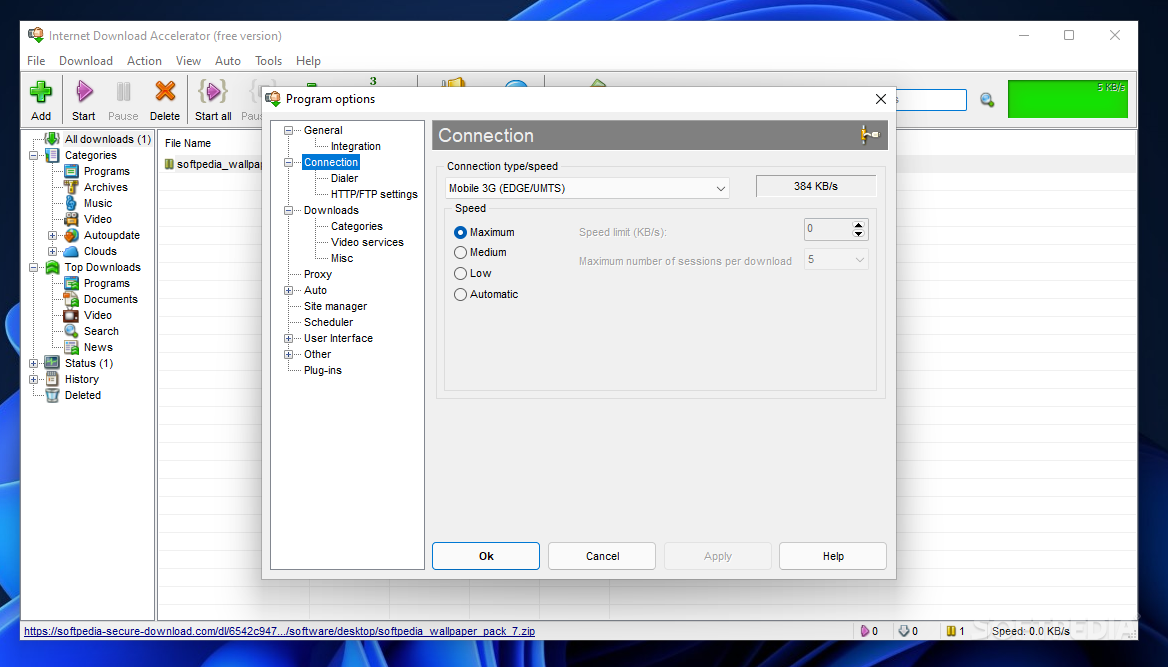
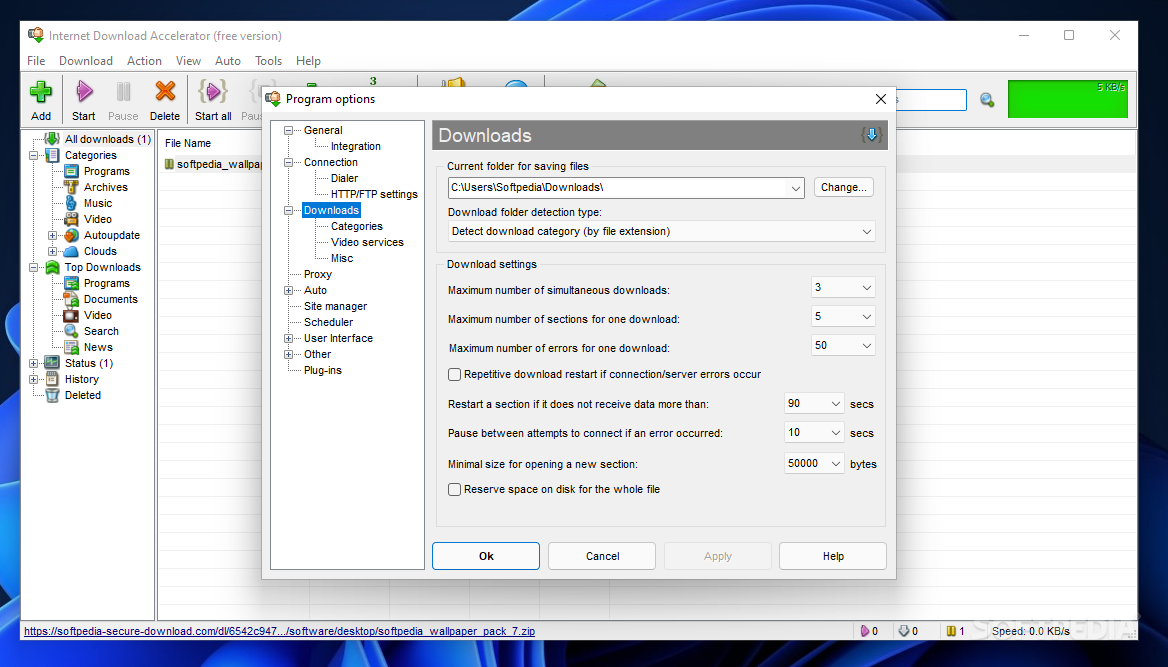
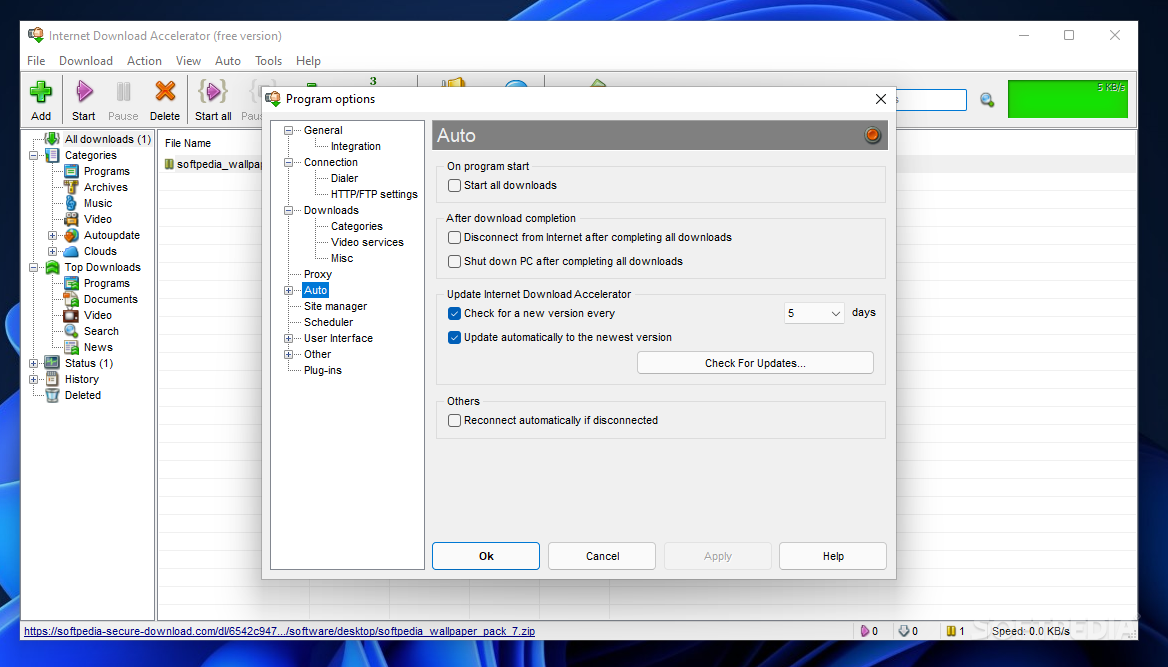
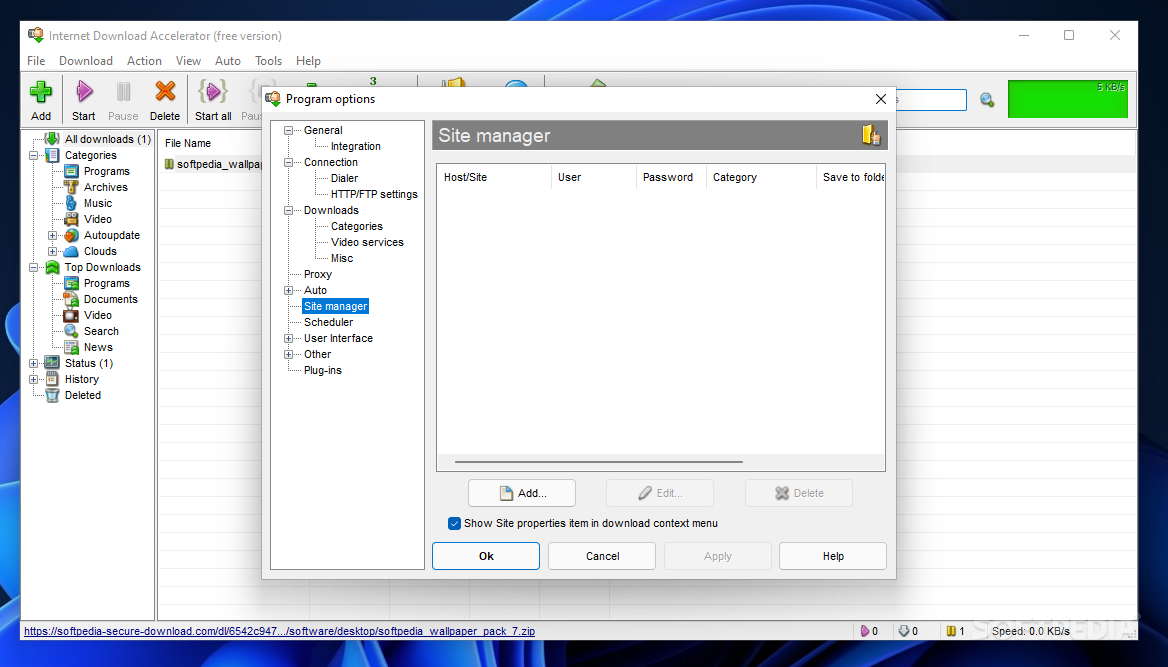
    The available customizations are numerous as you will surely notice from the 'Program Options' area. You can configure connection parameters, download settings and even set the antivirus to scan specific extensions as soon as the files reach your system.

    You can further extend the functionality of Internet Download Accelerator with some plugins and it features some by default, so you only have to configure them as you please.

    Overall, Internet Download Accelerator is a decent download manager and it could easily become one of the favorites in its category thanks to its strong feature pack, good integration and ease of use.


    Read an in-depth analysis in our professional review for Internet Download Accelerator

    Internet Download Accelerator description

    Here are some key features of "Internet Download Accelerator":

    Easy to use:
    · intuitive, user-friendly, and customizable user interface;
    · download lists support with rich sorting options;
    · the floating window including download speed indicator, active downloads indicators, cart for dragging links;
    · original Active Visual Cart technology which lets you to work with IDA without opening the main program window;
    · support for plug-ins;
    · skins support;
    · Fast Update - check for availability of new versions of the program;
    · multilingual support.

    Full set of necessary functions:
    · dynamic multi-threaded download;
    · resumes broken downloads from where they left off from both HTTP, HTTPS and FTP servers;
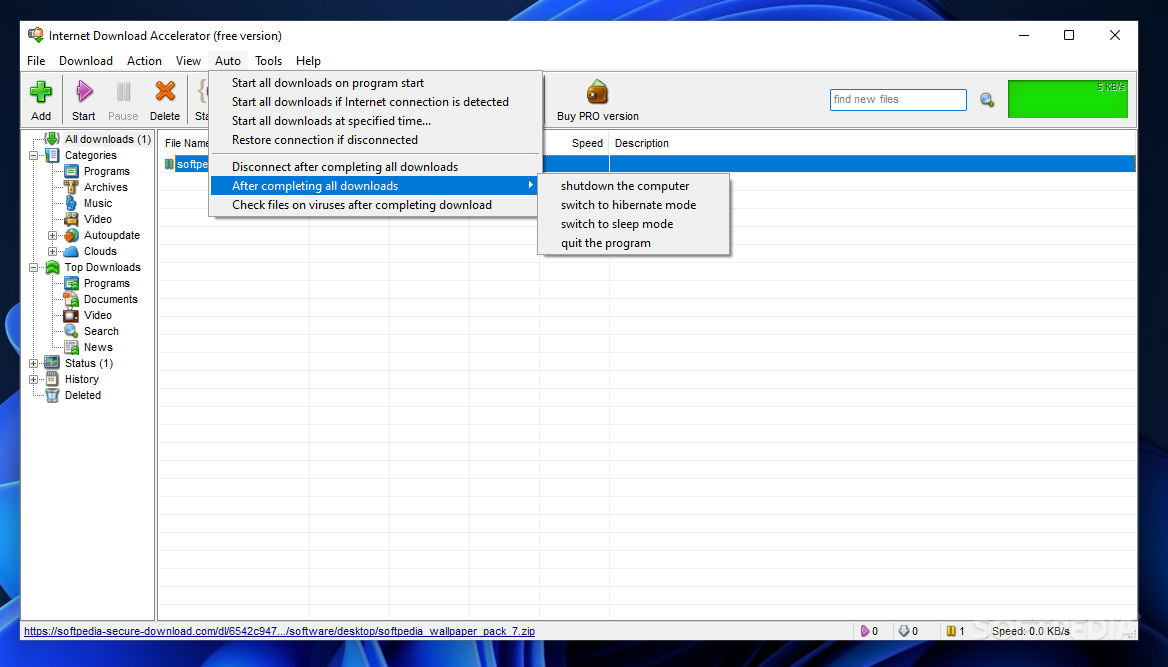
    · scheduled operation, PC shutdown, sleep or stand-by after completing download;
    · optimal settings for work with various connection types (dial-up, ISDN, ADSL, LAN) at various speed;
    · FTP Explorer;
    · support for download mirrors. Searching for and adding download mirrors;
    · power and useful tool for management of download categories;
    · work with ZIP archives: option to preview the contents of ZIP archives before download, option to download only files selected from an archive, option to check ZIP archives and recover corrupted files as well as option to unpack archives;
    · work with RAR archives: option to check RAR archives, option to unpack archives;
    · detailed log-file for every download;
    · site manager for passwords and download folders management;
    · download speed control, automatic mode for the most comfortable browsing on the Web. Manual mode for dynamic control of download speed;
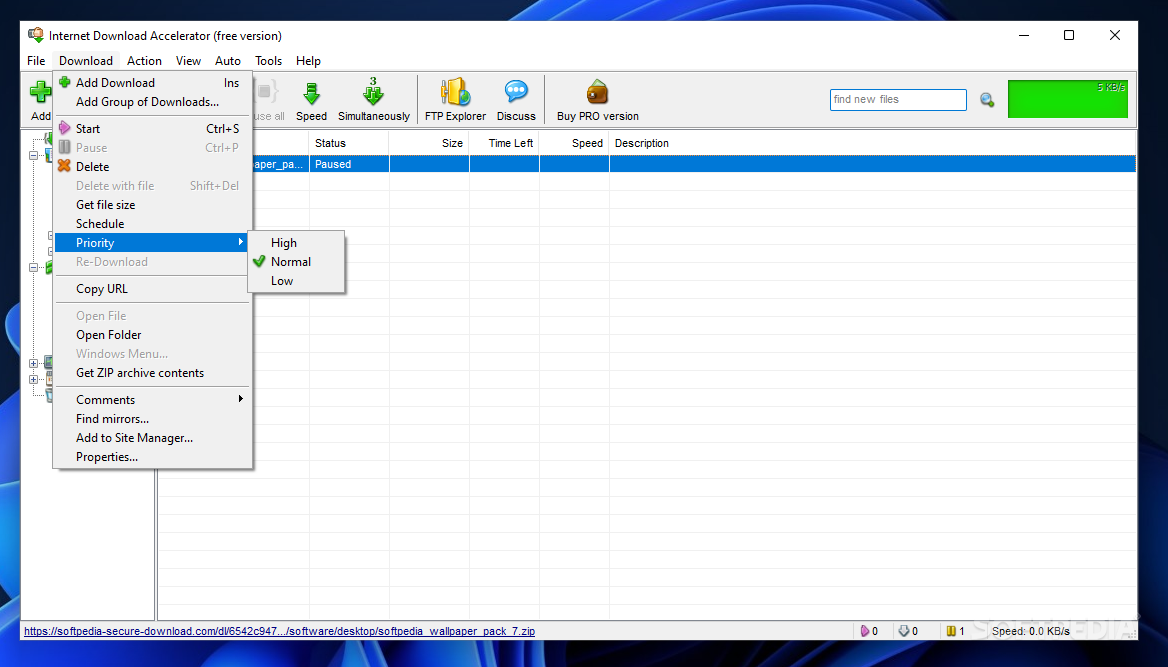
    · option to set priorities for downloads;
    · possibility to download html-pages with images;
    · download entire folders (including subfolders) via FTP;
    · content recognition when working through HTTP;
    · work with command-line;
    · dial for dial-up connection;
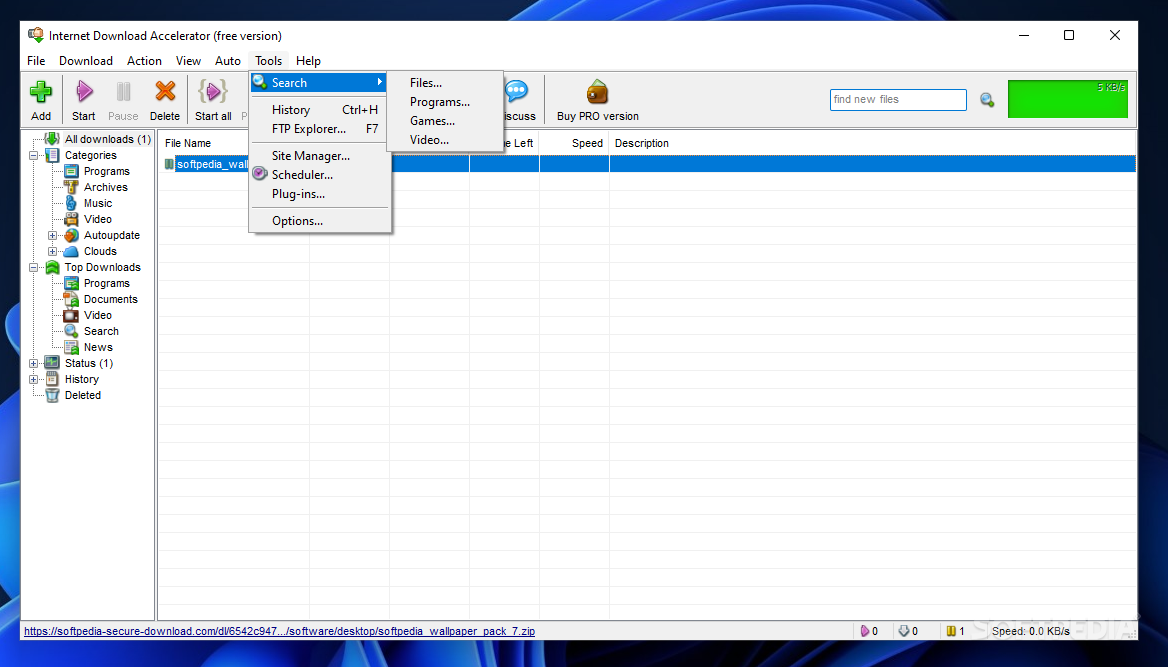
    · search for files, programs, archives and documents in IDATop.com file catalog;
    · Smart Pause/Start. Ability to temporarily stop current downloads with option to start them later in the same order and state;
    · rich options of tuning connection parameters HTTP, HTTPS and FTP;
    · work behind HTTP and FTP proxy-servers, support for NTLM and NTLM-proxy authentication. IDA can automatically detect and use your browser's proxy-server settings;
    · support for FTP over SSL/TSL;
    · option to play streaming audio and video files while they are being downloaded. Automatic receipt of information about MP3 files when starting download;
    · downloads history;
    · option of dragging selected text from browser or another program onto the floating window. IDA will find links in the text and offer you to start download;
    · ability to drag download description text from another programs. Automatic insertion of the text selected on a page opened in IE into the download description.
    · search in the download list;
    · option of automatic synchronization of files on servers and your computer (autoupdate);
    · checking downloaded files for updates (manually or automatically);
    · marking downloaded files as unread;
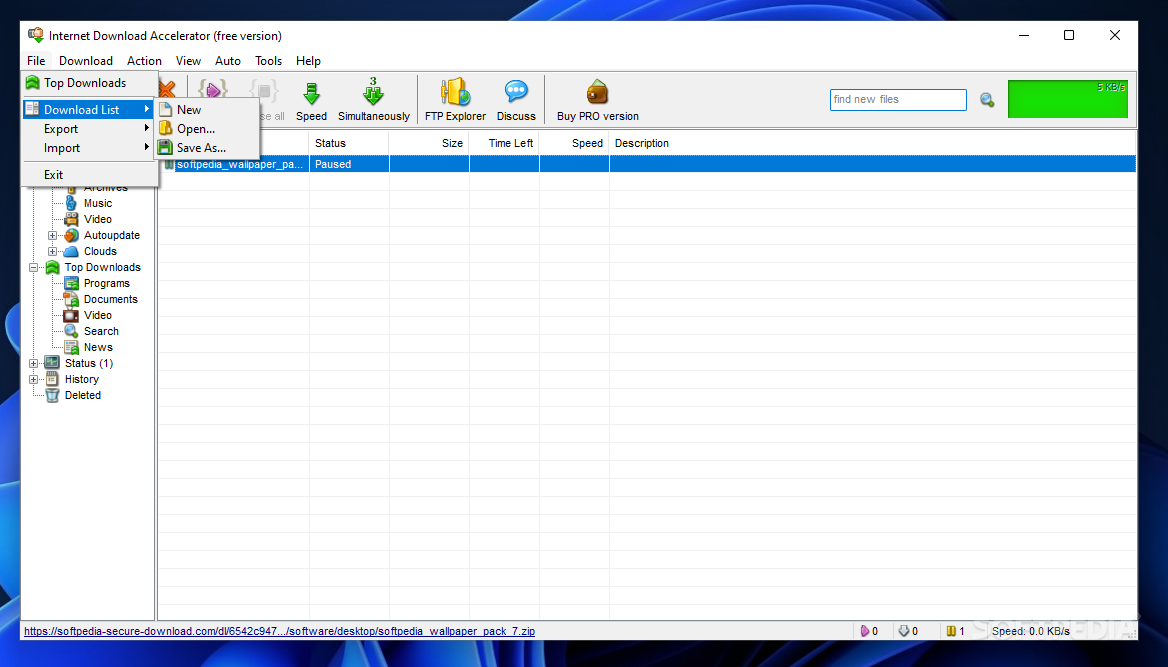
    · wide download list export/import options. Supported formats: .txt, .txtd, .lst, .urls, .ion.

    Highest download speed:
    · intellectual multi-section download. Internet Download Accelerator dynamically splits a file being downloaded into several sections and downloads all the sections at the same time. It increases the speed of download up to 500%;
    · automatically restarts download when download speed decreases which helps to avoid stoppage;
    · download speed control with automatic mode making web-surfing more comfortable.

    Rich options of integration:
    · integration with Microsoft Internet Explorer 4.0 and above, Firefox, Mozilla, Nescape 6.0 and above, Opera 4.0 and above, others;
    · monitoring the clipboard;
    · integration with anti-virus programs;
    · toolbar for Internet Explorer.

    Requirements:

    · RAM 16 MB
    · HDD 8 MB

    What's New in This Release: [ read full changelog ]

    · Added Firefox plug-in for easy video and music download from any sites;
    · ListAbility to download all videos from users, channels and play-lists on YouTube;
    · ListAbility to automatically download new videos from the selected channels and play-lists (by adding a channel/play-list to Autoupdate category);
    · ListFile names of .mp3 files can be automatically created using the contained tags;
    · ListFixed IDA hanging up when starting big downloads saved to NTFS drives (when the 'Reserve space on disk for the whole file' option is disabled);
    · ListIn addition to shortcuts added a menu item "Force start [Shift+Ctrl+S]" to start a queued download immediately.
    · ListImproved switching to Sleep and Hibernate modes on Windows 7 and Windows 8;
    · ListRestored the ability to download from YouTube;
    · ListUpdated plug-in and IDABar for Firefox;
    · ListImproved Google Chrome integration;
    · ListMinor bugs fixed.

    Users are advised to pay attention while installing this ad-supported application:

    · Displays ad banners or other types of advertising material during its runtime
    · Offers to create desktop or start menu shortcuts for items unrelated to the program's functionality


    TAGS:

    Download Accelerator | Download Manager | Schedule Download | Download | Accelerator | Grabber

    Go to top

    WindowsGamesDriversMacLinuxScriptsMobileHandheldNews

    SUBMIT PROGRAM   |   ADVERTISE   |   GET HELP   |   SEND US FEEDBACK   |   RSS FEEDS   |   UPDATE YOUR SOFTWARE   |   ROMANIAN FORUM