
Download YouTube, Metacafe, Google and other videos, convert them into other formats, and edit audio and video properties using this advanced tool with extensive file type support for conversion. #Download Video #Video Downloader #Convert Video #Downloader #MySpace #Vimeo

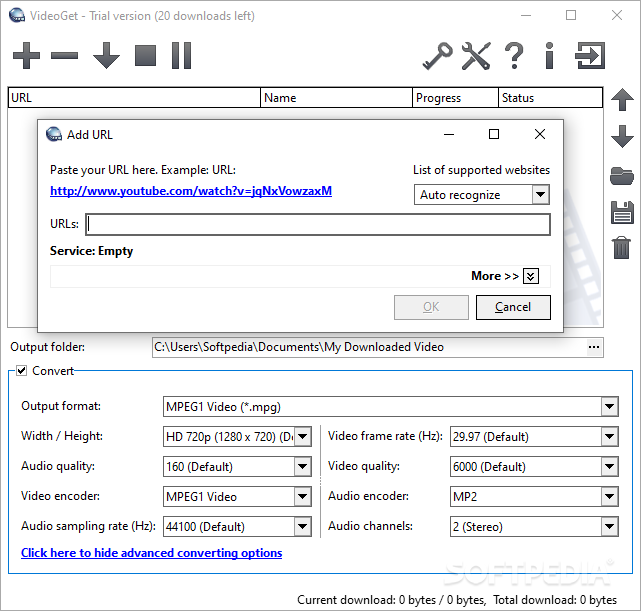
VideoGet is an advanced application that downloads videos from YouTube, Google, Yahoo, MySpace, DailyMotion and many other websites, in order to save them in various formats on your hard disk. It enables you to customize the output audio and video properties.
The only notable aspect during installation is that, apart from the core files, the tool offers to create plugins for Internet Explorer and Firefox for quick video downloads.
As far as the interface is concerned, it opts for a user-friendly window with a neatly organized structure, where you can add a link and instruct VideoGet to automatically identify it, or select the domain if it encounters issues in this regard.
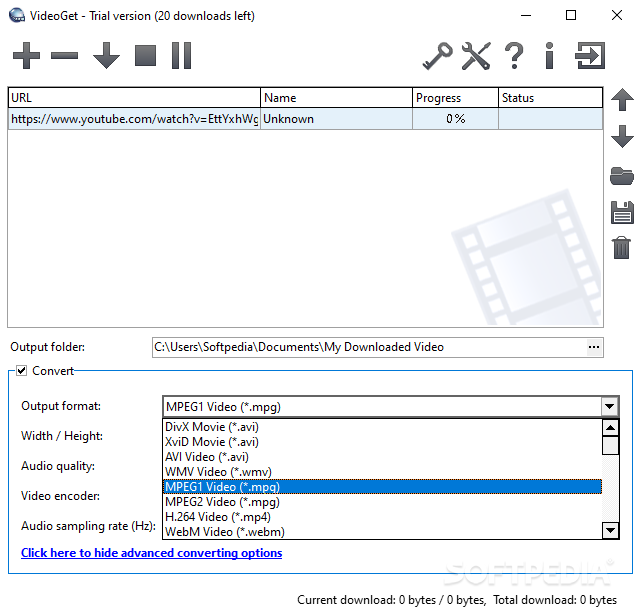
When it comes to the supported output profiles, it supports .mpg (MPEG1, MPEG2), .avi (DivX, XviD, AVI), .wmv, .webm, .flv, .rm, .3pg, DVD, VCD and SVCD. It can also prepare clips for playback on Samsung, HTC, Motorola, iPhone, iPod, iPad, AppleTV and other devices, as well as extract the audio stream and save it as .mp3, .wav, .ogg or .aac.
As for the output audio and video parameters, you can pick the preferred width and height (ranging from 96x72 to 1920x1080px), audio quality (ranging from 12 to 320kps), audio and video encoder, sample rate (ranging from 8000 to 48000Hz), frame rate (ranging from 15 to 30FPS), quality (ranging from 100 to 10000), and channel mode. Otherwise, you can hide the advanced settings to just pick the width and height, along with the frame rate.
The task list can be saved to TXT or XML format. Regarding general settings, you can switch to another UI language and theme, minimize VideoGet to the tray to make it non-intrusive, or ask it to auto-download high-quality YouTube clips (wherever this is applicable).
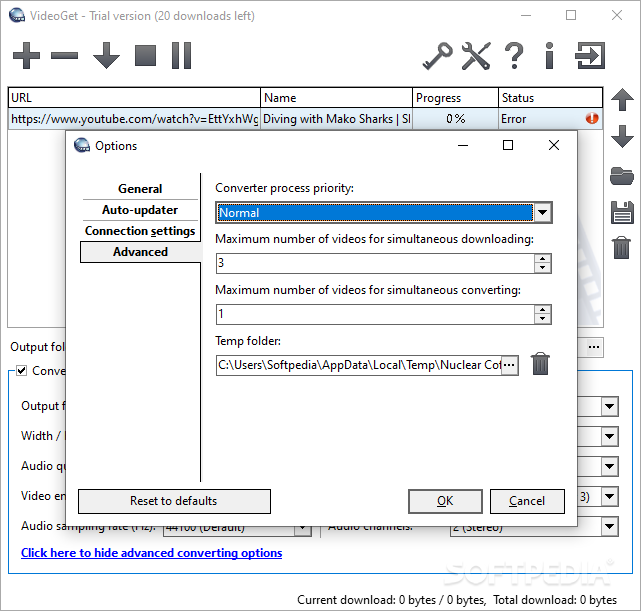
Moreover, you can remove downloaded videos from the task list on exit, auto start download on link addition and auto shutdown on task completion, apply a proxy configuration for connecting to the Internet, change the converter process priority, maximum number of videos for simultaneous download and conversion jobs, as well as modify the default temporary folder. All these options can be restored to default anytime.
It carried out download and conversion jobs swiftly in our tests while remaining light on system resources consumption. No error dialogs popped up and the app didn't hang or crash.
To sum it up, VideoGet comes loaded with advanced, yet approachable options to help you download clips, turn them into various formats, and customize audio and video parameters, backed by extensive file type support.
VideoGet 8.0.7.133
add to watchlist add to download basket send us an update REPORT- runs on:
- Windows 10 32/64 bit
- file size:
- 23.6 MB
- filename:
- VideoGetInstaller_trial.exe
- main category:
- Internet
- developer:
- visit homepage
IrfanView

calibre

Zoom Client

Bitdefender Antivirus Free

4k Video Downloader

Windows Sandbox Launcher

Microsoft Teams

ShareX

paint.net

7-Zip

- ShareX
- paint.net
- 7-Zip
- IrfanView
- calibre
- Zoom Client
- Bitdefender Antivirus Free
- 4k Video Downloader
- Windows Sandbox Launcher
- Microsoft Teams