
This software will help you manage all your internet download needs, as it sports an easy-to-use UI and a swift URL-based download. #Download manager #Internet downloader #Simultaneous download #Downloader #Download #Grabber

The market is already full of download managers, but newcomers always deserve a shot, at least until we get the chance to see what they're up to.
This is also the case of Web Downloader, a file transfer manager that can help you a lot when downloading large amounts of data from the Internet and you don't want to wish the browser built-in functions.
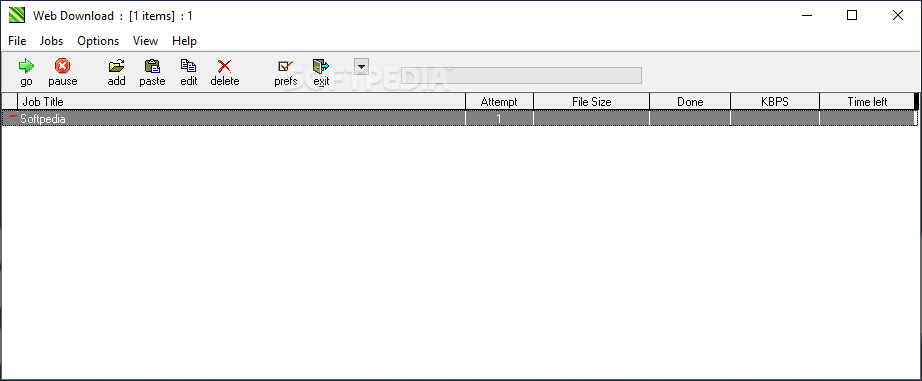
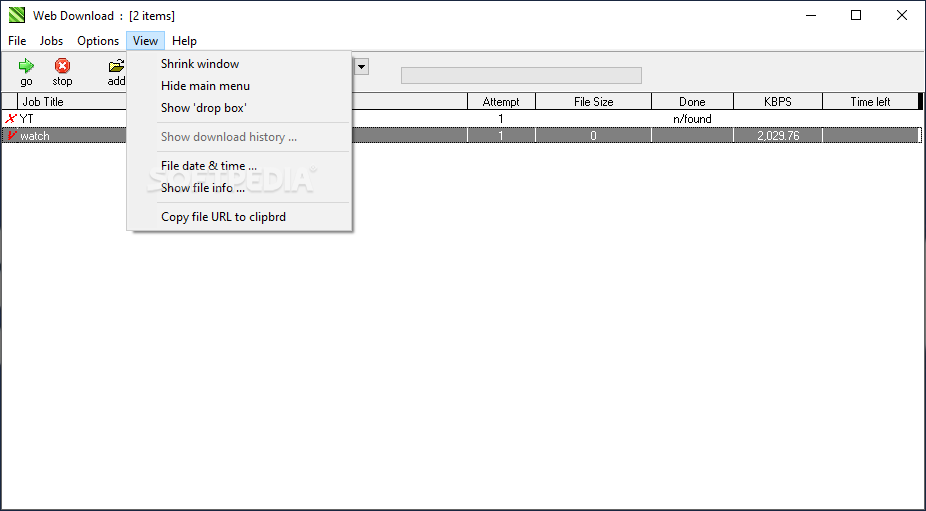
Web Downloader is different from the other download managers on the market because it all comes down to a single window and all the other options and screens are actually included in the main one.
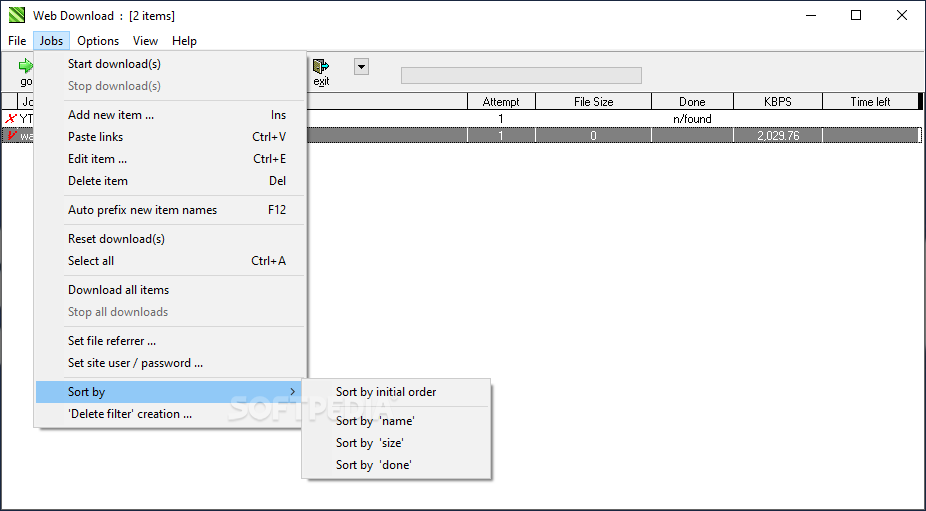
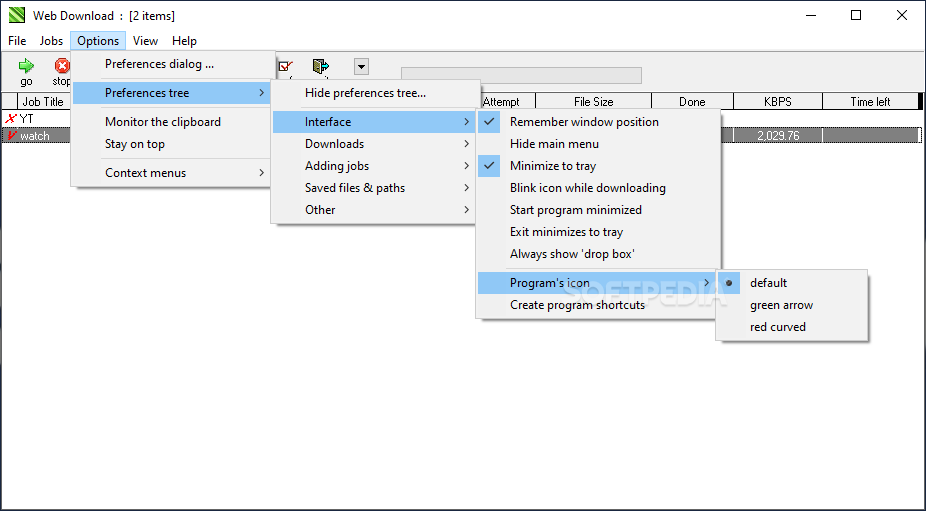
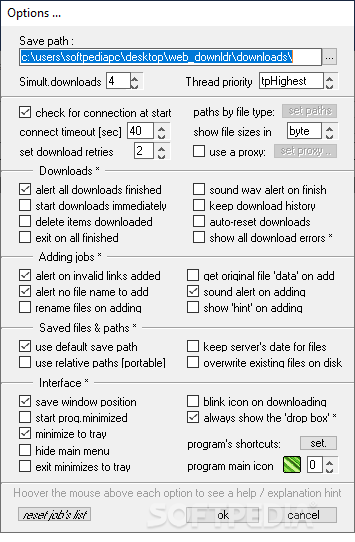
For example, all configuration settings are accessible via right click and also with the help of the 'Options' menu at the top of the main window. There are options regarding the interface, the downloads, the way you add new jobs, the saved files and paths.
For instance, there are some dedicated settings to start downloads immediately, to delete finished jobs or to exit program when all tasks are completed.
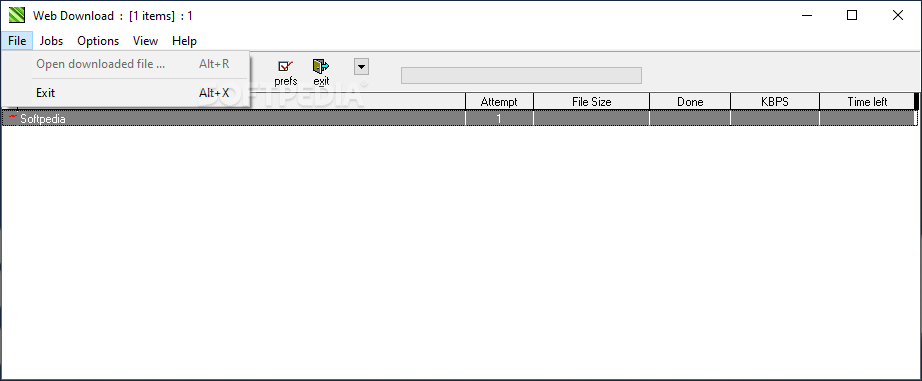
Web Downloader doesn't integrate into your browser, but instead it can place an option in the Context Menu of both Internet Explorer and Opera. In other words, you can initiate a download with this application from the above mentioned programs by right-clicking on the download link and hitting the 'Download with WebDownload' option.
It also has a dedicated tool to monitor clipboard and instantly add the download links to the job list, giving you the option to automatically start a download or save it for later use.
The thing we liked the most was the overall simplicity, as it's pretty easy to get used to the plain-looking interface. On the other hand, there are some bugs that need to be fixed here and there, including one that affects the clipboard monitoring tool.
For example, although it's designed to automatically handle download links, Web Downloader tracks the clipboard content and in case the data you copy is not a link, it returns an annoying error every time.
Web Downloader is a decent download manager, but it still needs some improvements to be able to challenge the big guys in the industry.
Web Downloader 1.3.0.0
add to watchlist add to download basket send us an update REPORT- PRICE: Free
- runs on:
- Windows All
- file size:
- 560 KB
- filename:
- web_downldr.zip
- main category:
- Internet
- developer:
- visit homepage
Bitdefender Antivirus Free

IrfanView

ShareX

calibre

Zoom Client

Microsoft Teams

7-Zip

Windows Sandbox Launcher

Context Menu Manager

4k Video Downloader

- Windows Sandbox Launcher
- Context Menu Manager
- 4k Video Downloader
- Bitdefender Antivirus Free
- IrfanView
- ShareX
- calibre
- Zoom Client
- Microsoft Teams
- 7-Zip