WINDOWS CATEGORIES:


NEWS ARCHIVE >>
SOFTPEDIA REVIEWS >>

WEEKLY HIGHLIGHTS

DVD Cloner45
Spyware Doctor40
1Click DVD Copy40
Apollo DVD Copy40
ABC Amber BlackBer...45
Protected Music Co...40

7-DAY TOP DOWNLOAD

#
Program
Avira AntiVir
Personal - Free
Antivirus 9.0.0.415

154,543
Windows Live
Messenger 2009
14.0.8089.726

129,339
Nexus Radio 4.2.2
115,575
Avira Antivir Virus
Definition File
Update November 30,
2009

113,249
FreeZ Online TV 1.30
85,014
Y! Multi Messenger
8.x and 9.x

70,259
Microsoft Office
2010 14.0.4536.1000
Beta / 2007

66,632
DVD Shrink 3.2.0.15
47,470
Windows Live
Messenger
8.5.1302.1018

46,629
AVG Free Edition 9.0
Build 707a1765

42,592

WEEK'S BEST

  • VirtualBox 3.1.0 r...
  • SiSoftware Sandra ...
  • Kaspersky Virus Re...
  • Faststone Image Vi...
  • Vuze (formerly Azu...
  • Softpedia Wallpape...
  • Softpedia Wallpape...
  • Softpedia Wallpape...
  • RSSOwl 2.0.1
  • Internet Explorer ...
  • Online Armor ++ 4....
  • cFosSpeed 5.01 Bui...
  • SONY Vegas Pro 9.0...
  • Firefox 3.6 Beta 4...
  • Nokia Photos 1.6.434
  • Windows Server 200...
  • Skype Portable 4.1...
  • Google Chrome Port...
  • PCMark Vantage Bas...
  • Kaspersky Anti-Vir...
  • Microsoft Virtual ...
  • Messenger Plus! Li...
  • WinX DVD Author [F...
  • SoftPerfect Networ...
  • System Mechanic Pr...
  • Ad Muncher 4.81 Bu...
  • Windows 7 Upgrade ...
  • Pidgin 2.6.4
  • OpenOffice.org Dev...
  • VirtualDub 1.9.7 B...
  • Home > Windows > Internet > E-mail > Anti-Spam Tools
     Report spyware

    SpamBully for Outlook Express / Windows Mail 4.4.0.1

    Softpedia Pick Award
    Download button

    Downloads: 4,111  Add to download basket  Tell us about an update
    User Rating:
    Rated by:
    Good (3.3/5)
    36 user(s)
    Developer:

    License / Price:

    Size / OS:

    Last Updated:

    Category:
    Vitalie Esanu | More programs
    Trial / USD 29.95 | BUY the full version
    6.9 MB / Windows All
    March 2nd, 2009, 13:07 GMT [view history]
    C: \ Internet \ E-mail \ Anti-Spam Tools

     Read user reviews (0)  Add a review  Refer to a friend  Subscribe


    SpamBully for Outlook Express / Windows Mail description


    A spam filtering solution that integrates into Outlook Express or Windows Mail in Vista

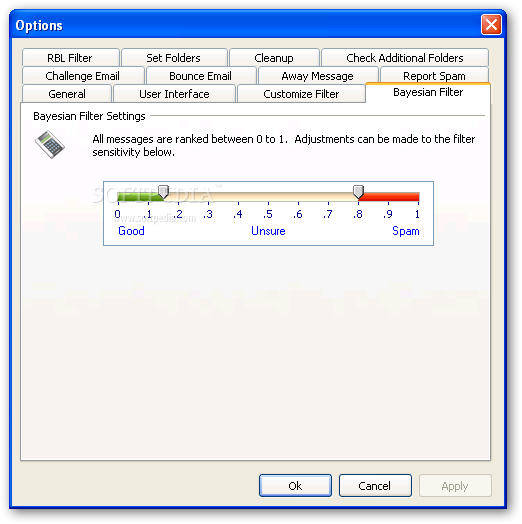
    Spam Bully  is a tool that utilizes an advanced Bayesian filter system based on thousands of spam messages.

    Spam Bully learns from every email message you send and receive. This way it learns what you consider spam and what you consider acceptable email.

    There's a special Friends/Spammers list; so your friend's emails are never blocked and messages of known spammers are automatically designated as spam.

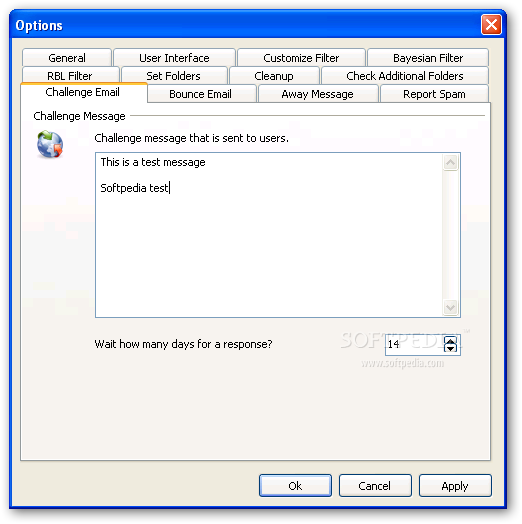
    Query emails can be sent to unfamiliar emailers with a special message requiring them to respond before they are added as an accepted users. All features are fully customizable to meet your own needs.

    Spam Bully WILL BE compatible with any pop3 mail program. There is no need to learn a new email program. Regardless of what email program you use, Spam Bully will work with it. If you use Outlook we have designed a special version of spambully that completely integrates with Outlook.

    For Outlook Express, Spam Bully has wizards to automatically import all the settings it needs to get started. For other email clients, it provides easy to follow help to get you up and running quickly.

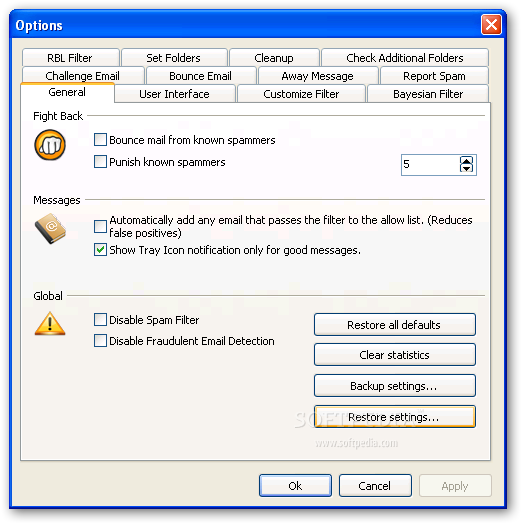
    The program can also bounce messages from known spammers, query emails sent from unfamiliar emailers (require confirmation), block selected attachments types and more.

    In addition, Spam Bully produces a nice graph view that you can use to view your daily, weekly or yearly spam statistics. An excellent choice for Outlook users, and from what we have tested so far, it is definitely the most sophisticated one. A must-try for any Outlook user!

    Here are some key features of "SpamBully for Outlook Express / Windows Mail":

    · Bayesian Spam Filter
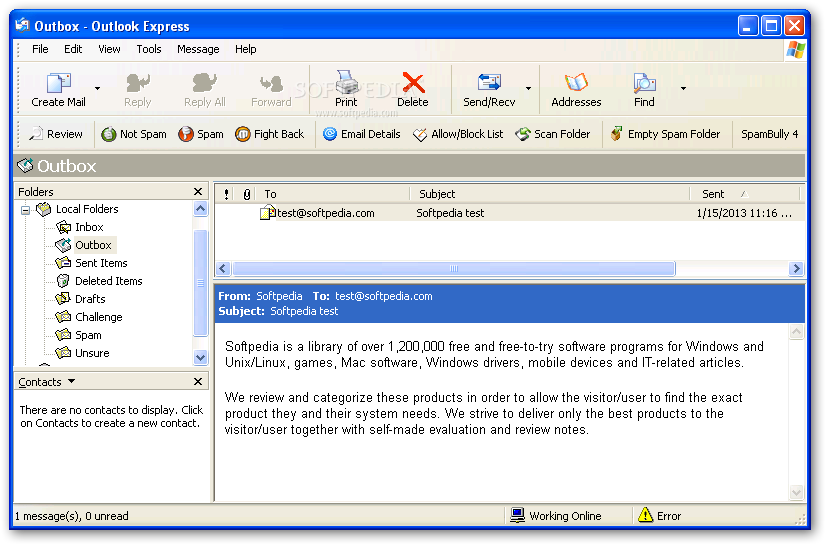
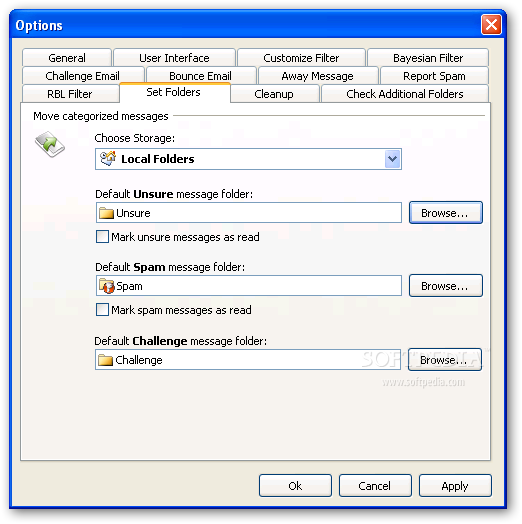
    · The very first time you start SpamBully, its Bayesian spam filter will intelligently learn from your own personal email habits, identifying good and spam messages. Everytime you download your email, SpamBully will make sure good emails make it to your Inbox. Spam emails are sent to the "Spam" folder. Emails SpamBully may have difficulty classifying, go to a special "Unsure" folder. You can always adjust emails in these folders by using the Spam and Not Spam buttons in the SpamBully toolbar.
    · Allow/Block List
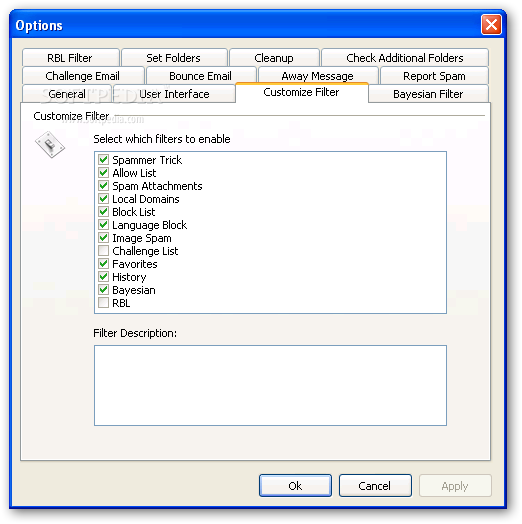
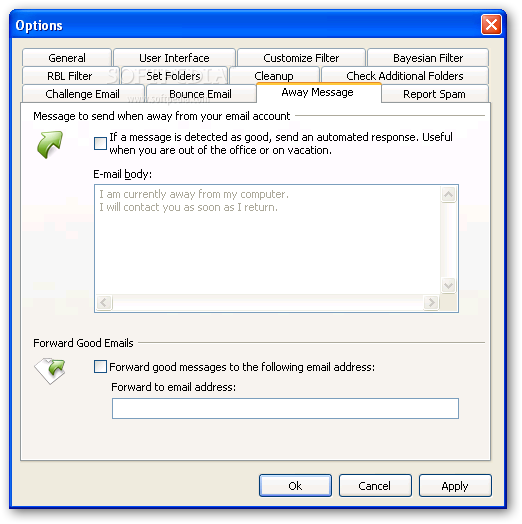
    · Decide who and what makes it into your Inbox. Choose which email addresses,words/phrases, countries, and IP's are allowed or blocked from your Inbox. You do not need to add emails in your address book to your Allow/Block list. SpamBully already makes sure these addresses always make it to your Inbox.
    · Auto-Delete
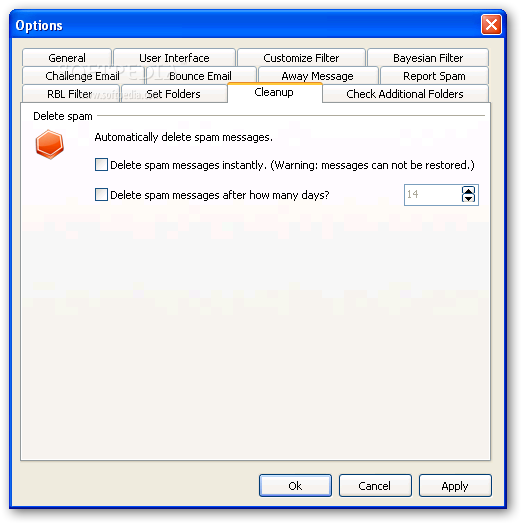
    · Optionally you can just delete spam messages instead of sorting them to a spam folder. You never have to see a spam message again.
    · Bounce, Report and Punish
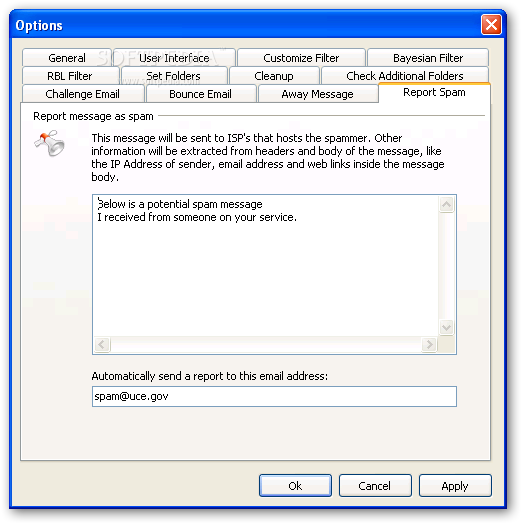
    · Get back at spammers by increasing their costs, returning their spam, and reporting them to the servers they came from and the FTC.
    · Cellphone Forwarding
    · Forward only good email to your cell phone.
    · Review
    · Safely review your spam messages.
    · Fraudulent link detection
    · Detect links in phishing email messages that are from potentially fraudulent sources.
    · Challenge Emails
    · Email a special password to an unfamiliar sender that they must correctly type in before their email is allowed to your Inbox.
    · Statistics
    · See how well SpamBully is performing for you. Provides daily, weekly, monthly, and yearly graphs.
    · User Friendly Interface
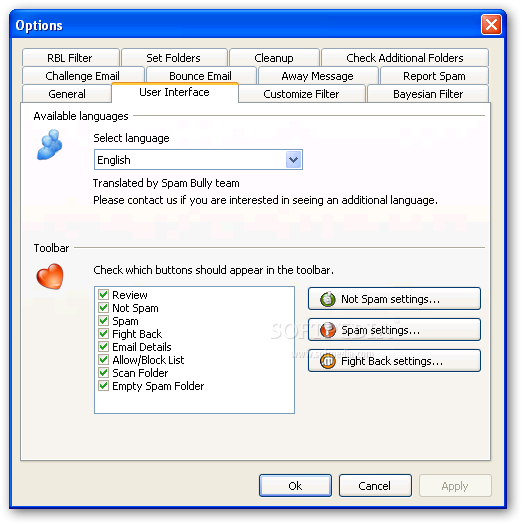
    · Easy to use toolbar buttons easily manage your email, view message details, maintain your Allow/Block list, train SpamBully, and customize it.
    · Email Details
    · Detailed information about each email you receive including: IP address, country, character set, and how SpamBully filtered it. Tells you why a message was or was not blocked and how to correct this in the future.
    · Simplified Help
    · Detailed easy to use help files including interactive tutorials show you how to most effectively use SpamBully.
    · BlackLists
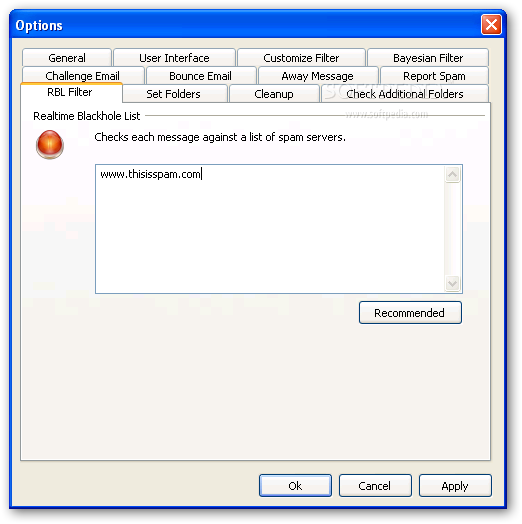
    · Checks Realtime Blackhole Lists for internet domains that are responsible for sending massive amounts of spam and automatically filters them from your Inbox.
    · Multi-Language Interface
    · Customize SpamBully's interface and filter to be in your own language. Currently available in English, Spanish, German, Russian, and Romanian. If you want to translate it into your own language, please contact us.
    · Analyze Links for Spam Content
    · Follows links in your email and analyzes the web pages they lead to for spam content.
    · Fully customizable
    · Almost every feature is fully customizable. Adjust Spam Bully to suit your own needs.

    Requirements:

    · Email Client: Outlook Express 5, 5.5 or 6 or Windows Mail

    Limitations:

    · 14-day trial

    What's New in This Release: [ read full changelog ]

    · Fixed minor bug in bayesian filter
    · Fixed Register menu to display in unicode
    · Progress bar added to the review form
    · 2X Speed increase on review form in outlook express

     Softpedia guarantees that SpamBully for Outlook Express / Windows Mail 4.4.0.1 is 100% CLEAN, which means it does not contain any form of malware, including spyware, viruses, trojans and backdoors. [read more >]


    TAGS:

    spam filter | filter spam | spam blocker | spam | filter | Bayesian


    HTML code for linking to this page:


    Go to top

    Windows tabGames tabDrivers tabMac tabLinux tabScripts tabMobile tabHandheld tabGadgets tabNews tab

    SUBMIT PROGRAM   |   ADVERTISE   |   GET HELP   |   SEND US FEEDBACK   |   RSS FEEDS   |   ENTER NEWS SITE   |   ENGLISH BOARD   |   ROMANIAN FORUM