
Achieve an increased management for your Microsoft Office Outlook contacts, with this feature-packed utility that offers support for PST files and Exchange folders. #Outlook toolkit #Duplicate remover #Mailbox utility #Outlook #Toolkit #Mailbox
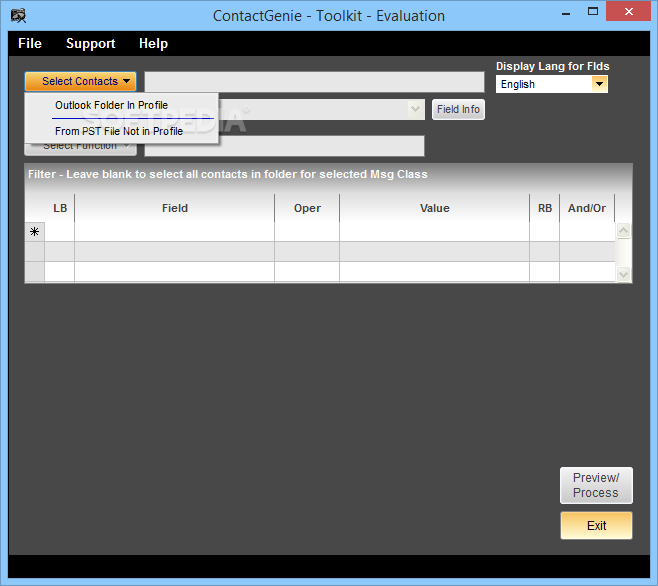
Managing multiple Microsoft Office Outlook contacts, spread over several accounts, can be a challenging undertaking. ContactGenie Toolkit is an application that was developed to offer people the means to handle and manage contact data in Outlook.
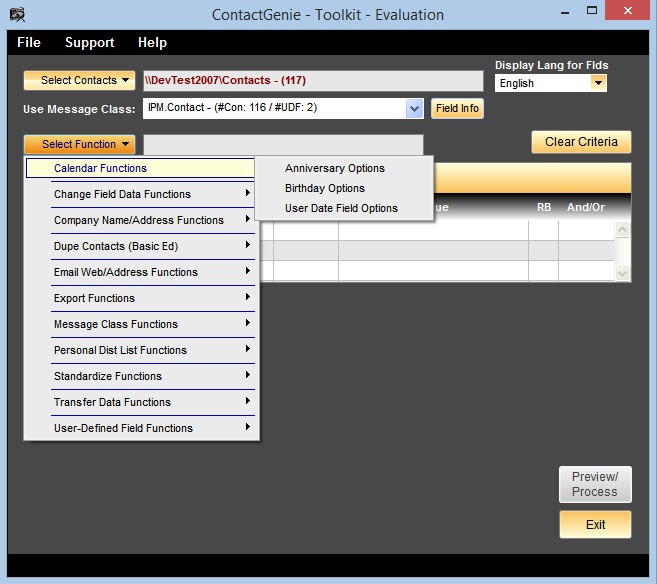
It will deliver them over 30 contact data features, structured into eight categories, which will allow them to control both standard and user-defined field data, with override and full preview capabilities. By using the dedicated field manipulation features, one can clear, paste, find/replace, change text case, names and addresses of the selected contacts.
ContactGenie Toolkit will enable users to perform data transfer operations, which include moving, copying or switching fields for the selected data. Standardization is also provided for fields such as MessageClass, CompanyName, FileAs, EmailDisplayAs, Fullname or SelectedMaillingAddress.
Those who rely on interoperability and wish to perform external processing in other applications, might be happy to know that ContactGenie Toolkit also provides exporting to CSV text files. If statistics are among users’ requirements, the application also allows them to review field usage density, for both standard and custom fields.
To increase the working efficiency, the utility comes packed with the option to add specific filters, which can be used in order to apply the preferred changes only to a particular group of contacts. Last but not least, the utility provides a highly useful, “preview” mode, which allows one to first review all the proposed changes and afterward updating the contacts.
System requirements
- Microsoft Office Outlook 2002-2016 (32-bit).
- At least 27.1 MB of free disk space.
Limitations in the unregistered version
- Will import only up to 10 contacts.
- Nag screen.
ContactGenie Toolkit 1.7.27
add to watchlist add to download basket send us an update REPORT- runs on:
-
Windows 10
Windows 8
Windows 7
Windows Vista
Windows XP
Windows 2K - file size:
- 15.3 MB
- filename:
- ctksetup.zip
- main category:
- Internet
- developer:
- visit homepage
calibre

Bitdefender Antivirus Free

ShareX

Zoom Client

Windows Sandbox Launcher

paint.net

IrfanView

Microsoft Teams

7-Zip

4k Video Downloader

- Microsoft Teams
- 7-Zip
- 4k Video Downloader
- calibre
- Bitdefender Antivirus Free
- ShareX
- Zoom Client
- Windows Sandbox Launcher
- paint.net
- IrfanView