
A tool for fixing Outlook folders if they are damaged or corrupted. #Mail Recovery #Outlook Express Recovery #Recover Mail #Recovery #Recover #Mail

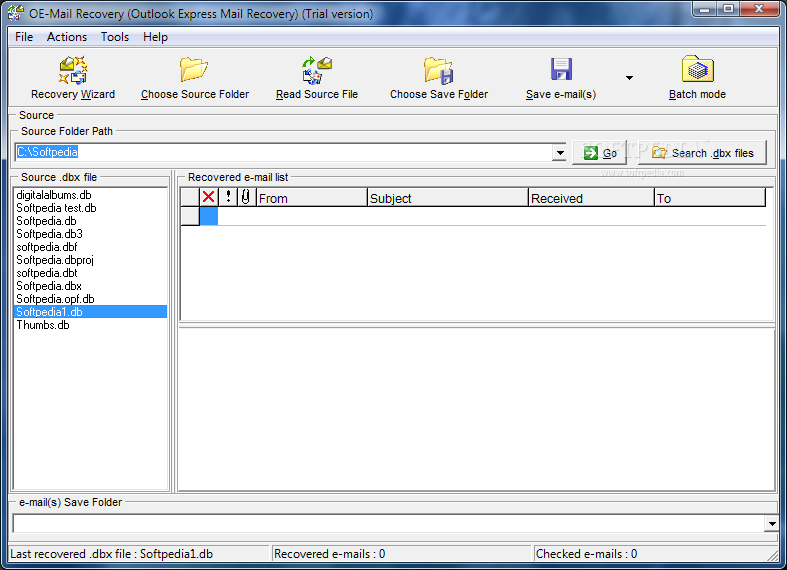
OE-Mail Recovery is a simple-to-use program designed to recover broken Outlook folders and to extract emails (DBX format). It addresses all users, whether they have experience with software programs or not.
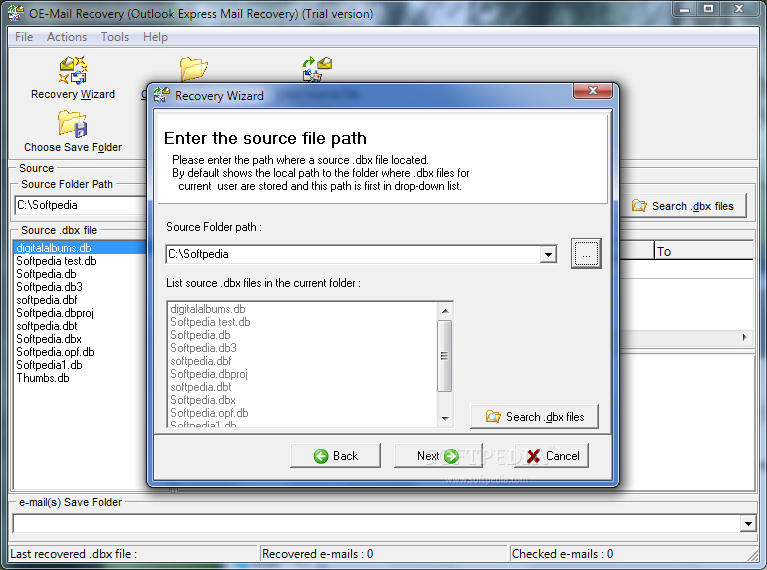
The interface of the application is based on a standard window with a well-organized layout. First-time users can use the recovery wizard to effortlessly carry on a task.
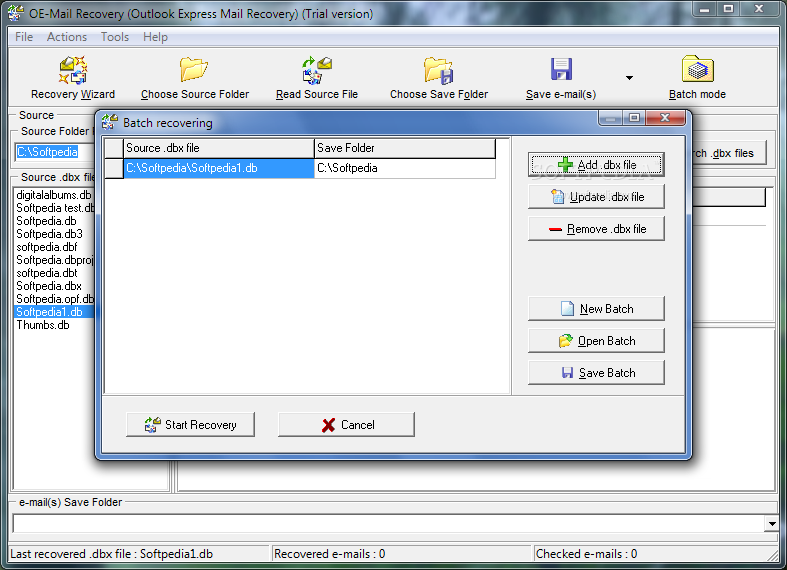
Once you specify a path to the folder containing the DBX files, you can view a list of all available items ready for extraction, after which you can establish a location for the extracted items; this job is done in no time, and it is possible to retrieve multiple items simultaneously.
From the Options area you can make the app retrieve deleted emails as well. You can browse the hard drive for files with the DBX format by using a folder structure which resembles with the one of Windows Explorer.
On the downside, you cannot minimize OE-Mail Recovery to the system tray area, make it run at system startup automatically or schedule a recovery task.
The app runs on a very low quantity of CPU and system memory, so it does not affect the computer's overall performance. It has a good response time and performs a retrieval job rapidly, without causing the operating system to hang, crash or pop up error dialogs; we haven't encountered any issues throughout our testing. There is also a help file available.
To sum it up, OE-Mail Recovery provides users with a simple and effective solution to extract and save emails from DBX files in Outlook.
OE-Mail Recovery 1.7.29.67
add to watchlist add to download basket send us an update REPORT- runs on:
- Windows All
- file size:
- 2.5 MB
- filename:
- setup.exe
- main category:
- Internet
- developer:
- visit homepage
paint.net

Bitdefender Antivirus Free

IrfanView

7-Zip

calibre

4k Video Downloader

ShareX

Windows Sandbox Launcher

Zoom Client

Microsoft Teams

- Windows Sandbox Launcher
- Zoom Client
- Microsoft Teams
- paint.net
- Bitdefender Antivirus Free
- IrfanView
- 7-Zip
- calibre
- 4k Video Downloader
- ShareX