
A very lightweight application that was especially designed to help you extract with minimal efforts the attachments from any winmail.dat files. #Mail Attachment #Attachment Extractor #Extract Attachment #Attachment #Mail #Extractor
Handling email attachments is a simple task, that many users do on a daily basis. Nonetheless, there are instances in which a special tool may be required in order to get some documents stored inside an unusual file.
Those who received emails from Outlook users with a certain data file accompanying the message might be familiar with this. It is winmail.dat file that may contain some items inside, like pictures, HTML or text documents for example.
Pulling those files stored in the archive can be done with a utility like WMDecode. Very light in size and a breeze to operate, this program will enable you draw out all the items contained in the above mentioned Outlook attachment.
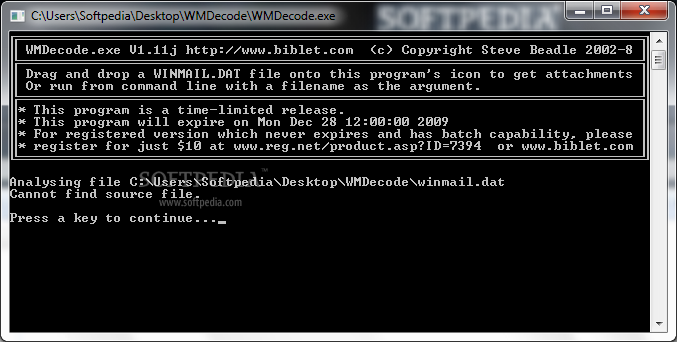
You will be able to process the winmail.dat file in two ways: by dragging and dropping it onto the icon of the executable or by calling it via command-line and using the file name as the argument that will trigger the extraction.
An important thing that should be taken into consideration when using this tool directly, by double clicking the executable is that it is mandatory to have the winmail.dat file in the same folder as WMDecode.
Once WMDecode begins the job, it will carry it out in a matter of moments, depending on the size and number of items that are packed inside the target file. The extracted attachments will be stored in the same place as the source file, so it will be more easy for you to manage them all from the same location.
From beginning to the end, WMDecode works without a glitch and may very well be one of the best solutions for recovering multiple items that come attached in a winmail.dat file.
Download Hubs
WMDecode is part of these download collections: Open WinMail, Extract Attachments
What's new in WMDecode 1.11:
- Filename bug fixes, Errorlevel returns number of files, decode MIME from Outlook Express
WMDecode 1.11
add to watchlist add to download basket send us an update REPORT- runs on:
- Windows All
- file size:
- 26 KB
- filename:
- WMDecode.zip
- main category:
- Internet
- developer:
- visit homepage
Bitdefender Antivirus Free

Zoom Client

calibre

4k Video Downloader

IrfanView

ShareX

7-Zip

Context Menu Manager

Microsoft Teams

Windows Sandbox Launcher

- Context Menu Manager
- Microsoft Teams
- Windows Sandbox Launcher
- Bitdefender Antivirus Free
- Zoom Client
- calibre
- 4k Video Downloader
- IrfanView
- ShareX
- 7-Zip
