Search Perform an advanced search query SOFTPEDIA
 
SOFTPEDIA
Updated one minute ago
HomeSubmit a program for being reviewedAdvertise on our websiteGet help on surfing our websitesSend us your feedbackGet information about our XML/RSS backend and how to use itBrowse the news archiveVisit our discussion forumVizitati forumul in limba romana


Program Finder NormalFreeware onlyShareware only

FTPGetter 2.99.0.78 Report spyware 

Click to download FTPGetter
View more FTPGetter screenshots (3)
 Downloads: 2,019
Rating: Good (3.7/5) | Rated by: 28 user(s)
Add to download basket     Send us update information
 Developer: FTPGetter Team | More programs by this producer
 License: Trial , 59.85 $ to buy 
 Size / OS: 3.42 MB, Windows All
 Last Updated: March 15th, 2008, 08:07 GMT
 Category: C: \ Internet \ FTP Clients
 Read user reviews (0) Add a review Refer to friend Subscribe
    Download FTPGetter

FTPGetter description
A sophisticated download/upload transfers manager and scheduler

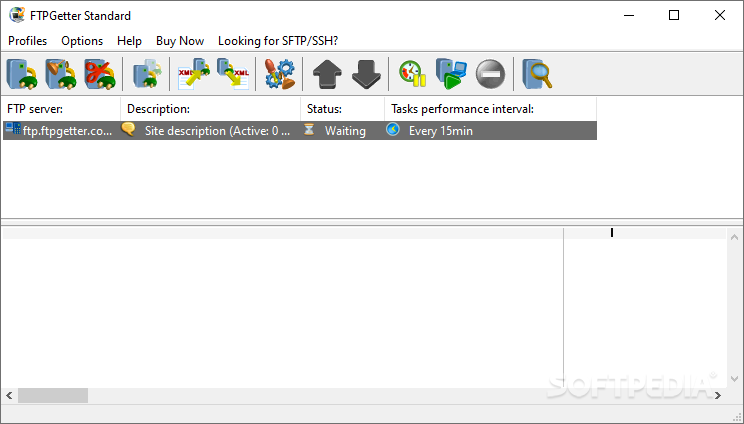
FTPGetter - such repetitive tasks as web site uploading and mirroring, the backing up of large amounts of data to remote locations, downloading of updated packages (and more) are very time consuming and can significantly slow down Internet connections during work hours.

The developers of FTPGetter offer web masters, system administrators and even normal users not familiar with scripting, a cost-effective and extremely easy-to-use solution to automate our repetitive download/upload tasks.

FTPGetter uses a sophisticated FTP transfer manager with a built-in scheduler. There's no need to write complicated scripts or batch files! Using FTPGetter is a snap. Use a FTP Explorer window to navigate through FTP servers and define tasks using a visual Wizard.

FTPGetter will also remember individual preferences for every FTP server.

You can keep individual log files for every site. Although scheduled tasks run silently in the background, you can start them manually, as needed, for immediate execution.

While the great functionality of FTPGetter should satisfy an experienced professional, the user-friendly multilingual interface and a low price make it a must-have application for everyone looking for an FTP automation solution.

Here are some key features of "FTPGetter":

Automation
· Multithreaded processing - simultaneous work with several servers;
· Multiple file uploading and downloading using file
mask;
· Use of multiple file masks for multithreaded processing: support of wildcard symbols * and ?, mask types [a-z]???-[^0-9].txt;
· Upload and download of individual files with a possibility of saving under new name at the destination side;
· Possibility of file comparison on the basis of their MD5 hashes, modification date and time or size. Upload and download of only new or changed files;
· File processing in subfolders of any nesting level. Reconstruction of subfolders structure at the destination side;
· Exclude from transfer queue files by extension;
· Process files newer than n day(s);
· Run program after successful file transfer;
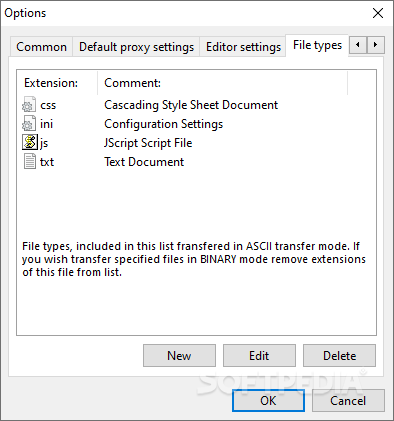
· Possibility of choosing the transfer type - binary, ASCII or autodetection on the basis of file extension;
· Setting access rights (chmod) to the file after successful uploading;
· Possibility of deleting source files after successful task processing;
· Filename case conversion for successfully processed files;
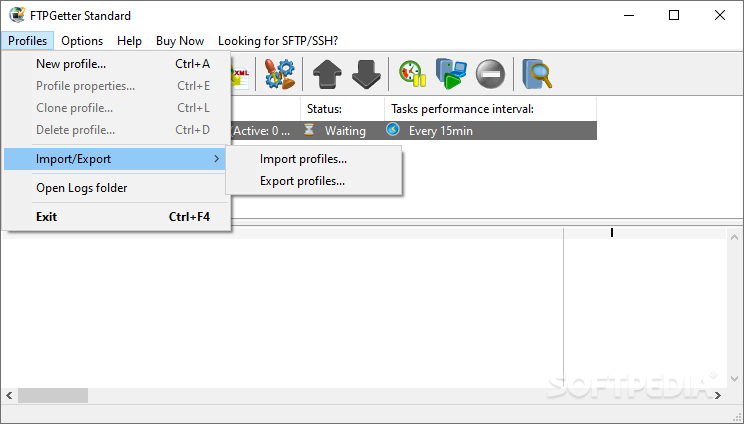
· Individual built-in Scheduler for each profile;
· "Process immediately" - immediately (without taking Scheduler's settings into account) process tasks of the chosen profile;
· Learn more about automated ftp tasks and built-in scheduler.

Protocols, proxy-servers and security
· FTP and secure FTP over SSL (TLS) protocol support;
· Support of explicit (AUTH SSL) and implicit (port 990) access to secure ftp servers;
· Use of shared keys (user name and password), PKCS12 keys, PEM or ANS1 DER client certificates for authentication at secure ftp servers;
· Independent settings for restriction of bandwidth for upload and download tasks for each profile;
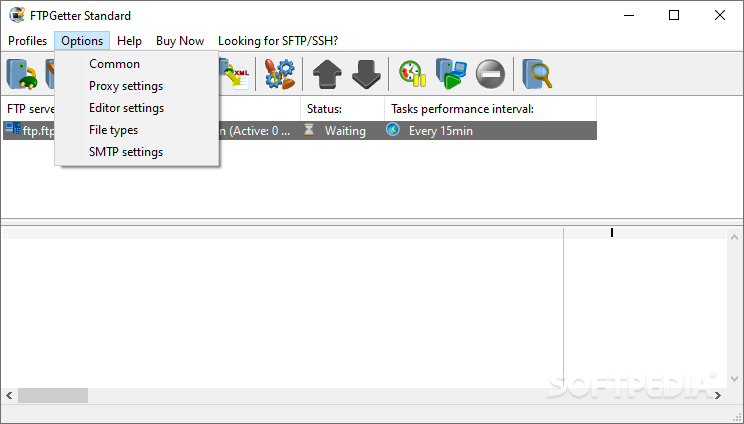
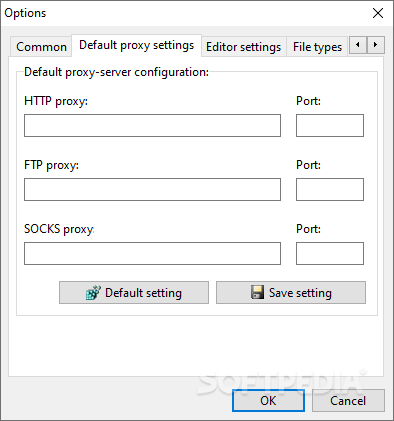
· FTP, SOCKS and HTTP (method CONNECT) proxy-servers support. It is possible to customize separate proxy settings for each profile;
· Individual log file settings for each profile;
· Learn more about customizing parameters for connection to ftp server.

Built-in FTP Explorer
· Comfortable server navigation;
· Bookmarks for quick jump to server directories;
· Command line for command execution on the server;
· File properties preview on the server;
· Change of access rights for the file on the server (chmod);
· Context menu for creation, renaming and deleting files and folders on the server;
· Upload and download of files and folders using Drag-and-Drop technology or context menu;
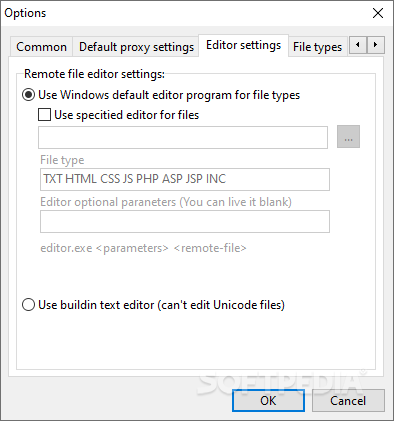
· Built-in text editor (beta);
· Learn more about work with FTP Explorer.

Other features
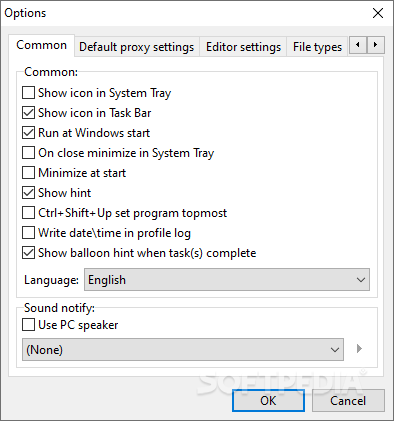
· Visual and sound notification of successful task performance;
· Possibility of run as Windows service;
· Work in background mode;
· "Invisible" mode - no icon in the system tray and button at the task bar;
· User friendly multi-language interface


Limitations:

· An unlimited number of FTP sever profiles can be created, however only the first two profiles in the list work
· 15 day trial


What's New in This Release:

· Pausing some tasks in the profile. Tasks with the Paused status are not processed.
· New variables that can be used in source and destination paths to files, in the parameters of external programs, in FTP scripts: %c_dd%, %c_mm%, %c_yy%, %c_yyyy%, %c_hh%, %c_min% - current day, month and year, hours and minute; %s_dd%, %s_mm%, %s_yy%, %s_yyyy%, %s_hh%, %s_min% - day, month, year, hours and minute when the source files was modified.
· If profile tasks are being processed, the processing stops immediately after a click on the Suspend button.
· New program statuses have been added: queuing files for transfer, comparing files, downloading files, uploading files.
· Canceling executing all tasks while they are being executed.
· Selecting the command that is used to view the contents of directories on the server LIST, LIST -la, NLST
· The file comparison procedure has been improved. Now no comparison occurs if the destination folder has not existed before the program started to transfer files and FTPGetter has just created it, if the destination file does not exist so far on the local disk in the download mode.
· Now if the "Also process subfolders" option is selected, subfolders are processed right after the parent folder is processed.
· The file transfer rate has been increased.
· Fixed: Working with large files (>2GB).
· Fixed: Error while starting the GUI when FTPGetter runs as a service under Vista.... [ read full changelog ]


Softpedia guarantees that FTPGetter 2.99.0.78 is 100% CLEAN, which means it does not contain any form of malware, including but not limited to: spyware, viruses, trojans and backdoors.

This software product was tested thoroughly and was found absolutely clean, therefore it can be installed with no concern by any computer user.

However, it should be noted that this product will be retested periodically and the award may be withdrawn, so you should check back on this page from time to time. (click here for more information)


Related downloads IT News Popular downloads New additions   Latest reviews  
Core FTP Lite 2.1.1565
A free FTP Client with SSL/TLS, SSH/SFTP, dragdrop, resume/retry, proxy/socks/firewall
FTP Now 2.6.87
Amazing FTP client coupling advanced technology for FTP download and upload!
FtpRight 5.0
FtpRight is an intuitive and powerful FTP client
32bit FTP 08.04.14
Using this application you can gain access to millions of FTP sites around the world
FTP Scheduler Pro 7.2.3
A FTP Scheduling Utility that supports Secure connections
EmFTP Professional 2.02.2
EmFTP is an easy-to-use, high-quality FTP client software
WebMaster FTP 1.1
FTP program designed for webmasters whose sites are on UNIX-like hosts
PyroBatchFTP 2.18
Transfers files to/from FTP servers in an automatic and unattended way

go to top Use the following code to link to this page:


Welcome!
Hello, Guest

Login if you have a Softpedia.com account.

Otherwise, register for one.

Main categories:
  • Antivirus
  • Compression tools
  • CD/DVD Tools
  • Office tools
  • Programming
  • Authoring tools
  • File managers
  • Desktop Enhancements
  • Internet
  • Network Tools
  • IPOD TOOLS
  • Mobile Phone Tools
  • Multimedia
  • Tweak
  • System
  • Security
  • Others
  • Science / CAD
  • UNIX
  • Windows Widgets
  • PORTABLE SOFTWARE

  • Week's best:
  • Intel Chipset Softwa...
  • Uxtheme Multi-patche...
  • SRS Audio Sandbox 1....
  • SP3 UxTheme Patcher ...
  • PECompact 2.82
  • Sony Vegas Movie Stu...
  • 3DMark Vantage 1.0
  • Total Commander 7.03
  • VistaMizer 2.5.1.0
  • AVG Free Edition 8.0...
  • Windows XP Service P...
  • Ashampoo Burning Stu...
  • XviD Media Codec 1.1...
  • Blu-ray Disc Ripper ...
  • Blu-ray Region Code ...
  • Adobe Photoshop Ligh...
  • PowerDVD 8.0.1531
  • EF Commander 6.54
  • Microsoft Windows In...
  • Nero 8 Lite 8.3.2.1
  • WebSite-Watcher 4.41...
  • EVEREST Ultimate Edi...
  • Nokia PC Suite 6.86....
  • VMware Workstation 6...
  • AnyDVD HD 6.4.2.1 Be...
  • Messenger Plus! Live...
  • The Bat! Voyager 4.0...
  • Windows Vista Servic...
  • Nero 8 8.3.2.1
  • Vipre 3.1.1997 Beta
  • © 2001 - 2008 Softpedia. All rights reserved.
    Softpedia™ and Softpedia™ logo are registered trademarks of SoftNews NET SRL.
    Copyright Information | Privacy Policy | Terms of Use | Contact Softpedia | Update your software | Archive