
Share your files with ease between terminals by employing the help of this customizable application that will offer you all its perks on a silver platter. #Document share #Share file #Synchronize file #Synchronize #Share #Document

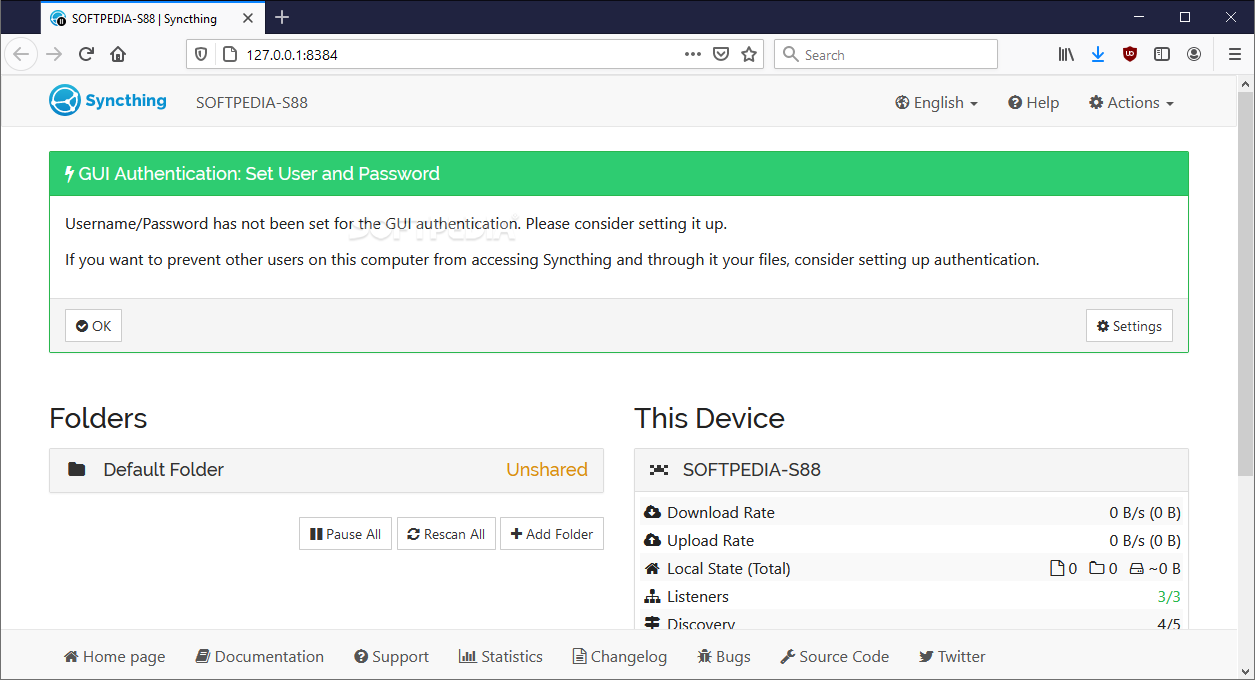
Syncthing is one particular solution for transferring files between various terminals. As a result, you shouldn't be surprised it is web-based in order to help with transfers even easier and to make your life easier by offering a very friendly interface with few adjustments required out of the box.
It is a file sharing application that puts efficiency before anything else, and this is particularly what I liked about it.
I really liked that the interface did not employ complex forms or shapes, functions, and so on. Keeping it simple is especially helpful for individuals who want to use the raw functionality offered without complicating themselves. I also liked how well-labeled all functions were.
You could check download, and upload rates, check to see uptime, the version of the application, and also any listeners on your established remote server. Devices attached in one way or another to the created system can also be monitored quite easily. Adding new ones is easy.
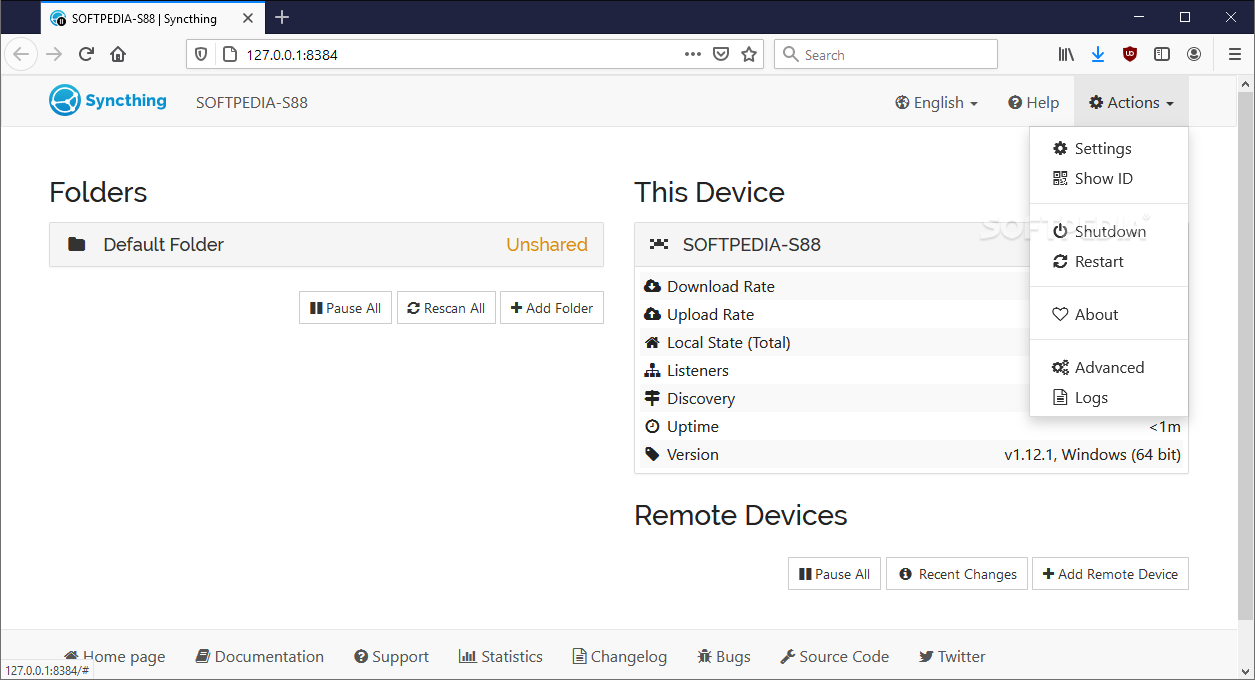
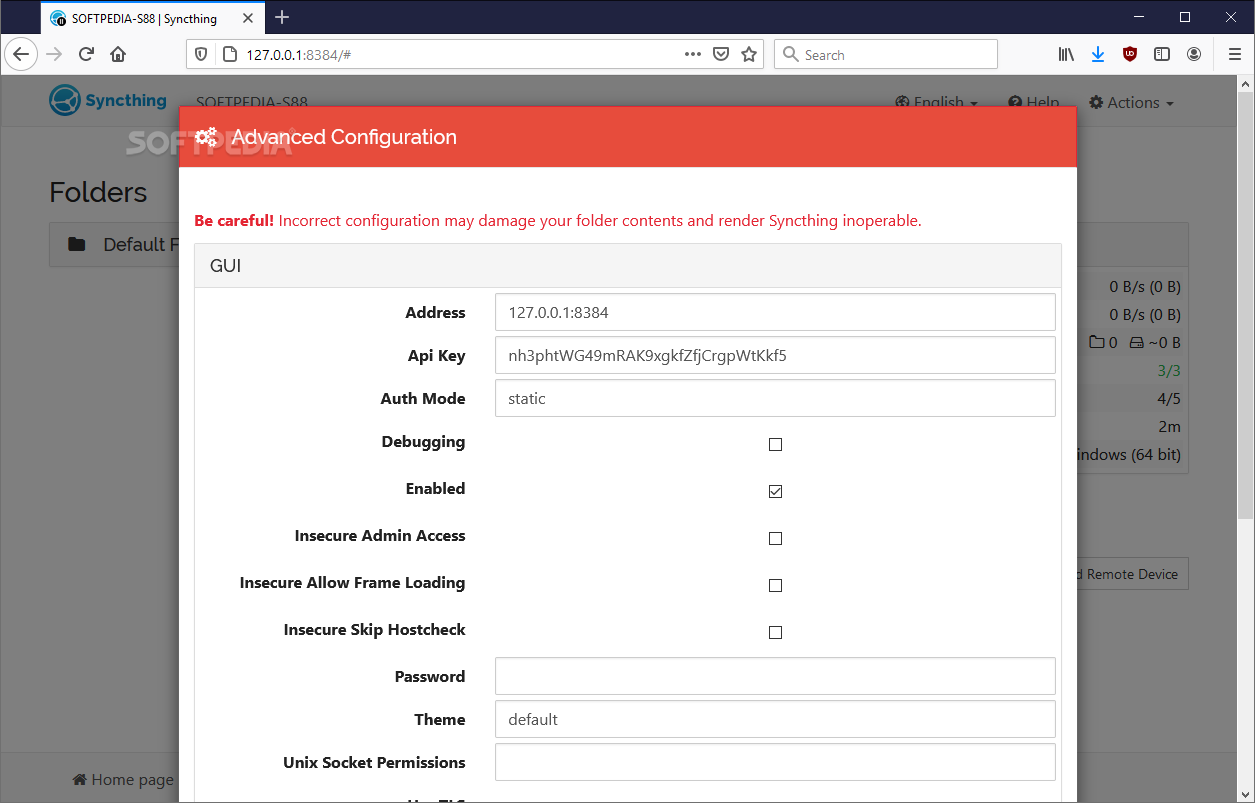
Other actions allow the user to restart or shut down the whole server, show ID, or simply adjust some of the available settings. Advanced configuration is supported but honestly, I think this should only be checked out by those who know exactly what they are doing. The risk of ruining everything is quite high.
The user can definitely adjust some of the application's functions in order to receive some improved outcomes. Thus, things that deal with general app behavior can be adjusted but more importantly, GUI, connection, and rule-related aspects of this program can be fine-tuned to reflect your needs and wants.
Everything is well-placed within specific need categories. Syncthing is thus a simple application that will help any user in need with file transfers from one computer to another and so on. The program is adjustable, which also makes it quite flexible in terms of what it can do.
What's new in Syncthing 1.27.6:
- Bugfixes:
- #9498: Files spookily out of sync in 1.27.5
Syncthing 1.27.6
add to watchlist add to download basket send us an update REPORT- runs on:
-
Windows 11
Windows 10 32/64 bit
Windows 8 32/64 bit
Windows 7 32/64 bit
Windows Vista 32/64 bit - file size:
- 10.1 MB
- filename:
- syncthing-windows-386-v1.27.6.zip

- main category:
- Internet
- developer:
- visit homepage
Zoom Client

Bitdefender Antivirus Free

Microsoft Teams

calibre

Windows Sandbox Launcher

ShareX

IrfanView

7-Zip

4k Video Downloader

paint.net

- 7-Zip
- 4k Video Downloader
- paint.net
- Zoom Client
- Bitdefender Antivirus Free
- Microsoft Teams
- calibre
- Windows Sandbox Launcher
- ShareX
- IrfanView