
Access your computer with ease from another PC or even a mobile device using this cloud-based application that can be used as a backup solution. #Remote access #Share file #Cloud storage #Share #Remote #Cloud

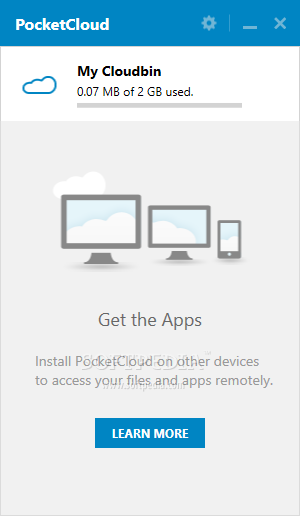
PocketCloud provides you with a convenient method of creating your own personal cloud from where stored files and folders can be accessed, regardless of your location and the used device.
In order to make it work, a Google account is required, since the application uses it to link all the devices together and make the uploaded content available to all. All types of files and folders can be stored online and then accessed from anywhere.
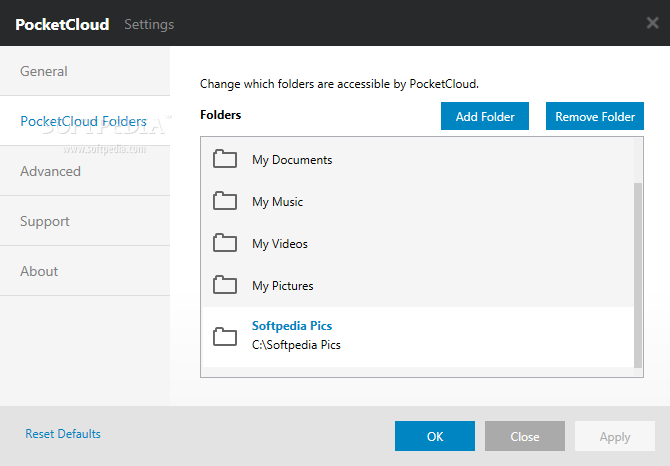
The application displays a simple interface, where you can view the occupied and the available storage space, according to your subscription plan. The 'Settings' section enables you to manage (add or remove) the shared folders (Music, Videos, Documents, Pictures are some of the directories included by default).
Aside from these directories, users can easily upload individual files to the cloud by using the web-based PocketCloud application, accessed by clicking on 'My Cloudbin' within the main window. Here, you can view a list of all your devices and their status and explore the content of the shared directories.
The Standard subscription only allows 2GB of CloudBin storage, but that should be more than enough for the regular PC user.
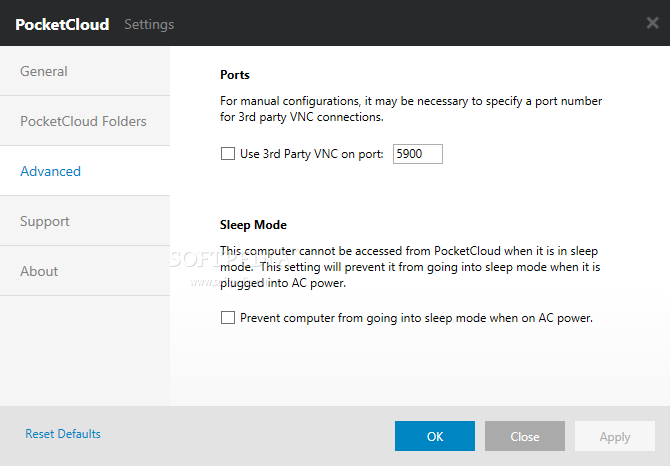
The program supports third party VNC connections and can prevent the computer it is installed on from entering sleep mode, since an offline PC cannot be accessed from PocketCloud. Its advantage is that it does not require you to deal with complicated configurations, since the VNC connections are made through the Gmail account.
PocketCloud can be installed on various devices, allowing the remote access of documents and applications. It can help you search, open and share files on your PC with other computer and mobile devices.
PocketCloud 2.8.37
add to watchlist add to download basket send us an update REPORT- runs on:
-
Windows 8 32/64 bit
Windows 7 32/64 bit
Windows Vista 32/64 bit - file size:
- 16 MB
- filename:
- PocketCloud_v2.8.37.exe
- main category:
- Internet
- developer:
Windows Sandbox Launcher

7-Zip

IrfanView

Bitdefender Antivirus Free

Microsoft Teams

4k Video Downloader

ShareX

paint.net

calibre

Zoom Client

- paint.net
- calibre
- Zoom Client
- Windows Sandbox Launcher
- 7-Zip
- IrfanView
- Bitdefender Antivirus Free
- Microsoft Teams
- 4k Video Downloader
- ShareX