
An application that runs as an interface between you and the OneDrive storage system, enabling you to keep important files with you anywhere. #SkyDrive client #OneDrive client #OneDrive storage #OneDrive #SkyDrive #Cloud

Microsoft comes with its own file sharing and cloud backup solution, providing a reputable competitor to services provided by the other giants in the IT world, such as Google, Dropbox or Apple. Called OneDrive, Microsoft’s cloud service became a popular cloud storage solution among regular consumers, mostly due to the fact that it comes integrated with Windows.
With a storage size limit in the basic, cost-free plan of 5 GB and an affordable price range for 100 GB and more, it’s safe to say that OneDrive successfully rivals the biggest names in this field.
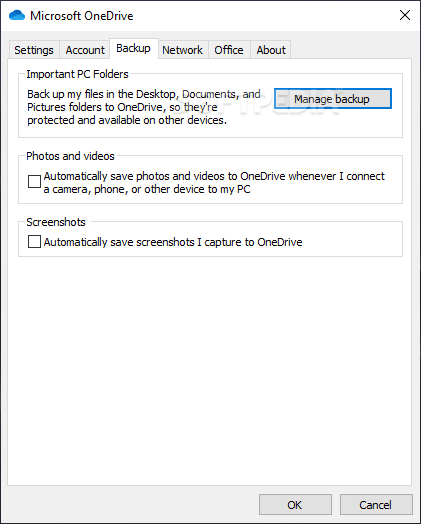
Working with OneDrive is basically the same as with any other similar cloud storage solution. Once logged in, a dedicated OneDrive folder is created on the local computer, a folder where you can place the files you want synced to the cloud. In essence, you specify the files and the directories to back up and OneDrive takes care of uploading them to the cloud and making them available to you on any other device where you set up OneDrive.
Uploading files to the cloud not only that it allows you to back up important content, but it can also save you a significant amount of storage space. You get to easily share files with others by simply sending them the link OneDrive generates for you.
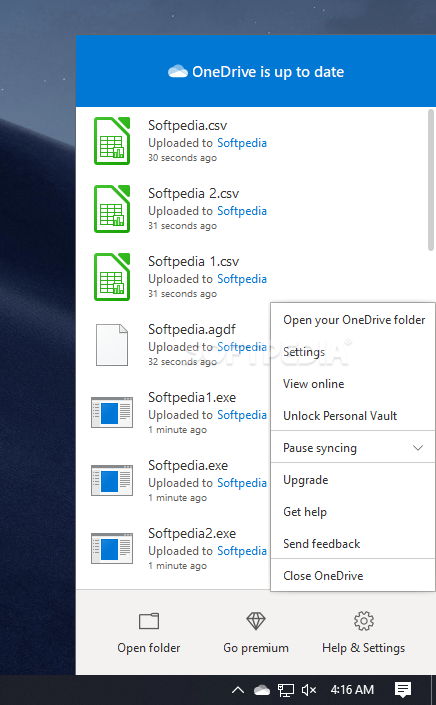
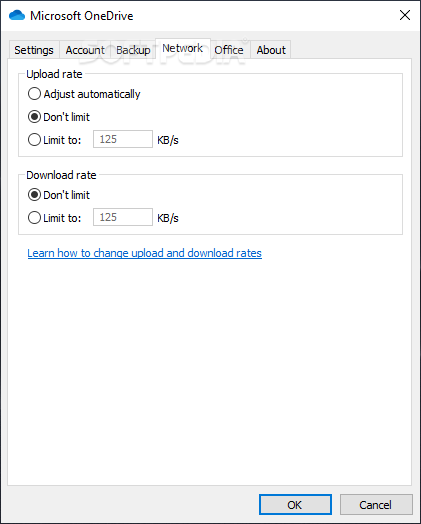
As expected, OneDrive is running in the background, allowing you to access it via the system tray. Double-clicking on the icon opens the OneDrive folder in Windows Explorer, while right-clicking on it opens a popup window where you can see the sync status, open your encrypted personal vault and access additional settings.
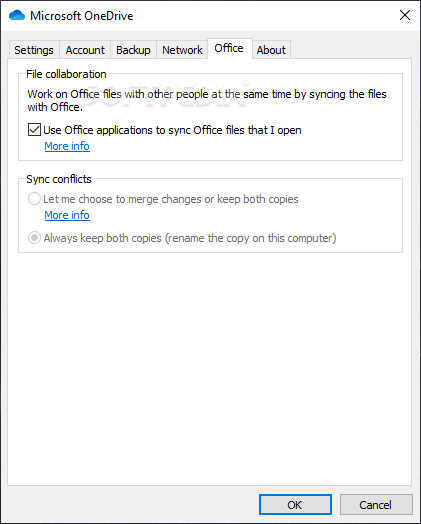
One of the noticeable pluses of OneDrive compared to other cloud storage solutions is its integration with the Office suite and other Microsoft services, such as Outlook, OneNote or Skype, facilitating document collaboration and file sharing. Not just that you get to work with your colleagues on the same file and share ideas easier, but you also get automatic saving, so there is a very low risk of losing your work.
OneDrive is a cloud storage solution like all the others, but it brings to the table the advantage of Office 365 integration. If you are a dedicated Windows user and work with Office on a daily basis, then this option is definitely for you.
Microsoft OneDrive 24.070.0407.0003
add to watchlist add to download basket send us an update REPORT- runs on:
-
Windows 11
Windows Server 2019
Windows Server 2016
Windows 10 32/64 bit
Windows Server 2012 R2
Windows Server 2012
Windows 2008 R2
Windows 8 32/64 bit
Windows 7 32/64 bit - file size:
- 54.5 MB
- filename:
- OneDriveSetup.exe
- main category:
- Internet
- developer:
- visit homepage
Microsoft Teams

ShareX

Context Menu Manager

7-Zip

calibre

Bitdefender Antivirus Free

4k Video Downloader

IrfanView

Zoom Client

Windows Sandbox Launcher

- IrfanView
- Zoom Client
- Windows Sandbox Launcher
- Microsoft Teams
- ShareX
- Context Menu Manager
- 7-Zip
- calibre
- Bitdefender Antivirus Free
- 4k Video Downloader