
Encrypt your keystrokes to protect your important personal information from keyloggers with this easy-to-install Internet Explorer addon. #Browser plugin #Keystroke encrypt #Personal information #Browser #Plugin #Personal

KeyScrambler Personal is a web browser addon that can encrypt keystrokes, in order to protect your private information while you navigate online. Together with a powerful anti-malware solution, this program can provide you with enhanced privacy protection.
Designed to help you fight back against keyloggers applications, KeyScrambler Personal encrypts all your keystorkes before they reach your web browser, at the level of your keyboard driver. The keys are then decrypted, so that you can view exactly what you typed in the browser window.
The Personal edition of the application can only be integrated with Internet Explorer and Mozilla Firefox, but there are also other editions that can protect multiple browsers, applications and even the logon screen.
Before enabling this addon in the two browsers, you have to restart your system. However, this is a minor drawback considering the advantage of securing confidential data.
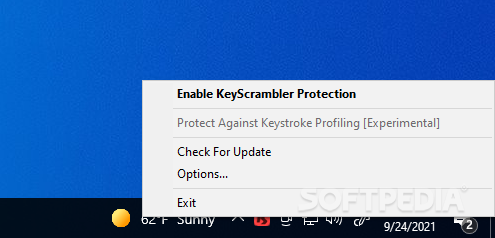
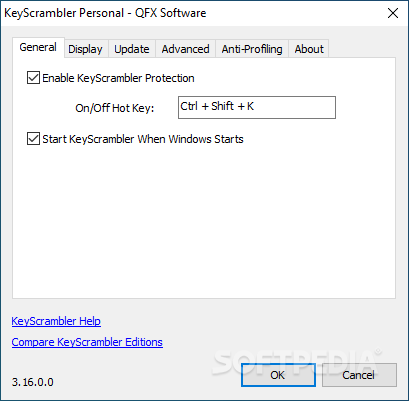
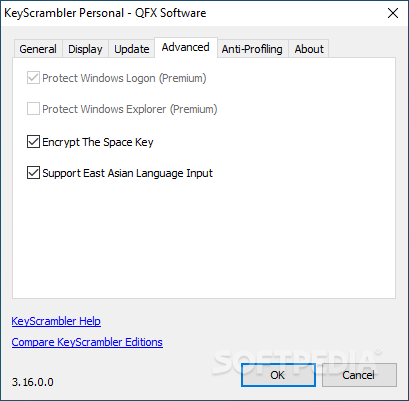
After installation, the program appears as an icon in the system tray, which turns green each time you open one of the supported applications. Right-clicking on the icon opens a menu where you can enable or disable the protection (which you can also do by pressing the user-defined hotkey) and access the 'Options' window (where you can distinguish unencrypted keys and enable space key encryption).
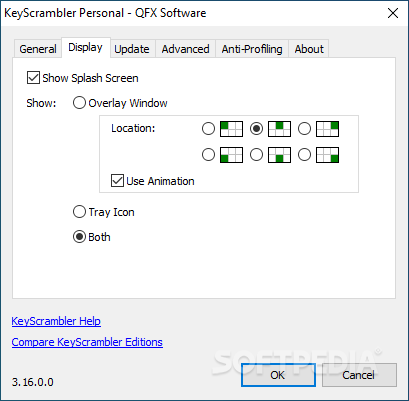
When typing in browser forms, search boxes or chat windows, a small box appears, where you can view the scrambled version of the text. This is what a keylogger installed on your system captures, instead of the real text.
The indicator window displays the encrypted stream of keystrokes in real-time, which enables you to easily verify if the encryption process really works. Just install a keylogger on your system and view what it captures when the browser addon is active.
KeyScrambler Personal is designed to prevent keystroke logging in your web browsers, which provides an additional layer of security for your confidential data and the whole system.
What's new in KeyScrambler Personal 3.18.0.0:
- What's New in KeyScrambler 3.18:
- KeyScrambler 3.18 adds support for 22 new apps:
- 2 more Browsers: Duck Duck Go, Mullvad Browser
KeyScrambler Personal 3.18.0.0
add to watchlist add to download basket send us an update REPORT- PRICE: Free
- runs on:
-
Windows 11
Windows 10 32/64 bit
Windows 2003
Windows 8 32/64 bit
Windows 7 32/64 bit
Windows Vista 32/64 bit
Windows XP 32/64 bit - file size:
- 1.7 MB
- filename:
- KeyScrambler_Setup.exe
- main category:
- Internet
- developer:
- visit homepage
IrfanView

Bitdefender Antivirus Free

Windows Sandbox Launcher

4k Video Downloader

calibre

ShareX

Microsoft Teams

Zoom Client

7-Zip

paint.net

- Zoom Client
- 7-Zip
- paint.net
- IrfanView
- Bitdefender Antivirus Free
- Windows Sandbox Launcher
- 4k Video Downloader
- calibre
- ShareX
- Microsoft Teams