
Simple-to-use piece of software that helps you view your IP address and hostname and automatically send the information to clipboard as soon as the program loads. #Display IP #Show hostname #View IP address #IP address #Hostname #Display

Finding out your IP quick and easy isn't that difficult since there are many websites out there that do that for free. It usually comes down to loading one of these webpages and voila, you're IP is displayed.
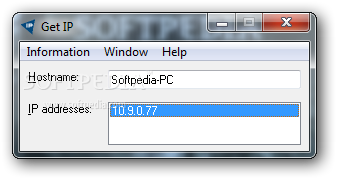
But what if you wish to find your IP even easier, without having to open your browser every time? Meet Get IP, a dedicated application that does just that: it shows your local IP address.
Since the program has been developed to serve such a simple purpose, it comes with a very clean interface. The whole GUI is actually a small window in which you can view the hostname and the IP.
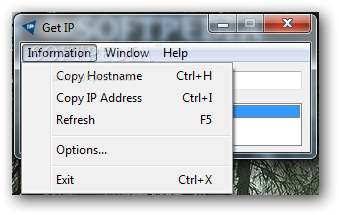
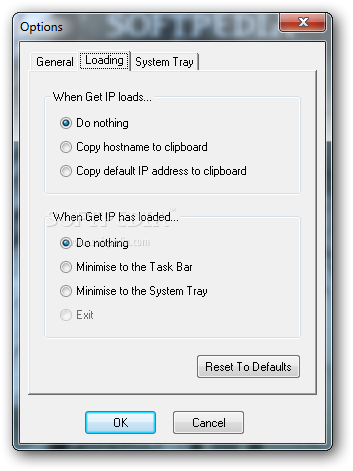
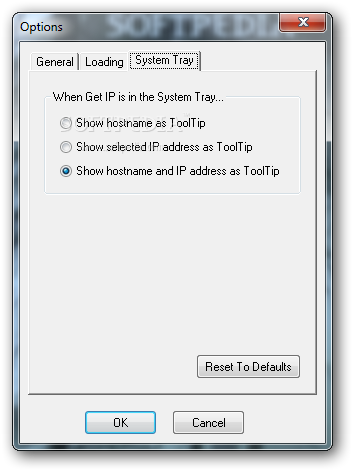
Get IP also offers some extra functions so it can quietly sit in your system tray and pop out whenever you click on it. Also, you can have the hostname or the default IP address automatically sent to clipboard as soon as the program loads.
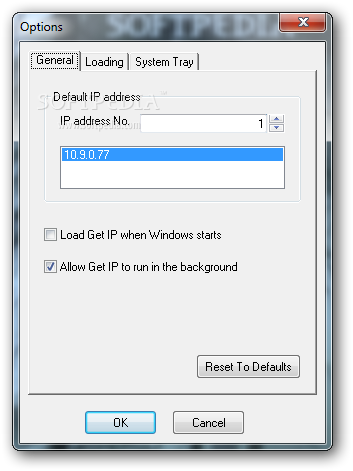
What's more, you can load the tool at Windows startup and run it in the background. This tiny utility can prove its usefulness especially when you want to allow someone to connect to a server you are hosting and you need to tell that person your IP address, something Get IP will do instantly.
The program is very easy to use and addresses all types of users who need to view and share their IP. The extra functions of Get IP further enhance its value so, if you're on the lookout for such a tool, this might be the right one.
What's new in Get IP 1.54:
- Added option to show your hostname and IP address together in the System Tray ToolTip.
- Default option for the System Tray ToolTip is to show your hostname and IP address together.
- Updated links to the Glynsoft website.
- Updated links to the Get IP website.
Get IP 1.54
add to watchlist add to download basket send us an update REPORT- runs on:
- Windows All
- file size:
- 314 KB
- filename:
- getip.exe
- main category:
- Internet
- developer:
IrfanView

4k Video Downloader

Windows Sandbox Launcher

paint.net

calibre

7-Zip

ShareX

Zoom Client

Bitdefender Antivirus Free

Microsoft Teams

- Zoom Client
- Bitdefender Antivirus Free
- Microsoft Teams
- IrfanView
- 4k Video Downloader
- Windows Sandbox Launcher
- paint.net
- calibre
- 7-Zip
- ShareX