
Manage and control remote computers from anywhere, set up user permissions, lock the screen, keyboard and mouse, apply IP and DNS filters, and enable HTTP tunnel. #Remote administator #Remote connection #Monitor activity #Remote #Administrator #Controller

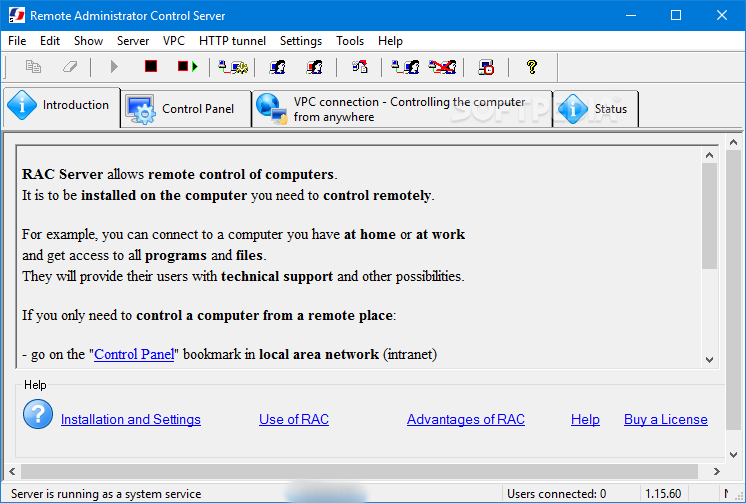
Remote Administrator Control Server is a remote utility whose purpose is to help you gain full control over remote computer tasks, such as file transfers, command prompt, process killing options, chat, messages, system shutdown, and WoL actions.
The program works hand in hand with the client version, Remote Administrator Control Client, and lets you connect multiple users to the server. You can also run the server as a system service.
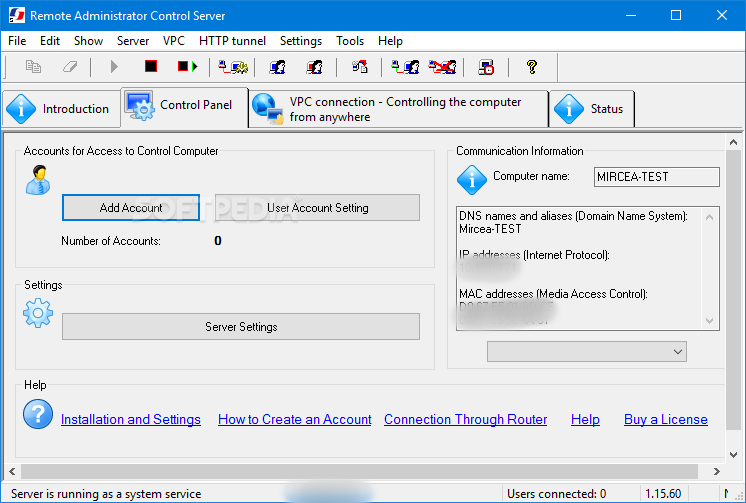
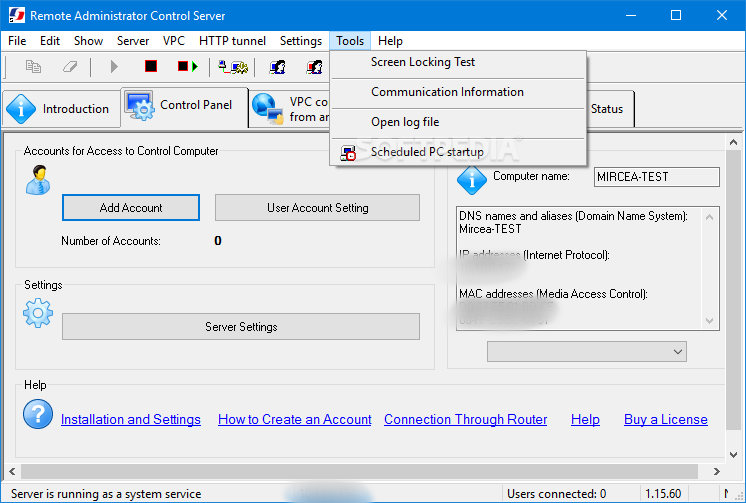
The utility adopts a multi-tabbed layout that offers you quick access to a short introduction about the program’s capabilities, configuration panel, VPC (Virtual Private Connection) setup, as well as status that records information about all your actions and possible errors.
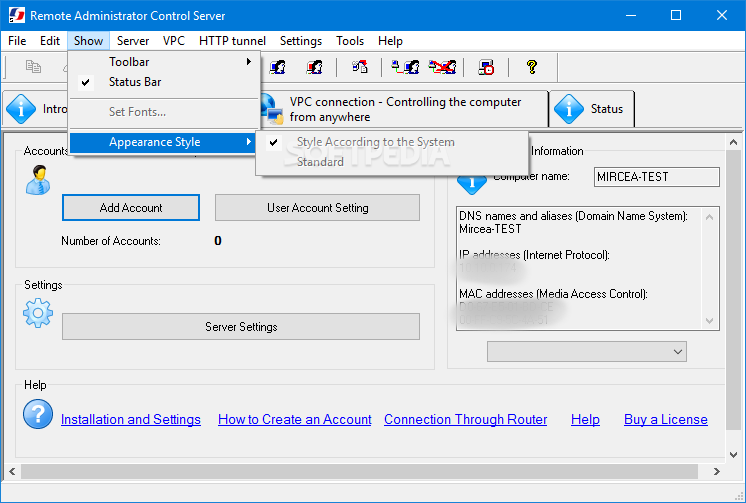
The GUI looks clean and easy to work with but not the same thing can be said about the configuration window which stores many settings.
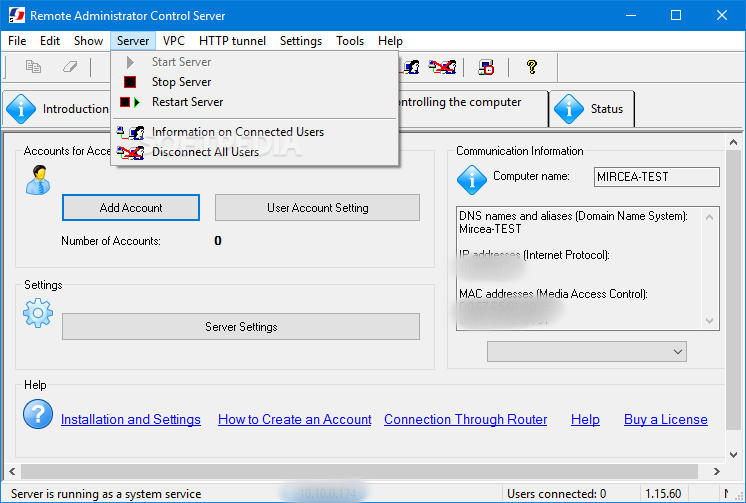
You can easily start, stop or restart the server, get information about the connected users (e.g. ID, username, IP address, name and surname), and disconnect all users with a single click.
Remote Administrator Control Server lets you set up a new user by providing details about the account name, logging in with authorization key in order to improve system security, configuring a password, and entering data about the name, surname and description. You can allow connections and lock services when controlling the computer.
User account settings allow you to configure file transfer and command prompt options, and keep track of locked accounts. Details about your computer are also revealed in the main window, namely DNS, IP and MAC addresses.
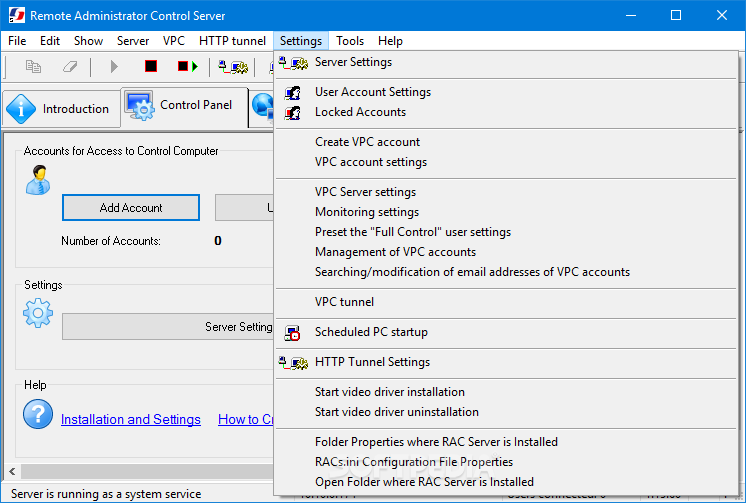
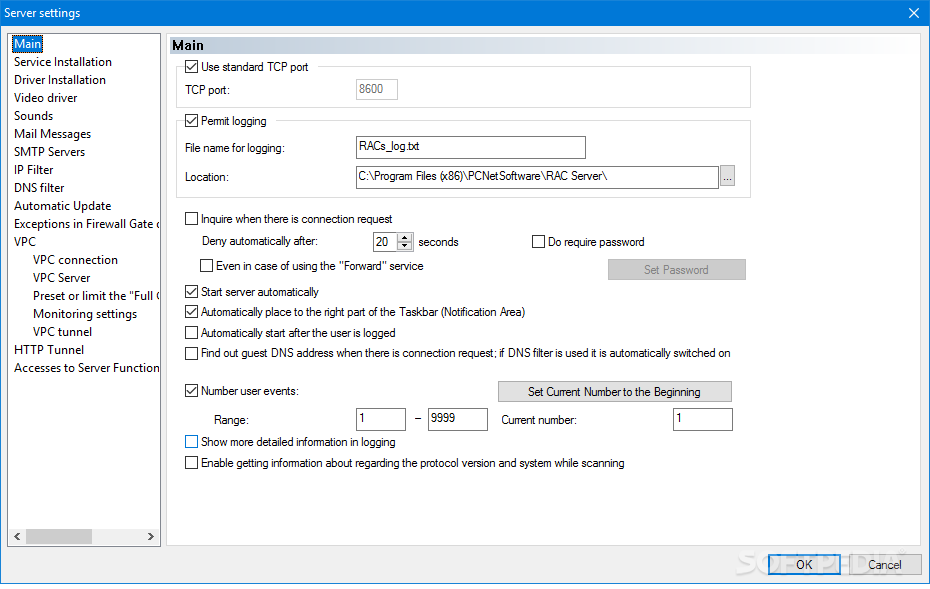
There are tons of settings that you can tweak. General configuration parameters help you enable the logging process, use standard TCP port, require password, start the server automatically, play sound notifications upon various events (connected or disconnected user), and send email messages with custom text.
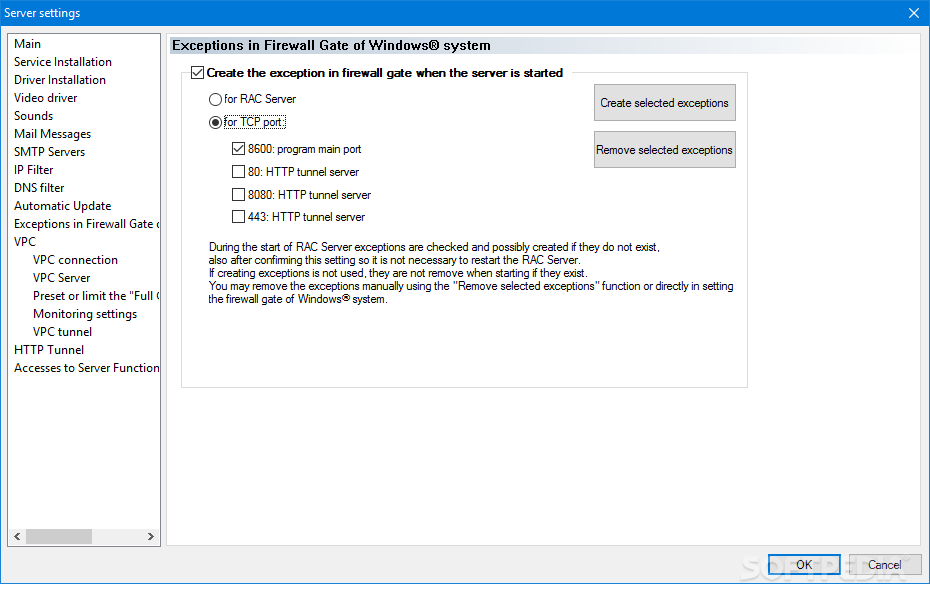
What’s more, you can tweak SMTP parameters, apply IP and DNS filters, create firewall exceptions when the server is started, connect to VPC, use a VPC server, work with VPC tunnel, enable HTTP tunnel, and set user permissions to access server functions.
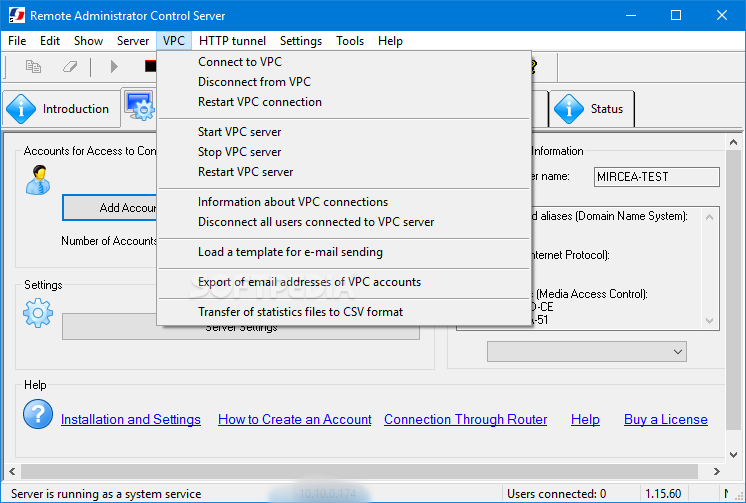
Remote Administrator Control Server lets you set up VPC accounts that can be used for hiding your IP address while navigating on the Internet. You can connect/disconnect to/from the current VPC mode, restart the VPC, get information about VPC users, and disconnect all users connected to the VPC.
The application offers you the option to lock the screen of the remote computer so that your activity is not seen, lock the keyboard and mouse, record the tasks performed on the remote PC to video files, make use of secure file transfers, as well as remotely control your home computer from work or vice versa using the integrated HTTP tunnel.
Remote Administrator Control Server integrates a handy suite of features for helping you manage and control remote computers, and is suitable especially for professional users.
Remote Administrator Control Server 5.0.12.0
add to watchlist add to download basket send us an update REPORT- runs on:
- Windows All
- file size:
- 4.6 MB
- filename:
- RACServer.exe

- main category:
- Internet
- developer:
- visit homepage
4k Video Downloader

Bitdefender Antivirus Free

paint.net

Zoom Client

Microsoft Teams

ShareX

IrfanView

7-Zip

calibre

Windows Sandbox Launcher

- 7-Zip
- calibre
- Windows Sandbox Launcher
- 4k Video Downloader
- Bitdefender Antivirus Free
- paint.net
- Zoom Client
- Microsoft Teams
- ShareX
- IrfanView