
FTP server with support for other popular protocols too, that lets you create users and manage permissions, generate SSL certificates, create SSH keys, study graphs, generate reports, and more. #FTP Server #FTP transfer #FTP upload #FTP #Upload #Transfer

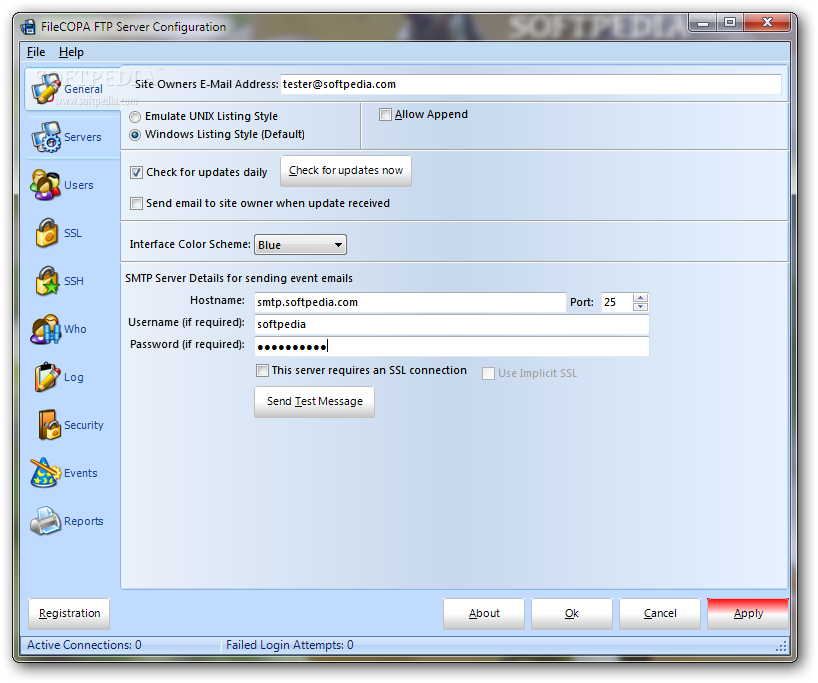
FileCOPA FTP Server is a powerful FTP server that works on all popular Windows editions and also offers support for SFTP, FTPS, HTTP, HTTPS, TFTP, WebDav, WebDAVS, HTTP WebFTP and HTTPS WebFTP.
It emulates a UNIX or Windows server, automatically configures itself for anonymous logins, and lets you create multiple servers to seamlessly manage your websites.
The tool is wrapped in a user-friendly interface which consists of the server configuration panel split into multiple panes for easy access.
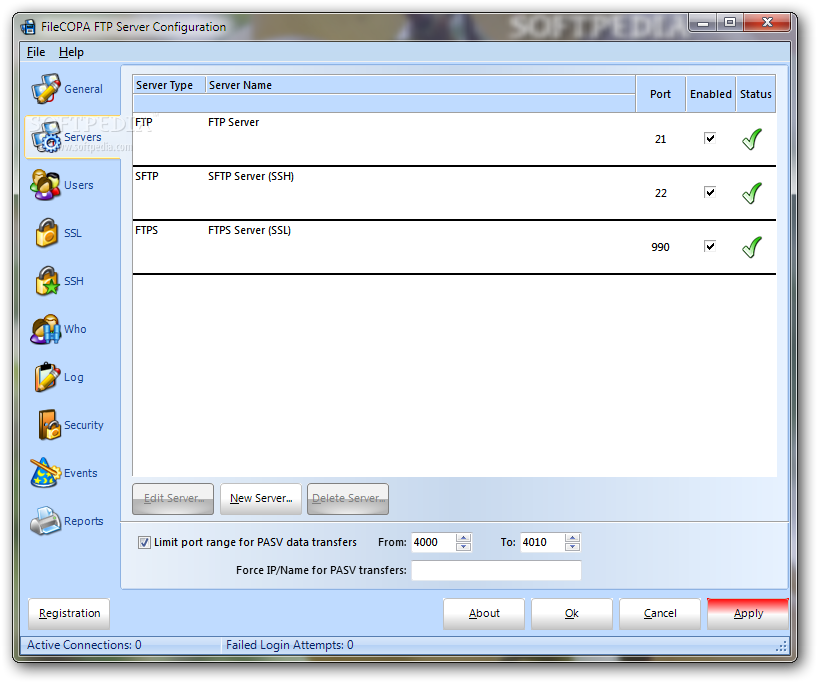
The FTP, SFTP and FTPS servers run at program startup by default, and you can stop any one of them, edit their properties, or put together new server profiles by specifying the server type, port and name. Plus, they can be bound to all IPv4 or IPv6 addresses.
In the following stage, you can tinker with the user credentials to allow access to, starting with a user name, password, permission to change password, idle timeout, and any comments.
FileCOPA FTP Server lets you limit the upload and download bandwidth along with the uploads and downloads by ratio, limit the disk quota and servers, write a list of IP addresses to permit connections from while forbidding the rest, as well as set the root directory, create virtual directories, and specify the file and directory rights.
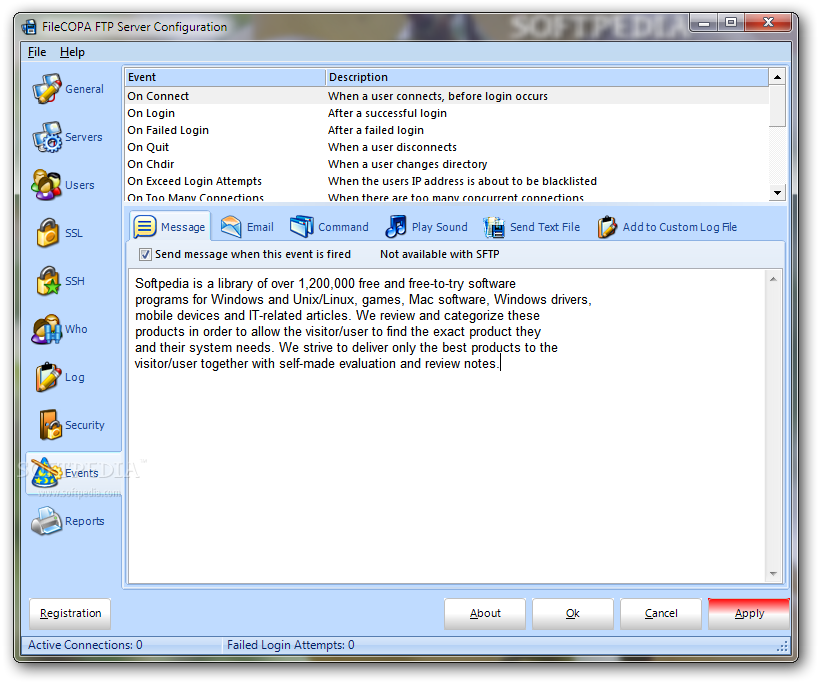
What's more, you can configure automated actions for important events, like showing messages, sending emails or text files, playing sound, or executing an eternal command. It's also possible to mark records expiration dates to disable or delete users, and to create SSH public keys.
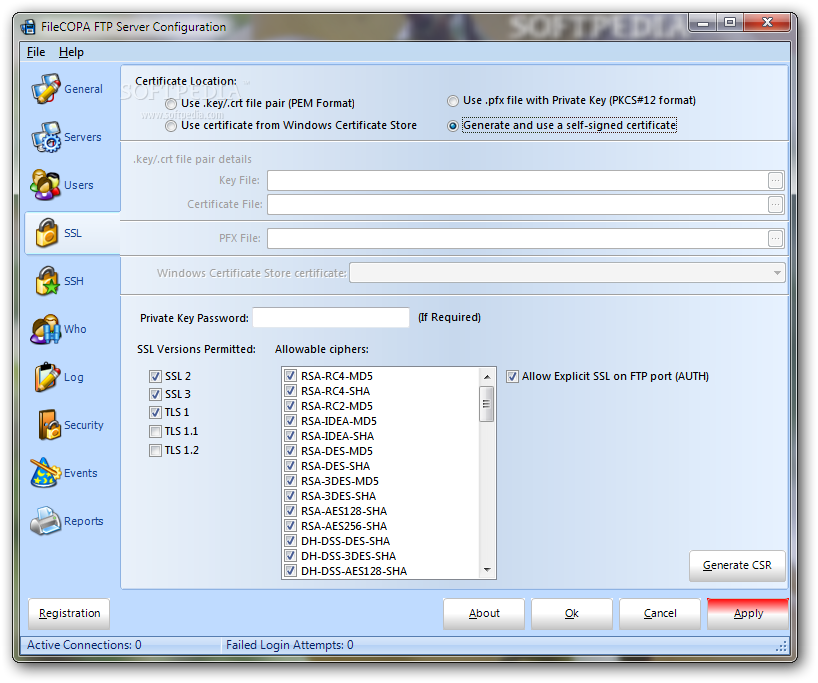
When it comes to SSL certifications, you can either use a .key/crt file pair (PEM format), a certificate from the Windows Certificate store, a .pfx file with Private Key (PKCS#12 format), or generate and use a self-signed certificate. Private key passwords can be indicated if they're required, while the allowed SSL version and ciphers may be customized.
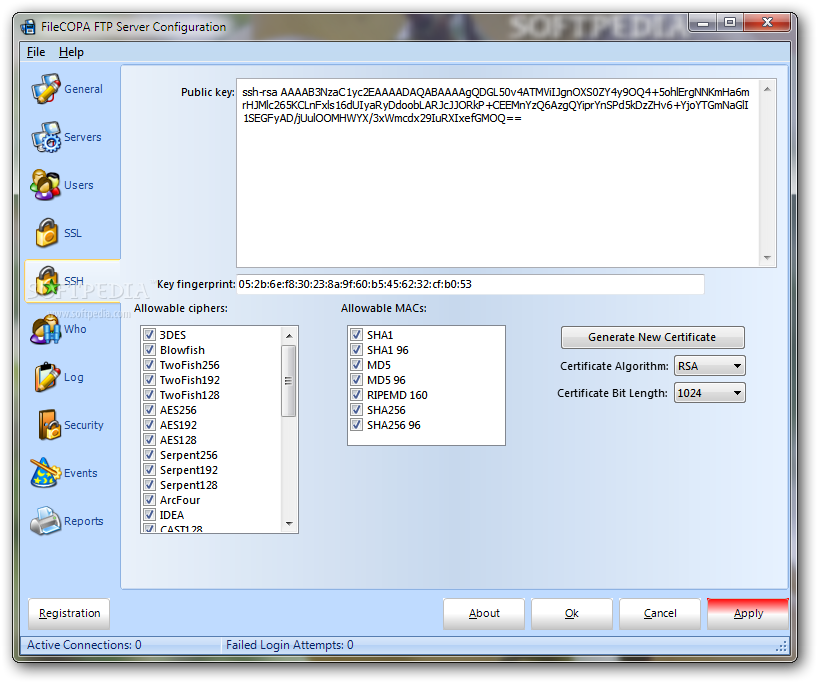
Similarly, you can write an SSH public key, examine the key fingerprint, and customize the allowable ciphers and MACs. Alternatively, you can generate a new certificate after indicating the algorithm (RSA or DSA/DSS) and bit length.
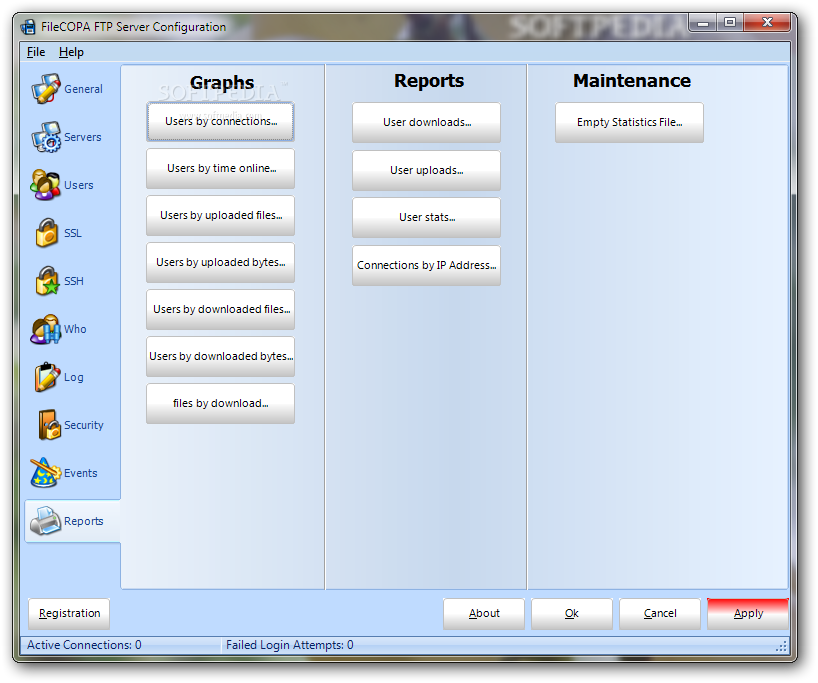
FileCOPA FTP Server enables you to study a wide range of graphs and generate reports based on them, record log details to file for later inspection, and more.
No errors popped up in our tests, and the utility didn't hang or crash. Its impact on computer performance was minimal. Taking into consideration its numerous powerful features and configuration parameters, we can safely assume that FileCOPA FTP Server meets the requirements of a lot of users looking for a reliable FTP server, so you can definitely test it for yourself.
What's new in FileCOPA FTP Server 9.01:
- Updated user interface with skin support added.
- New HTTP WebFTP and HTTPS WebFTP servers - provide a web-based interface for uploading and downloading files.
- Fields can now be injected into the subject line of email event messages as well as the body.
- Event emails can now be sent to multiple recipients.
FileCOPA FTP Server 9.01
add to watchlist add to download basket send us an update REPORT- runs on:
-
Windows 2008
Windows 2003
Windows 7 32/64 bit
Windows Vista 32/64 bit
Windows XP 32/64 bit
Windows 2K - file size:
- 48.5 MB
- filename:
- _filecpa.exe
- main category:
- Internet
- developer:
- visit homepage
Microsoft Teams

4k Video Downloader

Bitdefender Antivirus Free

IrfanView

Windows Sandbox Launcher

Zoom Client

paint.net

calibre

ShareX

7-Zip

- calibre
- ShareX
- 7-Zip
- Microsoft Teams
- 4k Video Downloader
- Bitdefender Antivirus Free
- IrfanView
- Windows Sandbox Launcher
- Zoom Client
- paint.net