
DHCP, TFTP, SNTP and Syslog servers and a TFTP client bundled inside a single package, with advanced configuration options and security settings. #FTP server #Syslog server #TFTP client #FTP #Server #Syslog

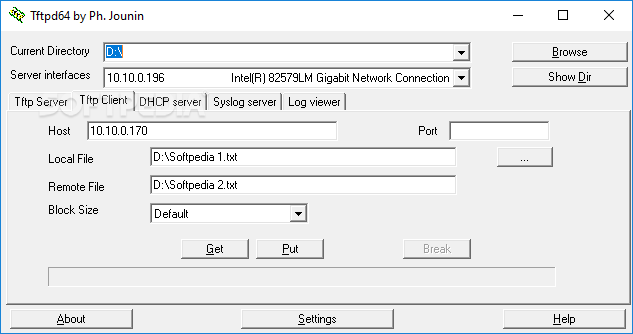
Tftpd32 is a lightweight application that integrates multiple services into a single program and allows you to easily transfer files. It features a TFTP server and client, along with SNTP, SYSLOG, DHCP and DNS servers.
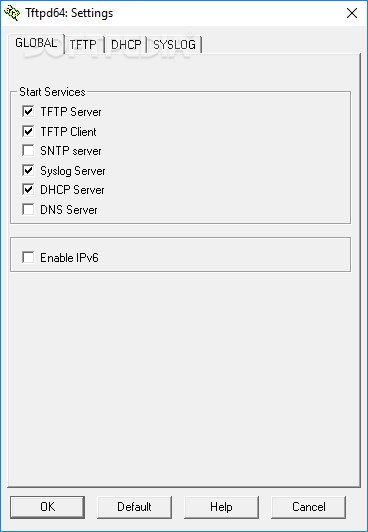
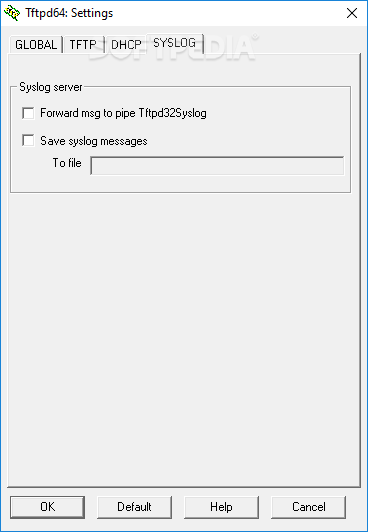
When starting the program, the TFTP, DHCP and SYSLOG servers are already running, but you have to configure all the services to meet your requirements and environment. The user interface is simple, allowing you to choose the current directory and a server address.
After these steps are complete, you can access each tab to configure the services. For example, in the case of the TFTP client, you can input the host, port and block size, as well as browse for the file you want to transfer from the remote PC to your own. You can either send or receive files, as long as you know the correct path on the remote computer.
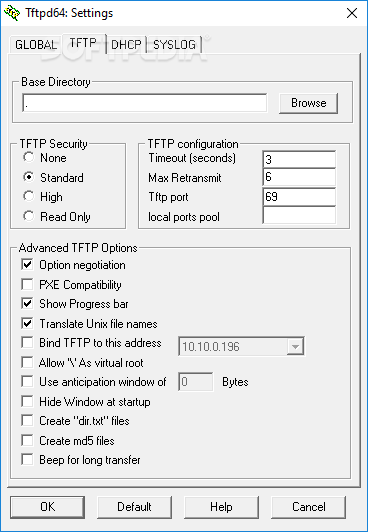
Tftpd32 gives you the possibility to change the base directory for each service and configure its settings. For example, for TFTP, you can set the security level and activate negotiation mode, PXE compatibility or use an anticipation window when transferring files to boost speed.
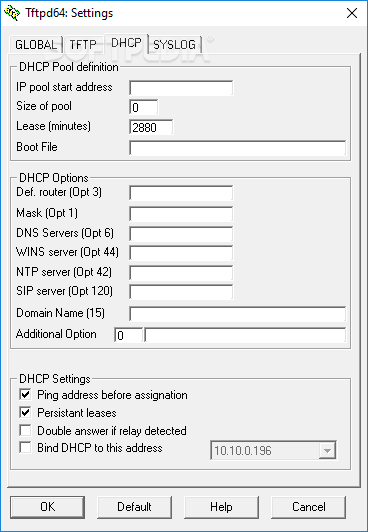
When it comes to configuring other services, you can set the IP pool starting address and the pool size for the DHCP server, as well as enter the default router, mask and domain name. The address can be pinged before doing so, to make sure the connection to the remote PC is successful.
For the TFTP server, you can view the peer, start time, transfer progress and size during the transferring process. The application records all your actions in a log file, which you can visit anytime. This way, you can permanently track your actions and easily identify possible errors.
All aspects considered, Tftpd32 is an all-in-one application dedicated to file transfers using several protocols. It includes multiple services and offers you extended features that you can configure to maximize data transfer speed. The tool worked smoothly on Windows 10 in our tests.
What's new in Tftpd32 4.64:
- New icon (thanks to Marco !)
- Add option to convert '//' into '/'
- Add DNS relay advertisement in Settings windows
- fix : crash on empty DNS request
Tftpd32 4.64
add to watchlist add to download basket send us an update REPORT- portable version
- Tftpd32 Portable
- runs on:
- Windows All
- file size:
- 663 KB
- filename:
- Tftpd64-4.64-setup.exe
- main category:
- Internet
- developer:
- visit homepage
4k Video Downloader

Microsoft Teams

calibre

7-Zip

IrfanView

Zoom Client

ShareX

Context Menu Manager

Windows Sandbox Launcher

Bitdefender Antivirus Free

- Context Menu Manager
- Windows Sandbox Launcher
- Bitdefender Antivirus Free
- 4k Video Downloader
- Microsoft Teams
- calibre
- 7-Zip
- IrfanView
- Zoom Client
- ShareX
