
Apache distribution for Windows containing MySQL, PHP and Perl, allowing developers to configure their own web server in a matter of minutes. #Apache distribution #Web server #Server utility #Apache #XAMP #Web-server

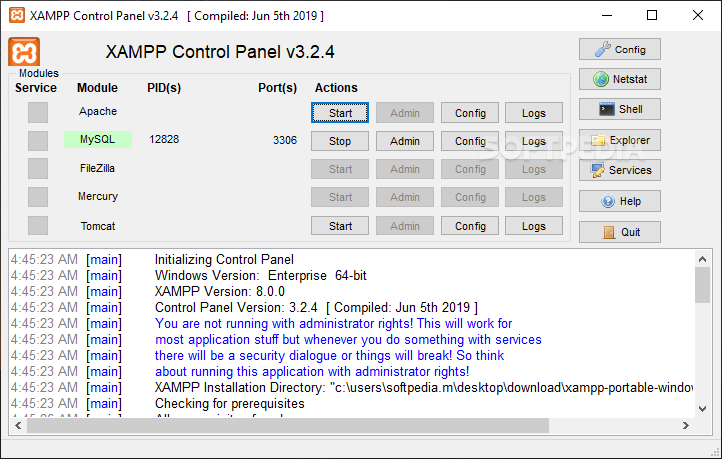
Using dedicated servers for hosting multiple apps, regardless of the scope and intended purpose can be subject to a wide range of difficulties, especially challenging when wanting to achieve better interoperability. The Apache HTTP Server makes no exception and integrating its functionality with other components will be facilitated by XAMPP, which represents a cross-platform that was developed specifically in order to offer users the means to test webpages, manage databases, and much more, from a single, centralized hub.
One of the first aspects that become quickly apparent, is the fact that the app features all of its available services and modules in a single interface. We believe that this minimizes the hassle almost completely and offers users quick, unhindered access to the required database.
To go with the aforementioned quick-access features, the app also comes equipped with a generous logging area, where one is able to preview all the elapsed tasks and processes.
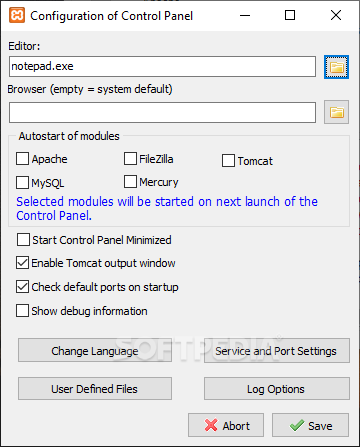
Just like in the spirit of a true developer-type deployment, XAMPP features dedicated buttons for all tasks that one might require, for each database environment. This means that initializing, stopping, or configuring the preferred module can be done at a glance.
The efficiency with which users are provided when using the app makes it a reliable choice when speed and effectiveness are of paramount importance to any undergoing project or development framework.
With its GUI that emphasizes efficiency, built by developers for developers, XAMPP manages to offer a competent tool for solution stacks in the context of website development and testing.
Download Hubs
XAMPP is part of these download collections: Web Server
What's new in XAMPP 8.2.12-0 / 8.1.25-0 / 8.0.30-0:
- PHP 8.2.12, 8.1.25 or 8.0.30
- Apache 2.4.58
- MariaDB 5.4.32
- phpMyAdmin 5.2.1
XAMPP 8.2.12-0 / 8.1.25-0 / 8.0.30-0 / 7.4.33-0 / 7.3.33-0
add to watchlist add to download basket send us an update REPORT- PRICE: Free
- portable version
- Portable XAMPP
- runs on:
-
Windows 11
Windows 10 64 bit
Windows Server 2012
Windows 2008 64 bit
Windows 8 64 bit
Windows 7 64 bit
Windows Vista 64 bit - file size:
- 147 MB
- filename:
- xampp-windows-x64-7.2.34-2-VC15-installer.exe

- main category:
- Internet
- developer:
- visit homepage
4k Video Downloader

Bitdefender Antivirus Free

IrfanView

ShareX

Zoom Client

paint.net

Microsoft Teams

Windows Sandbox Launcher

calibre

7-Zip

- Windows Sandbox Launcher
- calibre
- 7-Zip
- 4k Video Downloader
- Bitdefender Antivirus Free
- IrfanView
- ShareX
- Zoom Client
- paint.net
- Microsoft Teams