Softpedia
 

WINDOWS CATEGORIES:


GLOBAL PAGES >>
SOFTPEDIA REVIEWS >>
MEET THE EDITORS >>

WEEK'S BEST

  • DAEMON Tools Pro (...
  • FlashFXP [ DISCOUN...
  • PowerISO 4.9
  • WebcamMax [DISCOUN...
  • Zemana AntiLogger ...
  • System Mechanic Pr...
  • Glary Utilities Pr...
  • All My Movies [DIS...
  • Ad-Aware Internet ...
  • Atlantis Word Proc...
  • Home > Windows > Internet > WEB Design > HTML Editors
     Report malware

    Microsoft Expression Studio Web Professional 4.0.1303.0 SP2

    Softpedia Pick Award
    download button

    Part of the HTML Editors download hub
    Downloads: 88,646  View global page  Tell us about an update
    User Rating:
    Rated by:
    Very Good (4.0/5)
    137 user(s)
    Developer:

    License / Price:

    Size / OS:

    Last Updated:

    Category:

    Trial / USD 149.00 buy button
    29 MB / Windows XP / Vista / 2008 / 7
    [view history]
    C: \ Internet \ WEB Design \ HTML Editors

     Read user reviews (3)  Send to friend   Follow (6 users)

    EDITOR'S RATING

    Softpedia Editor's Review for Microsoft Expression Studio Web Professional

    Deliver visually compelling, standards-compliant Web experiences

    Written by Giorgiana Bursuc on November 9th, 2011

    Few end-users are aware of the effort one needs to invest for creating an attractive website, with animations, drop-down menus and nicely harmonized colors. The credit for these appealing websites unequivocally goes to the designers, but even they have to use some dedicated design software to get the job done, and Microsoft Expression Studio Web Professional is one of them.

    First and foremost, before installing this application, the system requirements need to be thoroughly checked, as software complexity comes for a price, both figuratively and literally. When running the setup, we are offered with the possibility to choose the components we want to install, and to ensure a complete user experience, all of them should be selected.

    When creating a website from scratch, this application allows users to easily add objects, text messages and images within their projects, then assign them colors and gradients until the output is visually appealing. Originality and innovation are not necessary, but recommended, since they will make a certain website stand out from the crowd, and will attract or reject users.

    It goes without saying that a website is more than design and great-looking images, and this is why Microsoft Expression Studio Web Professional comes with support for numerous programming languages, such as PHP, HTML/XHTML, CSS, JavaScript, ASP.NET, ASP.NET AJAX, thus offering webmasters plenty of freedom for writing their lines of code.

    Personalizing a website can be achieved by inserting desktop captures or custom videos, and this comprehensive software permits users to enhance their design with catchy overlays or advertisements.

    Beginners might have a hard time finding their way around this hefty product, but in the end they will be both pleased and proud with the results. At the same time, professionals will find a lot of tools that will allow them to fine-tune websites, make them interactive and get better SEO rankings, all within the same webdesign solution.


    Read an in-depth analysis in our professional review for Microsoft Expression Studio Web Professional

    Microsoft Expression Studio Web Professional description

    Here are some key features of "Microsoft Expression Studio Web Professional":

    · Three professional applications for one low price
    · Expression Studio 4 Web Professional includes a complete set of professional design and development tools for creating modern standards-based Web sites, streaming video, and Web graphics. It includes three professional applications that work together: Expression Web, Expression Encoder, and Expression Design…all for one great price!

    · Broad Web Standards Support
    · Built-in support for today's modern Web standards makes it easy to optimize your sites for accessibility and cross-browser compatibility. Choose any schema you want – HTML, XHTML, Strict/Transitional/Frameset and CSS 1.0, 2.0, or 2.1; Expression Web will help you build appropriate code with a compatibility checker that highlights non-conforming elements.

    · Create Professional Graphics for Your Site
    · Powerful vector drawing and editing tools in the included copy of Expression Design let you explore new artistic possibilities and create compelling graphic designs and illustrations. Integrate vector artwork and bitmap images in the same document to create hybrid compositions that you can import in part or in whole into Expression Web. Use Expression Design’s sophisticated slicing capabilities to create web-ready graphics.

    · Encode Silverlight video for Web streaming
    · Quickly encode and insert high-quality WMV, VC-1 and H.264 Silverlight video into your Web site with a wide range of encoding and transcoding features in the included copy of Expression Encoder.

    · Broad support for Industry-Standard Technologies
    · With support for a broad range of scripting and server-side technologies, Expression Web provides the flexibility you need. Expression Web supports PHP, HTML/XHTML, XML/XSLT, CSS, JavaScript, ASP.NET or ASP.NET AJAX, Silverlight, Flash, Windows Media, and Photoshop, as well as integration with Microsoft Visual Studio and Expression Studio.

    · Build Dynamic Interactive Sites
    · Whether you’re building a site rich with video, audio, or animation, Expression Web makes it easy. You can easily add Silverlight, Flash, Deep Zoom, or Windows Media files with drag-and-drop controls.

    · Professional Design Surface
    · Generate elegant, modern CSS layouts with a state-of-the-art design surface and the ability to directly manipulate positioning, sizing, margins, and padding. With Expression Web’s sophisticated CSS rendering engine, you can make design decisions on the fly and see a faithful representation of the final browser-rendered page.

    · Visual Diagnostics
    · Debug your pages in multiple browsers on the same machine that you use for development with Expression Web SuperPreview. SuperPreview supports Internet Explorer, Firefox with a local client, and Macintosh Safari via with an online service beta.

    · SEO Reporting
    · Expression Web SEO reporting gives you the information to improve your Web site’s relevance in search results by recommending how to make the site content more search engine friendly.

    · Import Photoshop files
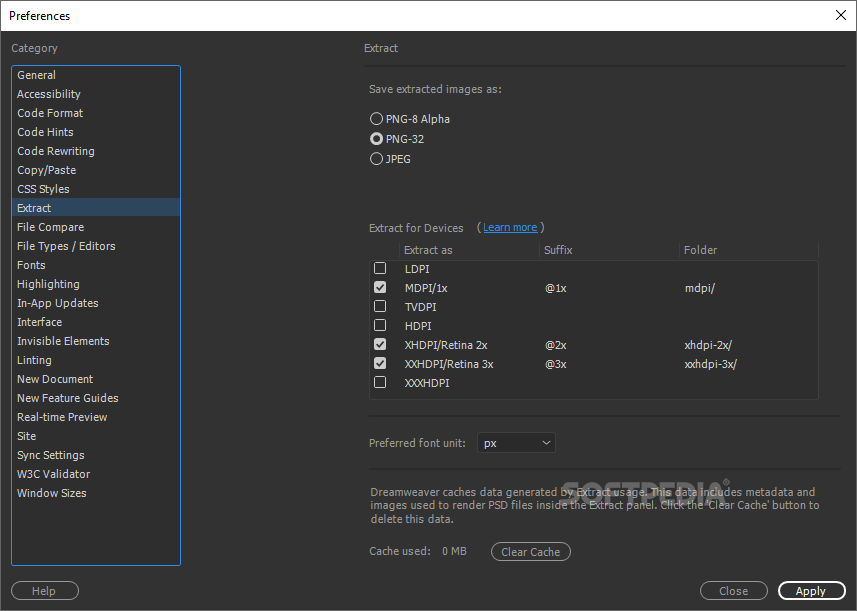
    · Expression Web can import Photoshop files directly, with complete control over the layers imported and the converted image format (PNG, GIF, and JPEG). Expression Web remembers your layer and format settings so that you can quickly reimport to reflect any changes to the Photoshop original.

    Requirements:

    · PC with 1 GHz or faster processor
    · 1 GB of RAM or more
    · 2 GB or more of available hard-disk space
    · .NET Framework 4.0
    · Support for Microsoft DirectX® 9.0 graphics with Windows Vista Display Driver Model (WDDM) Driver, 128 MB of graphics RAM or more, Pixel Shader 3.0 in hardware, 32-bits per pixel
    · Silverlight 4.0
    · DVD compatible drive
    · 1024 x 768 or higher-resolution monitor
    · Internet access (for Internet functionality; additional fees may apply)
    · Some product features require FireFox 3.0 or later, Internet Explorer 8

    Limitations:

    · 60-day trial

    What's New in This Release: [ read full changelog ]

    Issues that are resolved in this service pack:
    · Fixed several issues improving product stability.
    · Fixed items and visuals in the Insert Symbol dialog.
    · The CSS property "overflow: hidden" now behaves correctly on the design surface.
    · Improved handling of the HTML "name" attribute.
    · Added a notification error in Snapshot panel.
    · Fixed online help links in several places.
    · Fixed an issue with Copy/Paste in the Folder List panel.
    · Fixed an issue in which CSS media queries were removed by the "Reformat HTML" command.
    · Fixed several issues that affected the formatting of special characters and symbols.
    · Src and link handling now allows protocol-relative URLs.
    · Fixed an issue in which deleting a table row or column through the context menu caused unexpected behavior.
    · The Hyperlink dialog now properly handles links that are already URL-encoded.
    · The CSS property "pre-wrap" now behaves correctly on the design surface.
    · Fixed ALT+F1 shortcut for the Folder List panel.
    · Fixes to the JavaScri...

       Softpedia guarantees that Microsoft Expression Studio Web Professional 4.0.1303.0 SP2 is 100% CLEAN, which means it does not contain any form of malware, including spyware, viruses, trojans and backdoors. [read more >]


    TAGS:

    webpage creator | create website | HTML editor | web creator | builder | editor


    HTML code for linking to this page:


    Go to top

    WindowsGamesDriversMacLinuxScriptsMobileHandheldNews

    SUBMIT PROGRAM   |   ADVERTISE   |   GET HELP   |   SEND US FEEDBACK   |   RSS FEEDS   |   UPDATE YOUR SOFTWARE   |   ROMANIAN FORUM