
Simple-to-use piece of software that helps you point the mouse cursor anywhere on the screen to obtain RGB and HEX code of the selected pixel. #Color Detector #Color Picker #Detect Color #Color #Detector #Picker

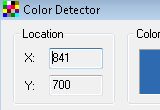
If you often need to work with image editors, then you know how important it is to know the exact color codes for the shades you want to use. Color Detector is a small utility that can detect all hues and provide various information regarding them.
The app has a simple interface that should be quite easy to figure out, thanks to the intuitive layout.
Thus, all that is needed for this program to work is a mouse. You can move the cursor around the screen until the exact shade you want to use is located. Color Detector then lets you know the coordinates of the mouse, as well as the RGB code (Red, Green and Blue).
In the same frame you can view the name of the color. However, not all the hues are named. The program provides the HEX code, which is also used by a large number of image editors.
Color Detector comes with shortcut support for a few actions. For instance, pressing the F5 button freezes and unfreezes the current color stats.
This could help you copy the desired codes into the editor despite the fact that you’ve moved the mouse cursor. Also, pressing the F6 key copies the HEX code value to the clipboard, while F7 copies the RGB code instead.
The bottom line is that Color Detector is a small tool that can come in handy. Less experienced individuals should find it quite easy to handle, thanks to its overall simplicity.
What's new in Color Detector 2.0:
- Added support for copying the RGB color values to the clipboard in a format compatible with
- Windows programming (eg. RGB macro from the Windows API)
- Improved the detection of color names
- Redesigned the UI a little bit
Color Detector 2.0
add to watchlist add to download basket send us an update REPORT- runs on:
- Windows All
- file size:
- 448 KB
- filename:
- colordetector.exe
- main category:
- Internet
- developer:
- visit homepage
Microsoft Teams

calibre

ShareX

Zoom Client

4k Video Downloader

Windows Sandbox Launcher

7-Zip

Context Menu Manager

IrfanView

Bitdefender Antivirus Free

- Context Menu Manager
- IrfanView
- Bitdefender Antivirus Free
- Microsoft Teams
- calibre
- ShareX
- Zoom Client
- 4k Video Downloader
- Windows Sandbox Launcher
- 7-Zip
