
Set up a surveillance system is your home or office, through cameras connected to your PC, with support for motion detection and saving recordings. #Video surveillance #Create video #Camera utility #Surveillance #Detect #Create

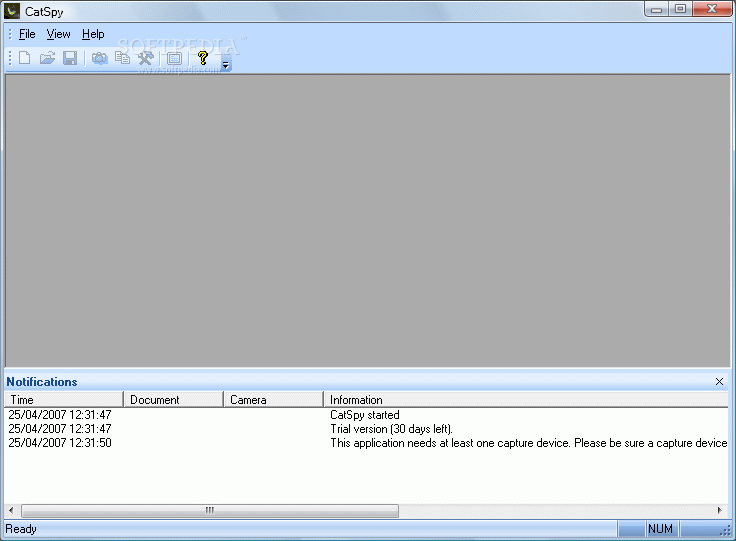
CatSpy is a software application whose purpose is to keep your home or office safe, by recording through connected web cams and configuring a motion detection system.
You are required to go through a quick and surprise-free setup process, while the interface you are met with maintains a simple and clean appearance. It encompasses a menu bar, several buttons and two panels which enable you to view the camera feeds and logs.
Moreover, extensive Help contents are provided, thus making sure that all user types can find their way around it without facing any kind of difficulties.
This program allows you to set up multiple cameras, as well as configure many aspects pertaining to it. To be more precise, you can easily input a name for each webcam, adjust the number of frames and resolution used, control the bit rate, choose the output format (AVI or WMV) and establish motion detection parameters (e.g. gray level, erosion count, start and stop delay, start countdown etc.).
In addition to that, you can also start recording according to a custom schedule, as well as add multiple events, such as playing a sound, sending an e-mail, connecting to Skype or invoking a command, so as to use them as triggers for activating or stopping the recording process or the motion detection.
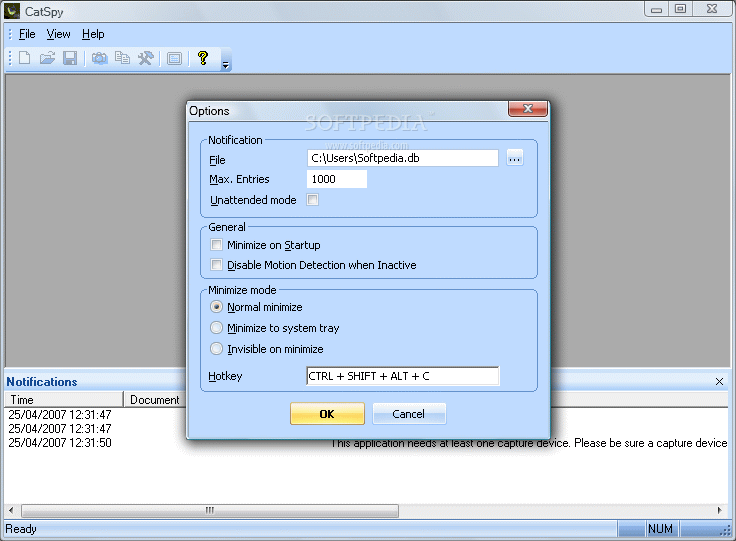
Last but not least, you should know you can view multiple camera feeds in the main window and save your projects to a custom location on the hard drive, using a CSPY proprietary format.
To wrap it up, CatSpy is a pretty efficient piece of software when it comes to setting up a surveillance system for your home or office. The interface is intuitive, the response time is very good, the computer’s performance is not burdened and we did not come by any hangs, errors, freezes or bugs in our tests. Nevertheless, some notification options would have been beneficial, as well as support for IP cameras.
What's new in CatSpy 1.51:
- Bugfix release for v1.50: The license manager detected a license fraud when using Windows ME/98 or a FAT formatted drive on Windows XP.
CatSpy 1.51
add to watchlist add to download basket send us an update REPORT- runs on:
- Windows All
- file size:
- 7.8 MB
- filename:
- CatSpyInstaller.msi
- main category:
- Internet
- developer:
- visit homepage
calibre

Microsoft Teams

Windows Sandbox Launcher

Zoom Client

Context Menu Manager

4k Video Downloader

7-Zip

Bitdefender Antivirus Free

IrfanView

ShareX

- Bitdefender Antivirus Free
- IrfanView
- ShareX
- calibre
- Microsoft Teams
- Windows Sandbox Launcher
- Zoom Client
- Context Menu Manager
- 4k Video Downloader
- 7-Zip