
Duplicate the video stream for multiple applications by turning to this lightweight application that comes with an intuitive interface. #Video stream #Duplicate stream #Video capture #Webcam #Splitter #Split
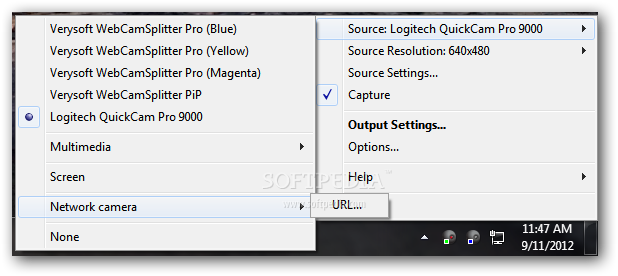
One of the limitations when using a webcam is that it cannot be used with multiple applications at the same time; but there are solutions for this issue and WebCamSplitter Pro is one of them.
As its name clearly suggests, the application splits the video stream of a connected camera so that the device can be used with multiple programs at once. This operation is not limited to webcam streams as the product can achieve the same with any other video stream.
The installation process is smooth, although it presents some customization options that allow discarding some components that may not be needed. A full install ends up with placing multiple cameras on the system, enabling the PiP (picture-in-picture) feature and audio support for DV cameras.
During this operation the program prompts to allow the addition of some drivers for virtual devices, necessary for carrying out its tasks properly.
As soon as installed, the application takes its place in the system tray area and waits for user input. Looks may not be impressive, but in this case functionality is what counts most and WebCamSplitter Pro may fit the bill.
The input video stream is captured by the application and then redistributed to other programs through the virtual devices.
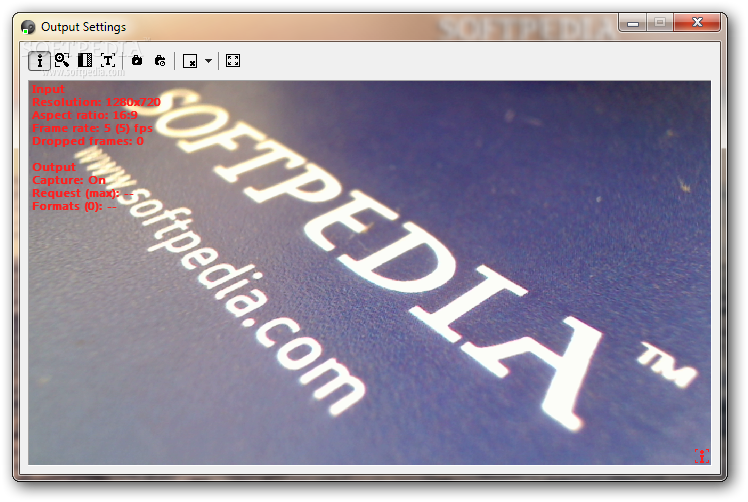
WebCamSplitter Pro provides the possibility to configure the output stream through options like zooming and panning, applying color corrections or adding text or image overalys.
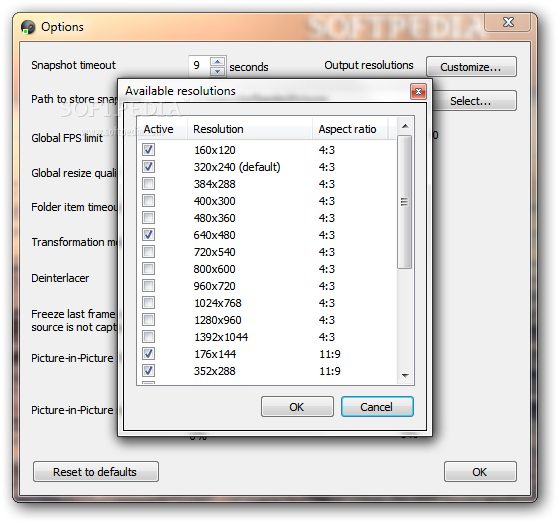
Setting up the application is not a tough job and includes options for imposing a FPS (frame per second) restriction or for selecting the resolutions for the output stream. PiP settings allow defining the frame size and the margin thickness.
WebCamSplitter Pro is a handy solution for those that want the same video stream (be it from a webcam or other resource) to be split so that it can be funnelled through more than one program.
If it has a significant impact on the system resources the documentation provides some tips for adjusting its demands.
What's new in WebCamSplitter Pro 1.6.351:
- 1024x576, 960x540 resolutions (16:9)
- Language selection
- Commands for selecting camera by index and text overlay (see command line help screen)
- VMR9 replaced legacy renderer in Output Settings
WebCamSplitter Pro 1.6.351
add to watchlist add to download basket send us an update REPORT- runs on:
-
Windows 11
Windows 10 32/64 bit
Windows 8 32/64 bit
Windows 7 32/64 bit
Windows Vista 32/64 bit
Windows XP 32/64 bit - file size:
- 2.7 MB
- filename:
- wcspro_1.6.351_setup_en.exe

- main category:
- Internet
- developer:
- visit homepage
ShareX

calibre

Windows Sandbox Launcher

4k Video Downloader

Bitdefender Antivirus Free

7-Zip

IrfanView

paint.net

Microsoft Teams

Zoom Client

- paint.net
- Microsoft Teams
- Zoom Client
- ShareX
- calibre
- Windows Sandbox Launcher
- 4k Video Downloader
- Bitdefender Antivirus Free
- 7-Zip
- IrfanView