
Seamlessly extract the audio stream of FLVs and save it to the MP3 format but also to WAV using this straightforward application. #FLV to MP3 #Flash to MP3 #FLV converter #FLV2MP3 #Converter #Convert

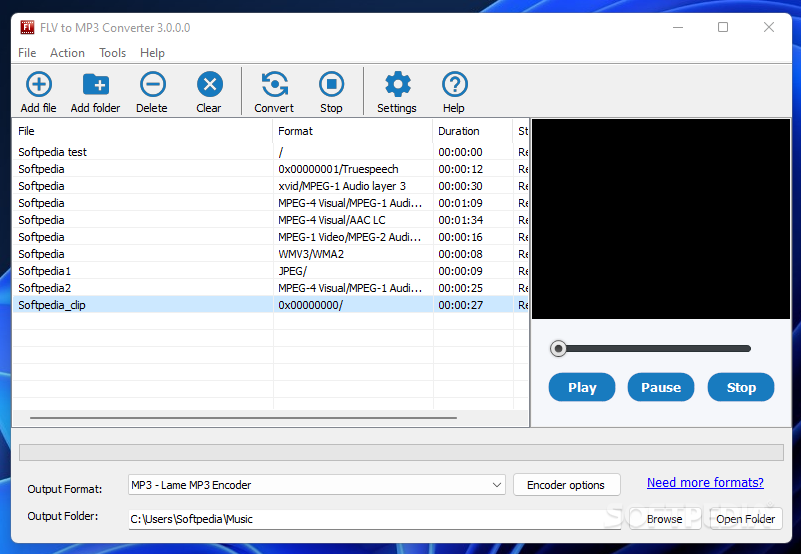
FLV to MP3 Converter is an application with a pretty self-explanatory name - it allows you to extract the audio stream of FLVs and save it to the MP3 format but also to WAV.
The tool is wrapped in a clean and intuitive interface where you can import items by using either the file browser, tree view or "drag and drop" function. Processing multiple entries at the same time is possible.
You can find out the initial name, format, location, duration and status of each video. After establishing the output directory and file type, you can proceed with the conversion procedure with the default settings.
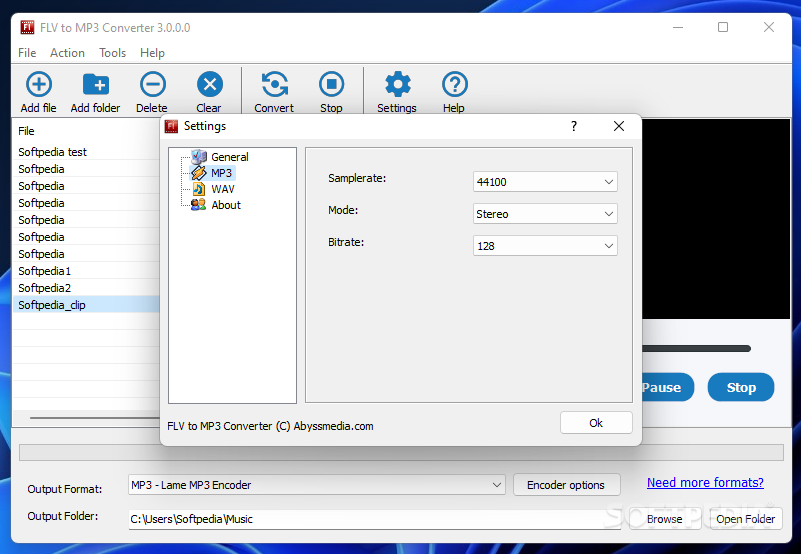
But you can make audio modifications when it comes to the sample rate, channel mode and bit rate. Unfortunately, you cannot create output profiles or restore settings to their standard values.
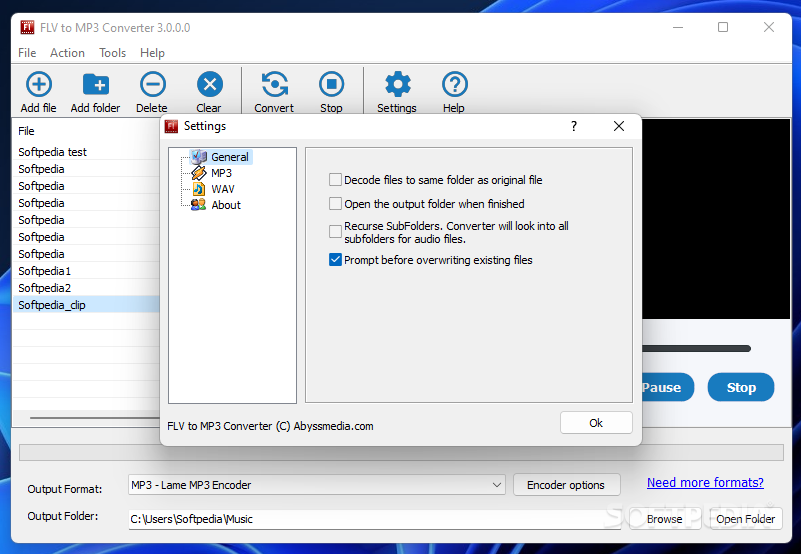
You can set FLV to MP3 Converter to use the source folder for the output directory, open the destination folder after conversion and to prompt before overwriting files. You can view file properties, as well as remove an entry from the file list or clear the entire queue.
The audio extraction program runs on a low amount of CPU and system memory. It converts a video in short time and is very responsive. There's also a help file that you can look into. The output audio tracks have a good sound quality. FLV to MP3 Converter did not freeze, crash or display error dialogs during our tests.
On the downside, you cannot preview files in a built-in media player, set FLV to MP3 Converter to automatically turn off the computer after conversion or customize the number of CPU to be used.
FLV to MP3 Converter 3.2.0.0
add to watchlist add to download basket send us an update REPORT- PRICE: Free
- runs on:
-
Windows 11
Windows 10 32/64 bit
Windows 8 32/64 bit
Windows 7 32/64 bit - file size:
- 16.8 MB
- filename:
- flvtomp3.exe
- main category:
- Multimedia
- developer:
- visit homepage
Zoom Client

4k Video Downloader

Bitdefender Antivirus Free

ShareX

7-Zip

calibre

Context Menu Manager

Microsoft Teams

Windows Sandbox Launcher

IrfanView

- Microsoft Teams
- Windows Sandbox Launcher
- IrfanView
- Zoom Client
- 4k Video Downloader
- Bitdefender Antivirus Free
- ShareX
- 7-Zip
- calibre
- Context Menu Manager