Softpedia
 

WINDOWS CATEGORIES:


GLOBAL PAGES >>
SOFTPEDIA REVIEWS >>
MEET THE EDITORS >>
WEEK'S BEST
  • Bitdefender Total ...
  • Ocster Backup Pro ...
  • Hard Disk Sentinel...
  • FlashFXP [DISCOUNT...
  • DVDFab DVD Copy [D...
  • Kaspersky Internet...
  • Avast! Internet Se...
  • Avira Internet Sec...
  • Webroot SecureAnyw...
  • McAfee Total Prote...
  • Home > Windows > Multimedia > Audio > Audio Editors/Recorders
     Report malware

    AthTek Skype Recorder 5.9.5.0

    download button

    Part of the Call Recorders download hub
    Downloads: 2,224  Tell us about an update
    User Rating:
    Rated by:
    Very Good (4.4/5)
    23 user(s)
    Developer:

    License / Price:

    Size / OS:

    Last Updated:

    Category:

    Demo / USD 29.95 buy button
    5.4 MB / Windows XP / Vista / Vista64 / 7 / 7 x64
    [view history]
    C: \ Multimedia \ Audio \ Audio Editors/Recorders

     Read user reviews (4)  Send to friend   Follow (0 users)

    AthTek Skype Recorder description

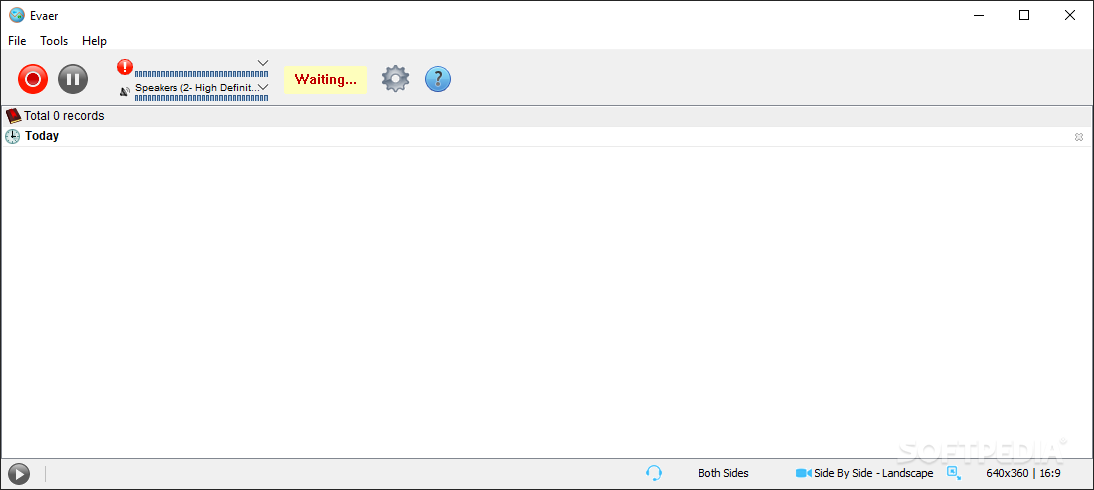
    Automatically record Skype audio and video chats in high-quality formats.

    AthTek Skype Recorder is widely used by many Skype users and business call centers. It has been awarded as ‘Best Skype Recording Tool’ by many users.

    Skype Recorder concentrates on providing high-quality Skype recording services for both audio and video formats.

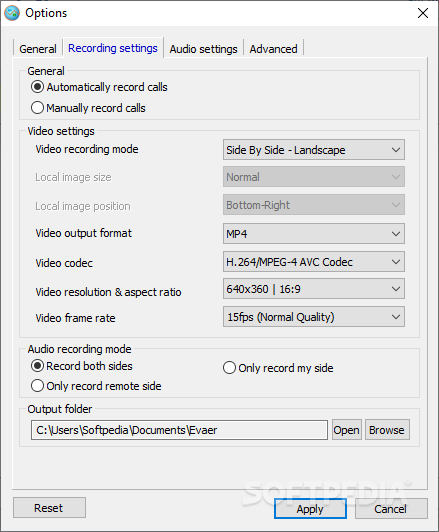
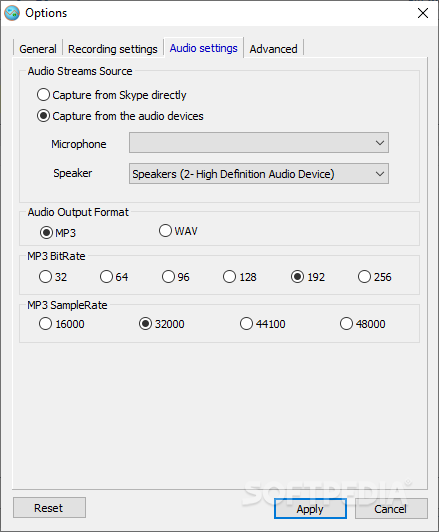
    It automatically record Skype chats and save recordings as MP3, WMA, OGG, FLAC and AVI formats. It can record Skype chats on both sides and upload recordings to web server conveniently.

    AthTek Skype Recorder has a neatly designed interface and is quite easy to use. Even you have never used an audio or video recorder, you can still be a master of Skype Recorder in minutes.

    With the help of this application you can easily record Skype chats and save them as MP3, OGG, FLAC or WMA.

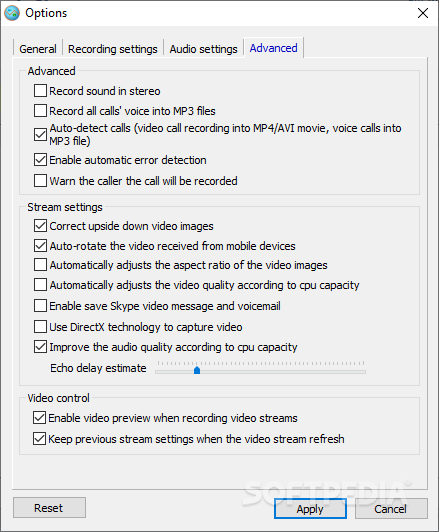
    You can also configure the audio encoder to achieve better audio quality for your Skype recording. With the advanced video recording features, you can record Skype chats in high-quality AVI format. More than that, you can also capture video from other programs such as YouTube video streaming, video games, MSN chats, Gtalk chats or any other window on your desktop.

    AthTek Skype Recorder also has many other features such as non-Skype audio recording, non-Skype video recording, parental control and FTP Uploader. With the non-Skype recording feature, you are allowed to record any line-in voice from your microphone.

    You don’t need to login your Skype account or activate the full version of Skype Recorder, this feature is totally free for use.

    With the Skype video recorder, you are allowed to capture video from other programs such as YouTube video streaming, video games, MSN chats, Gtalk chats, any other window on your desktop or even the full screen.

    It is quite easy to enjoy the video recording features, drag and drop the video button to any window you want to capture video from, then you would be able to get the high-quality video recording just in time!

    Here are some key features of "AthTek Skype Recorder":

    Record Skype Chats With High-Quality Audio Formats:
    · AthTek Skype Recorder supports to record Skype chats with high-quality audio formats including MP3, WMA, OGG, FLAC, etc. It has been awarded as "The Best Audio Recording Quality" by thousands of Skype users.

    Record Skype Chats With High-Quality Audio Formats:
    · AthTek Skype Recorder supports to record Skype chats with high-quality audio formats AVI. Video recording is a new feature of AthTek Skyep Recorder. It can ont only record Skype chats, but also record other windows.

    Automatically Record Skype Chats:
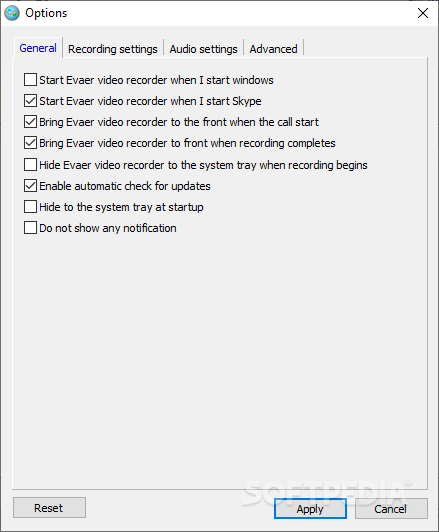
    · Recording Skype chats is absolutely automatical to users. You don't need to start recording Skype chats manually, the intelligent Skype Recorder will help you to record Skype charts and save them to your PC automatically.

    Upload Recorded Skype Calls:
    · You can easily share the Skype recordings to your fellows, save important Skype calls to your private space, hear your baby’s voice whenever you want. Your Skype calls won’t be shared to others, if you have not told them how to connect your server.

    Records Both Recording:
    · Not only your voice will be recorded, the other participants of the Skype call will be recorded too. It supports to record Skype chats on both sides with high quality and saving the whole conversation to your computer.

    Add Notes to Recording Items:
    · You can add notes to every record file in your list. Simply add some key words to the recording items to help you remember the contect of this call easily. You will be able to remember the Skype call better from voice to notes.

    Silent Mode For Parental Control Purpose:
    · You can set the Skype Recorder to be invisible from the computer, then you would be able to monitor every Skype calls of your kids. Please buy the Machine Bind Lincese if you want to use this function.

    Non-Skype Recording:
    · AthTek Skype Recorder supports non-Skype recording. You don't need to buy an audio recorder for voice recording, AthTek Skype Recorder can help you to record line in voice in high-quality audio files.

    Video Game Recording:
    · AthTek Skype Recorder enables you to recording any screen on your desktop ubcluding video games. Simply drag and drop the video recorder button to any window you want to record, then the specified window will be recorded as AVI file.

    Requirements:

    · Skype
    · 256MB RAM (512MB or above recommended)
    · 500Hz Intel/AMD processor or above
    · 512 MB free space for saving audio files
    · Super VGA (800×600) resolution, 16-bit graphics card or higher

    Limitations:

    · Nag screen
    · Can only record for maximum 1-10 minutes. After that you call will be dropped.

    What's New in This Release: [ read full changelog ]

    · Supports to record Skype calls on Windows 8;
    · Use new program icon and buttons;
    · Enhance the compatibility with Skype 6.0;

     Softpedia guarantees that AthTek Skype Recorder 5.9.5.0 is 100% CLEAN, which means it does not contain any form of malware, including spyware, viruses, trojans and backdoors. [read more >]


    TAGS:

    record call | Skype recorder | record Skype | recorder | record | Skype

    Go to top

    WindowsGamesDriversMacLinuxScriptsMobileHandheldNews

    SUBMIT PROGRAM   |   ADVERTISE   |   GET HELP   |   SEND US FEEDBACK   |   RSS FEEDS   |   UPDATE YOUR SOFTWARE   |   ROMANIAN FORUM