Softpedia
 

WINDOWS CATEGORIES:


GLOBAL PAGES >>
SOFTPEDIA REVIEWS >>
MEET THE EDITORS >>

WEEK'S BEST

  • DAEMON Tools Pro (...
  • FlashFXP [ DISCOUN...
  • PowerISO 4.9
  • WebcamMax [DISCOUN...
  • Zemana AntiLogger ...
  • System Mechanic Pr...
  • Glary Utilities Pr...
  • All My Movies [DIS...
  • Ad-Aware Internet ...
  • Atlantis Word Proc...
  • Home > Windows > Multimedia > Audio > Audio Editors/Recorders
     Report malware

    Digital Audio Editor 7.6.0.245

    download button

    Part of the Edit MP3 download hub (+6 others)
    Downloads: 34,039  View global page  Tell us about an update
    User Rating:
    Rated by:
    Good (3.7/5)
    98 user(s)
    Developer:

    License / Price:

    Size / OS:

    Last Updated:

    Category:

    Trial / USD 24.95 buy button
    8.9 MB / Windows All

    C: \ Multimedia \ Audio \ Audio Editors/Recorders

     Read user reviews (1)  Send to friend   Follow (2 users)

    EDITOR'S RATING

    Softpedia Editor's Review for Digital Audio Editor

    Will record music or voice, edit with a set of effects, mix it with other audio parts

    Written by Elena Opris on December 29th, 2011

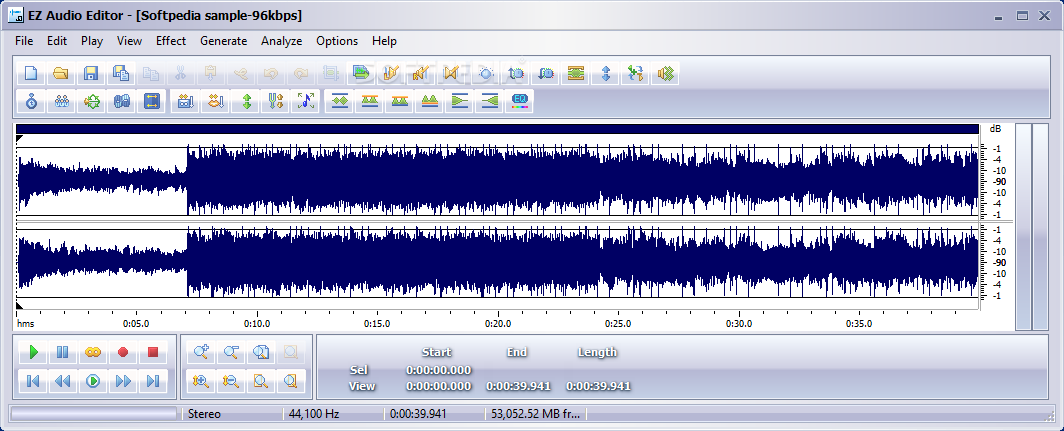
    Digital Audio Editor is a software that you can use to easily create and edit audio files. It supports many audio formats, including WAV, MP3, OGG, CDA and RAW.

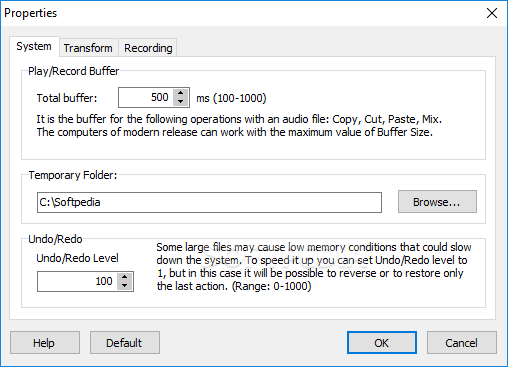
    The user interface of the program is standard, although various functions are cluttered in the menu bar.

    So, you can save a particular selection, use the "Undo" and "Redo" functions, edit the left, right or both channels, copy and cut a particular section, as well as mix a selected part of the audio with another file.

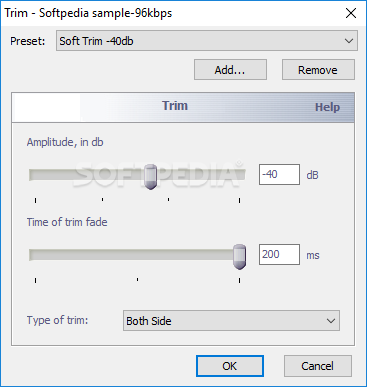
    Furthermore, you can delete the silence, trim or crop the video, convert the sample type (frequency, channel and bitrate) and add a current selection to the cue list. But you can also start a recording from an input device.

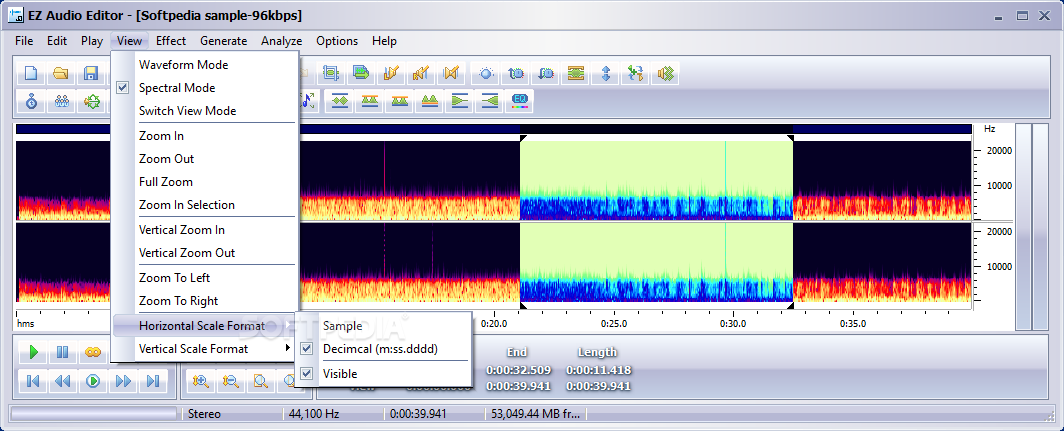
    In addition, you can view audio data in a waveform or spectral format, zoom in and out, change the horizontal scale format to decimcal or sample, and add various effects (e.g. invert, reverse, silence, fade in and out, amplify, normalize, mix stereo channel, delay, phaser, flanger, reverb, chorus).

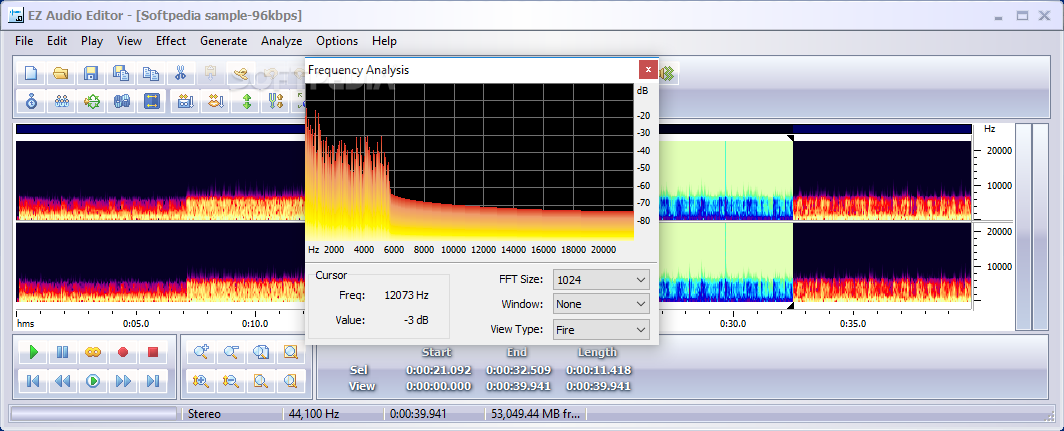
    Also, you can reduce cassette noise and voice breath, view a frequency analysis window and use hotkeys. The program takes up a low-to-moderate amount of system resources, contains a comprehensive help file (with tutorials) and can be used by both novices and experts.

    We haven't encountered any major problems during our tests but the trial version doesn't let you save files, unfortunately. Otherwise, we recommend Digital Audio Editor to all users.


    Read an in-depth analysis in our professional review for Digital Audio Editor

    Digital Audio Editor description

    Here are some key features of "Digital Audio Editor":

    · Open, create, and save audio files in any of the supported formats (can also save any portion of a loaded file to disk as a new file);
    · Display audio data waveform (Zoom Full, Zoom In, Zoom Out, Zoom Vertical);
    · Play audio files or any portion of the files (Play, Pause, Stop);
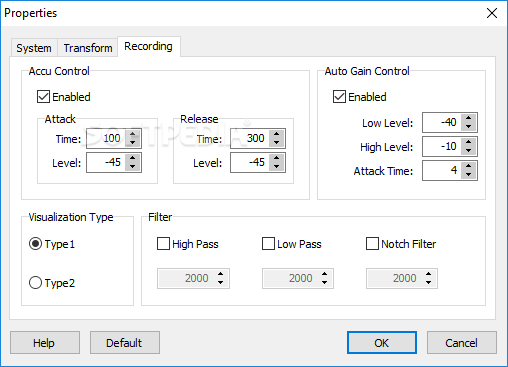
    · Record audio data from a microphone or any other available input device (you can record audio from DVD / VCD / CD Player, MP3 Player, RealPlayer, Windows Media Player, Web Page, Internet Conversation, Internet News, Internet Radio Station and more);
    · Edit audio files visually (Cut, Copy, Delete Selection, Delete Silence, Paste, Paste From File, Mix, Mix From File);
    · Apply various effects (Amplify, Compressor, Delay, Equalize, Fade In and Fade Out, Flanger, Invert, Normalize, Phaser, Reverb, Reverse, Silence, Shrink, Stretch, Vibrato, etc.);
    · Apply different filters to any selected portion of audio files;
    · Convert an audio file from one format to another

    Requirements:

    · Pentium class 500 MHz processor or better
    · 128 MB RAM
    · 30 MB HD
    · SVGA or higher resolution display
    · 4x or better CD-ROM drive (for CD conversions)
    · Sound Card
    · Speakers/headphones

    Limitations:

    · 30 days trial
    · You cannot save files in the unregistered version
    · Nag screen

       Softpedia guarantees that Digital Audio Editor 7.6.0.245 is 100% CLEAN, which means it does not contain any form of malware, including spyware, viruses, trojans and backdoors. [read more >]


    TAGS:

    audio editor | audio converter | audio mixer | edit | record | mix


    HTML code for linking to this page:


    Go to top

    WindowsGamesDriversMacLinuxScriptsMobileHandheldNews

    SUBMIT PROGRAM   |   ADVERTISE   |   GET HELP   |   SEND US FEEDBACK   |   RSS FEEDS   |   UPDATE YOUR SOFTWARE   |   ROMANIAN FORUM