
Packed with a scheduler, this application helps you record audio input, automatically split files and save them using several extensions (e.g. MP3, WMA, OGG, WAV etc.). #Sound recorder #Audio recorder #Streaming audio #Record #Recorder #Audio

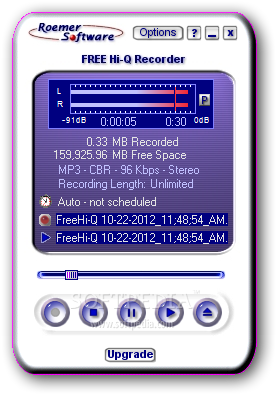
If you are still looking for a powerful software solution to record the content played through your audio card, do not forget to give FREE Hi-Q Recorder a try.
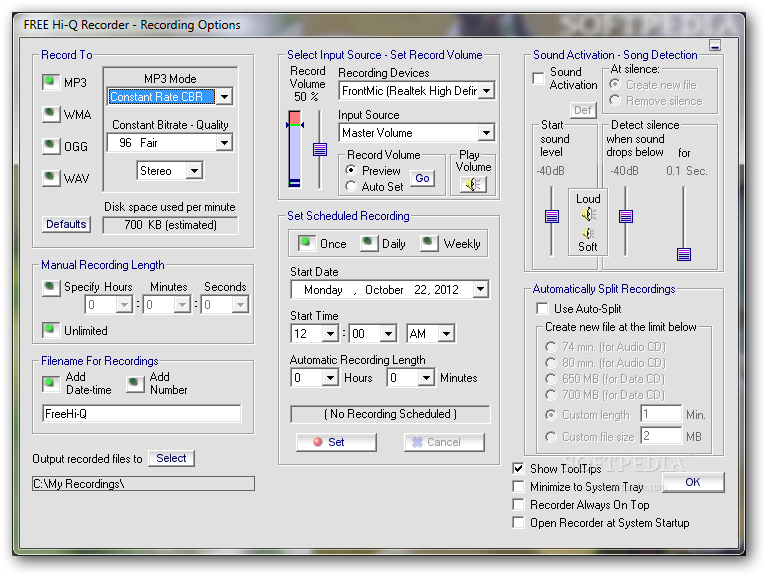
Because this application has been designed especially with this goal in mind, it offers users a very friendly approach. While the interface is pretty easy to use, not the same thing can be said about the settings menu which might seem a bit overwhelming at the first glance. There are options everywhere you look and it is pretty obvious that this isn’t the well-organized look we have been expecting.
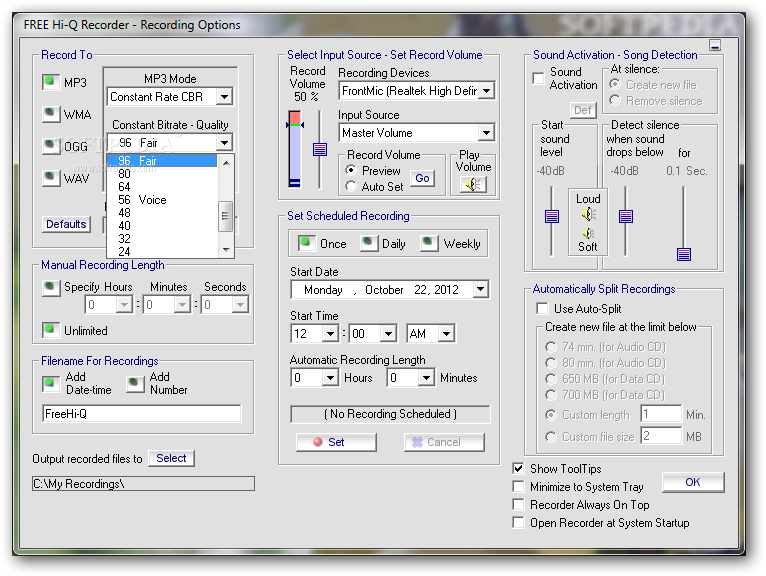
FREE Hi-Q Recorder can record sounds in MP3, WMA, OGG and WAV, each format coming with its very own settings that can be tweaked with just a few clicks. You can select input source and the record volume, with a special tool to preview the settings on the go.
FREE Hi-Q Recorder gives you the power to define the recording length, yet you can also set the utility up to automatically splits the recording into multiple parts once a size or length limit is reached.
Last but not least, FREE Hi-Q Recorder also boasts a recording scheduler, which means you can start recording at a user defined time, with dedicated options to even set up the recording length.
This tool remains light on hardware resources at all times and therefore, does not affect the computer’s performance in any way. The response time is good and our tests did not reveal any errors, crashes or hangs.
FREE Hi-Q Recorder is a very handy audio recording tool and not only that it is available for free, but it also provides an amazing audio quality that is very close to the original.
What's new in FREE Hi-Q Recorder 1.95:
- Now runs on Windows 8, 7, Vista, XP, 98SE, 2000, ME
- Hot Keys, Keep on top, Improved recording files and more
FREE Hi-Q Recorder 1.95
add to watchlist add to download basket send us an update REPORT- runs on:
- Windows All
- file size:
- 2.9 MB
- filename:
- freehiqrec.exe
- main category:
- Multimedia
- developer:
Microsoft Teams

Context Menu Manager

IrfanView

Zoom Client

calibre

7-Zip

Windows Sandbox Launcher

4k Video Downloader

Bitdefender Antivirus Free

ShareX

- 4k Video Downloader
- Bitdefender Antivirus Free
- ShareX
- Microsoft Teams
- Context Menu Manager
- IrfanView
- Zoom Client
- calibre
- 7-Zip
- Windows Sandbox Launcher